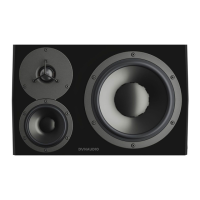
Monitor orientation
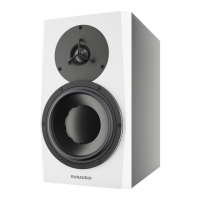
The Core monitors give you the advantage of multiple orientations for each monitor, oering maximum flexibility for
proper installation.
Core monitors can be place standing up or on their sides with either the woofers facing out or in. They can also
be placed with the woofer on top in case that aligns the tweeter better with the listener’s ear height or improves
the bass response of the room.
Note that the Core 47 has two models with the woofer placed on either side of the tweeter/midrange assembly.
These monitors should be used in horizontal orientation only.
Hover Pads
The Core monitors come with pads that should be used when placing the monitors regardless of the surface
material. Align these pads with the corresponding indentations on each side of the monitor. Using hover pads,
you can place the monitor in any desired orientation without marring the surface of the enclosure and allow the
monitors to “hover” in their position. They also provide some degree of isolation between the monitor and the
mounting surface.
Core 59 and Dynaudio Orbit Bae
The Core 59’s oer additional benefits, as they incorporate our Orbit Bae (formerly “221”) that was first used in
the renowned Air series of monitors. This technology places the tweeter and midrange driver together in their own
self-contained bae/enclosure that can be rotated inside the larger cabinet to provide additional orientation
options.
For example, you may turn the midrange and tweeter assembly 90 degrees in either direction to place the monitor
on its side and still have proper time alignment from the tweeter and midrange drivers. For a centre channel
monitor, you can position the woofer either below or above the Orbit Bae for the least obstructive path to the
listener. There is no need for separate left, centre, and right channel models as each monitor is capable of
operating in any position of a 5.1, 7.1, 9.1.2, or Dolby Atmos surround monitor system.
Figure 6: Core 59 in four orientations, rotated Orbit Bae
Rotating the Core 59’s Orbit Bae
See Appendix.
Monitor orientation 15



 To Next Page