34
Establish the cable connection in the following sequence. Never change any cable connections while the unit is swit-
ched on! As connectors for inputs and outputs, there are mechanically identical RCA jacks, be careful not to mix up
these connections during installation! Also make sure not to mix up inputs on the right and left. The RCA connectors
are often marked as follows: red for the right channel, black or white for the left channel. Make sure that all plug
connections are in secure tightness. Inadequate connections can cause noise, failures, and malfunctions.
Connection of source devices
You can connect up to two stereo sources (1 x Phono MM) with RCA to the stereo RCA inputs „INPUT“. Use commerci-
ally available RCA cables. Often the output connectors of the source devices are labeled „LINE OUT“. Never pull USB
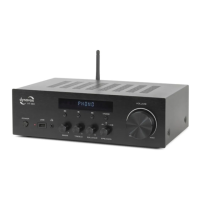
storage media during operation! This may result the loss of data. To use the BT function, use the button „MODE“ to
switch to the responding menu by pressing „MODE“ button. Now locate the amplifier in the list for available devices
with your BT-compatible source device. You can find more information in the operating instruction of your source
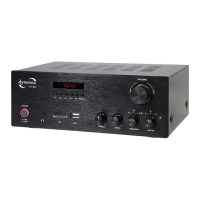
device. The VT-90 will appear in the list under the name „VT-90“. After you have selected it, the connection will get
confirmed acoustically. From now on, all audio signals are transmitted to the Dynavox VT-90. The wireless cross-link
port (BT) can be deactivated (switched off) with the input button „MODE“.
USB
The music is played in the same sequence in which it was saved on the USB memory card no matter if they were
saved in different folders. Choosing a special folder is not possible.
Turntable Record Player
With the integrated phono preamplifier it is possible to connect a turntable record player with MM-System directly
to VT-90 at input PHONO.
CONNECTION AND COMMISSIONING


 To Next Page