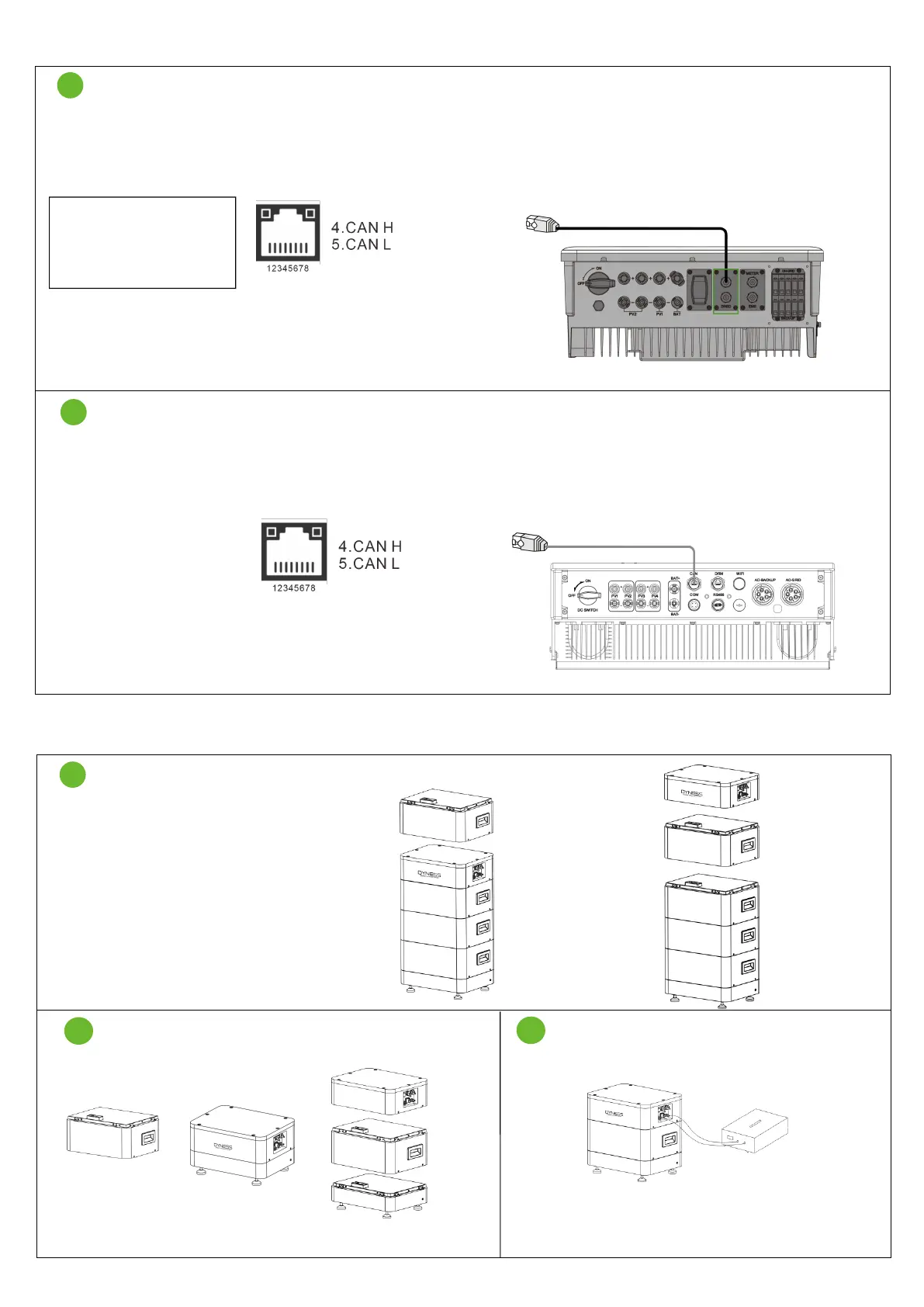
TOWER System Expansion
Note: If you do not have the respective equipment, please ask the dealer to charge the module
Use the configuration standard network cable.
Dyness has a standard communication network cable. It is recommended to use the GW configuration network
cable and directly connect to the CAN port of the battery BDU.
Note: PV Master selects
the TOWER PRO version,
to ensure that the inverter
is version 22 or later.
The 2 terminals are the Ethernet cable of the RJ45 terminal.
Solis RHI Series Hybrid Inverter
The 2 terminals are the Ethernet cable of the RJ45 terminal.
Module expansion
It is necessary to ensure that the power of
the added module is 100%, and the power
of the expanded system is also 100%.
(The dealer is required to provide SOC
100% module. If you operate by yourself,
please follow the following steps.)
Add the module to be charged between BDU and Base.
Charge it with DC power supply until BDU is cut
off, indicating that SOC is 100%.



 To Next Page