EasyManua.ls Logo

Dynex DX-15L150A11 - User Manual

Dynex DX-15L150A11
36 pages
Print Icon
To Next Page IconTo Next Page
Loading...
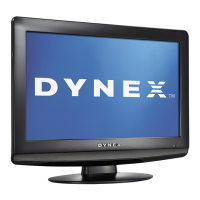
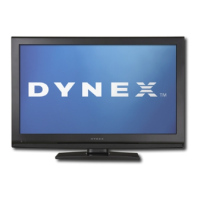
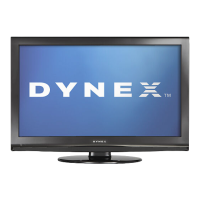
15", 19", 22" LCD TV
DX-15L150A11
DX-19L150A11
DX-22L150A11
USER GUIDE
DX-15L-150A11_09-1036.book Page 1 Tuesday, December 1, 2009 9:52 AM

Table of Contents

Other manuals for Dynex DX-15L150A11

Questions and Answers

  • S
    Samuel BoydAug 19, 2025
    Why is my Dynex DX-15L150A11 remote control not working?
    • S
      Sabrina MorrisonAug 20, 2025
      If the remote control for your Dynex LCD TV isn't working, ensure the power cord is plugged in and that there are no obstructions between the remote and the sensor on the front of the TV. Also, make sure the batteries are installed correctly or try replacing them.
  • S
    Stephen CooleyAug 21, 2025
    Why my Dynex DX-15L150A11 has no power?
    • S
      Shane CabreraAug 21, 2025
      If your Dynex LCD TV has no power, first ensure that the power cord is correctly connected to both the TV and the power outlet. If it's connected properly, unplug the power cord, wait 60 seconds, then plug it back in and turn on the TV.
  • P
    Penny ThompsonAug 25, 2025
    What to do if my Dynex DX-15L150A11 has no picture and sound?
    • A
      Alexander LopezAug 25, 2025
      If your Dynex LCD TV has no picture and no sound, ensure the power cord is plugged in, and press the POWER button on the TV or remote. Also, verify that the correct video input source is selected, and try changing to another channel.
  • W
    wwalkerAug 26, 2025
    How to fix a Dynex LCD TV with no picture?
    • R
      Robert ReynoldsAug 26, 2025
      If your Dynex LCD TV has no picture, ensure that the Audio Only option is set to Off and that the video cables are securely connected to the back of your TV. Also, adjust the contrast and brightness, make sure that the correct video mode is selected, the incoming signal is compatible, the antenna is connected correctly, and check the closed caption settings because some TEXT modes can block the screen.
  • M
    Melissa WilliamsAug 28, 2025
    Why does my Dynex LCD TV have picture but no sound?
    • J
      Joy MooreAug 28, 2025
      If your Dynex LCD TV has a good picture but no sound, first increase the volume. Then, ensure that the sound is not muted and that the sound mode is set to Stereo or Mono.
  • A
    annaromanAug 30, 2025
    What to do if Dynex DX-15L150A11 LCD TV has sound but no picture?
    • K
      Kelly PattersonAug 30, 2025
      If your Dynex LCD TV's screen is lit but the picture is dark, poor, or nonexistent while the sound is good, try adjusting the brightness. Also, ensure that the correct picture mode is selected and that the antenna or cable TV is connected correctly and securely.
  • A
    Alison Leach DVMSep 1, 2025
    How to eliminate audio noise on Dynex DX-15L150A11 LCD TV?
    • M
      Molly StricklandSep 1, 2025
      If you are experiencing audio noise with your Dynex LCD TV, ensure that there is no interference with infrared equipment such as a cordless telephone or headphones. Move any infrared equipment away from the TV to eliminate the noise.
  • T
    Tyler PenaSep 3, 2025
    How to fix dotted lines on Dynex DX-15L150A11 LCD TV screen?
    • K
      Kimberly NguyenSep 3, 2025
      If dotted lines or stripes appear on your Dynex LCD TV screen, adjust the antenna. Also, move the TV away from noise sources such as cars, neon signs, or hair dryers.
  • R
    Renee StevensonSep 5, 2025
    Why are channels not displaying on my Dynex DX-15L150A11?
    • B
      bparksSep 5, 2025
      If one or more channels do not display on your Dynex LCD TV, make sure that the channels are not blocked or hidden. Also, the channel may have been deleted from the channel list.
  • M
    Mr. Jack MillerSep 7, 2025
    How to stabilize VGA picture on Dynex LCD TV?
    • A
      Adrian OconnorSep 7, 2025
      If the VGA picture on your Dynex LCD TV is not stable or synchronized, make sure that you have selected the correct VGA mode on your computer.

Summary

Child Safety Guidelines

Tune into Safety

Provides safety tips for using the TV, emphasizing proper placement and child supervision to prevent accidents.

Wall Mounting Safety

Offers crucial advice for safely mounting the TV on a wall, stressing the use of appropriate mounts and professional installation.

Important Safety Instructions

Electrical Shock and Opening Warnings

Alerts users about the risk of electric shock and warns against opening the TV casing, referring servicing to qualified technicians.

General Warnings and Cautions

Covers essential warnings and cautions regarding water exposure, ventilation, heat sources, and proper plug usage.

Outdoor Antenna Grounding

Details the importance and procedure for grounding outdoor antenna systems to protect against surges and static electricity.

Installing and Removing the Stand

Installing the TV Stand

Step-by-step guide on how to attach the TV stand to the television for upright placement.

Installing a Wall-Mount Bracket

Instructions for attaching a wall-mount bracket to the TV, emphasizing the need for qualified personnel and proper mounting.

Remote Control Functions

Using the Remote Control

Explains how to operate the TV using the remote, including battery installation and aiming.

Installing Remote Control Batteries

Provides instructions on how to open the battery compartment and insert AAA batteries correctly.

Aiming the Remote Control

Guides users on how to point the remote control towards the TV's sensor for optimal operation.

Programming Universal Remotes

Details how to program a universal remote control to work with the Dynex TV, including code tables and online resources.

Making Connections

Selecting a TV Location

Recommends ideal locations for the TV, considering lighting and proximity to power and signal outlets.

Connecting the Power Cord

Instructions for connecting the TV to a power outlet, including safety notes.

Connecting HDMI Devices

Explains how to connect devices with an HDMI output for superior video and audio quality.

Connecting Component Video Devices

Guides on connecting devices using component video cables (red, green, blue) for enhanced picture quality.

Connecting a VCR

Details how to connect a VCR using AV or S-Video cables for playback.

Connecting Antenna, Cable TV, or Satellite Box

Instructions for connecting external signal sources like antennas or cable boxes using a coaxial cable.

Turning on Your TV for the First Time

Understanding the Basics

Adjusting the Picture

Adjusting the Sound

Changing Channel Settings

Setting Parental Controls

Using Closed Captioning

Adjusting Time Settings

Adjusting Menu Settings

Troubleshooting Common Issues

Video and Audio Problems

Solutions for common video and audio issues such as no picture, no sound, or poor image quality.

Remote Control Problems

Troubleshooting steps for when the remote control is not functioning correctly.

Legal Notices and Warranty

One-Year Limited Warranty

Details the terms, duration, and coverage of the product's one-year limited warranty.

Dynex DX-15L150A11 Specifications

General IconGeneral
Screen Size15 inches
Display TypeLCD
Resolution1024 x 768
Aspect Ratio4:3
Brightness250 cd/m²
Contrast Ratio500:1
Response Time8 ms
InputsVGA, Composite video
Built-in SpeakersYes
Power Consumption30W
Weight7.7 lbs

Related product manuals