EasyManua.ls Logo

Dynex DX-L40-10A - User Manual

Dynex DX-L40-10A
28 pages
Print Icon
To Next Page IconTo Next Page
Loading...
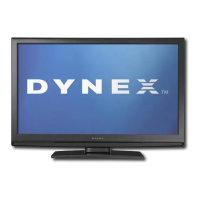
40" LCD TV
DX-L40-10A
USER GUIDE
DX-L40-10A_09-0537_MAN_ENG_V1.book Page 1 Tuesday, July 28, 2009 10:07 AM

Other manuals for Dynex DX-L40-10A

Questions and Answers

  • J
    johnsoncameronAug 18, 2025
    What to do if my Dynex LCD TV remote control does not work?
    • B
      brenda62Aug 19, 2025
      If your Dynex LCD TV remote control isn't working, try the following: * Replace the batteries. * Ensure the batteries are correctly inserted. * Verify that the TV's power cord is plugged into a working AC power outlet.
  • B
    brandoncontrerasAug 21, 2025
    What to do if my Dynex LCD TV buttons do not work?
    • M
      Matthew HuffmanAug 21, 2025
      If the buttons on your Dynex LCD TV do not work, unplug the power cord for a few seconds, then plug it back in and turn on your TV.
  • A
    Andrew ShawAug 23, 2025
    Why is there no picture or sound on my Dynex LCD TV?
    • C
      Crystal WhiteAug 23, 2025
      If your Dynex LCD TV screen is dark and there's no sound, here's what you can do: * Ensure the power cord is plugged into an AC power outlet. * Press the POWER button to turn on the TV. * Try tuning to another channel, as the issue might be with the TV station.
  • K
    kortizAug 26, 2025
    What to do if my Dynex LCD TV has good picture but no sound?
    • S
      Sara AllenAug 26, 2025
      If your Dynex LCD TV has a good picture but no sound, try these steps: * Increase the volume. * Check if the sound is muted by pressing the MUTE button. * Make sure the audio mode is set to STEREO or MONO.
  • B
    Bruce CollinsAug 28, 2025
    What to do if my Dynex LCD TV has poor image quality but the sound is good?
    • D
      Daniel ThompsonAug 28, 2025
      If you are experiencing poor image quality on your Dynex LCD TV, but the sound is good, try the following: * Make sure that the correct picture mode is selected. * Adjust the brightness. * Ensure the antenna or cable is connected correctly; if necessary, rotate the antenna and wait up to ten seconds for a signal. * Replace poor antenna cables and/or connectors to improve signal quality.
  • P
    pmichaelAug 30, 2025
    What to do if my Dynex LCD TV only shows noise (snow) on the screen?
    • K
      Kathryn HoodAug 30, 2025
      If your Dynex LCD TV screen only shows noise (snow), try the following: * Make sure the antenna or cable is connected correctly. If necessary, rotate the antenna and wait up to ten seconds for a signal. * Try another channel. The problem could be with the TV station.
  • E
    emilyburkeSep 1, 2025
    What to do if my Dynex LCD TV has audio noise or static?
    • R
      Rachel WhiteSep 2, 2025
      If you are experiencing audio noise or static on your Dynex LCD TV, move radio frequency communication equipment, such as a cordless phone, away from your TV.
  • C
    claudia49Sep 3, 2025
    What to do if my Dynex LCD TV picture has dotted lines or stripes?
    • T
      Toni StephensSep 4, 2025
      If your Dynex LCD TV picture has dotted lines or stripes, try these solutions: * If necessary, rotate the antenna and wait up to ten seconds for a signal. * Move your TV away from noise sources, such as cars, neon signs, or hair dryers.
  • T
    Tracey FoxSep 6, 2025
    What to do if my Dynex LCD TV picture has double images?
    • B
      brentestesSep 6, 2025
      If your Dynex LCD TV picture has double images, try using a highly directional antenna or switch to cable or satellite TV.
  • C
    Cory PageSep 8, 2025
    How to reset a lost password on Dynex LCD TV?
    • J
      Jason OwensSep 8, 2025
      If you've lost your password on your Dynex LCD TV, open the Parental menu and reset the password. Enter “0532” to access the menu.

Summary

Child Safety Guide

Understanding the Issue

Explains the importance of safety tips for new flat panel displays and potential risks.

Tune Into Safety

Provides specific advice for safely placing and using the TV to prevent injury from tipping.

Wall Mounting Safety

Offers guidance and warnings for safely mounting the TV on a wall, including bracket selection.

Important Safety Instructions

Warnings and Hazards

Details critical warnings, hazards, and precautions for safe operation and handling.

Electrical and Handling Precautions

Covers electric shock, lightning, power line safety, and careful handling of the LCD panel.

Service and Replacement Parts

Instructions on when to refer servicing to qualified personnel and the importance of specified replacement parts.

Additional Safety Information

Power Source and Service Cautions

Safety notes on power source, service requirements, grounding, condensation, and mobile phones.

End of Life and Pixel Information

Advises on proper disposal of materials and explains non-active pixels.

Installing and Removing the Stand

Installing the Stand

Step-by-step instructions for attaching the TV stand securely to the unit.

Removing the Stand

Guidance on how to detach the TV stand from the unit.

Installing a Wall-Mount Bracket

Instructions for attaching the TV to a compatible wall-mount bracket.

TV Components Overview

Front and Side Controls

Identifies and describes the buttons and sensors on the front and sides of the TV.

Back Connections

Details the various input and output ports located on the back of the TV.

Side Connections

Antenna and Cable Input

Explains how to connect antennas or cable TV to the designated input jack.

Other Side Ports

Describes the headphone, S-Video, AV1, and SERVICE ports on the side of the TV.

Using the Remote Control

Installing Remote Control Batteries

Step-by-step guide for inserting batteries into the remote control.

Aiming the Remote Control

Instructions on how to properly aim and use the remote control effectively.

Making Connections - Initial Setup

Programming a Universal Remote

Guide to programming a universal remote to control the Dynex TV.

Connecting the Power

Instructions for connecting the TV to a power source and AC power outlet.

Making Connections - Broadcast Sources

Connecting Antenna, Cable TV, or Satellite Box

How to connect external broadcast or satellite sources to the TV.

Connecting a VCR

Steps for connecting a VCR to the TV for playback.

Making Connections - AV Devices

Connecting Camcorders and Gaming Consoles

Instructions for connecting video game consoles and camcorders.

Connecting HDMI Devices

Guide on how to connect devices using HDMI for high-quality video and audio.

Making Connections - Video Inputs

Connecting Component Video Devices

How to connect devices using component video (Y, Pb, Pr) inputs.

Connecting S-Video Devices

Instructions for connecting devices via S-Video for improved video quality.

Making Connections - Computer and Audio

Connecting Computers

Steps to connect a PC to the TV using VGA or HDMI for display.

Connecting Headphones and Sound Systems

Guides on connecting audio output devices like headphones and amplifiers.

Initial TV Setup and Basics

Turning on TV for the First Time

Guides through the first-time setup process, including language and tuner selection.

Understanding Basic Operations

Instructions on powering the TV and selecting video input sources.

Understanding the Basics - Menu Operations

On-Screen Menu Overview

Explains how to navigate and use the TV's on-screen menus for settings.

Adjusting Picture and Video Settings

Details adjustments for picture mode, brightness, contrast, color, sharpness, and display format.

Adjusting the Picture

Detailed Picture Adjustments

In-depth guide to fine-tuning picture quality, including brightness, contrast, and color.

Adjusting the Sound

Sound Settings Adjustments

Instructions for modifying audio settings like balance, surround sound, and equalizer.

Channel and Audio Mode Settings

Guides on changing tuner mode, channel scan, MTS, and audio language.

Setting Parental Controls

Parental Controls Setup and Usage

How to set up and use parental controls, block channels, and manage passwords.

Troubleshooting Common Issues

Remote Control Problems

Solutions for common problems with the remote control not functioning.

Video and Audio Issues

Troubleshooting for issues related to picture, sound, or connectivity.

General TV Troubleshooting

Addresses common problems like cabinet creaking, unselectable items, and lost passwords.

Maintenance and Specifications

Cleaning the TV

Provides instructions for cleaning the TV's exterior and screen safely.

Technical Specifications

Lists the detailed technical specifications, dimensions, and weight of the TV.

Legal Notices and Compliance

FCC Warning and Compliance

Information concerning FCC compliance and user modifications.

Canada ICES-003 Statement

Compliance notice for Canadian digital apparatus regulations.

One-Year Limited Warranty

Warranty Coverage and Obtaining Service

Details the product's warranty period, what it covers, and how to get service.

Warranty Validity and Exclusions

Specifies where the warranty is valid and what scenarios are not covered.

Dynex DX-L40-10A Specifications

General IconGeneral
Screen Size40 inches
Display TypeLCD
Resolution1920 x 1080
Refresh Rate60 Hz
HDMI Inputs3
USB Ports1
Component Video Input1
Composite Video Input1
VGA Input1
Aspect Ratio16:9
Contrast Ratio1000:1
Brightness300 cd/m²
Response Time8 ms
Viewing Angle178 degrees
InputsHDMI, USB, Component, Composite, VGA
Audio OutputOptical, RCA

Related product manuals