EasyManua.ls Logo

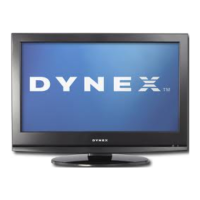
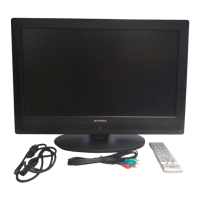
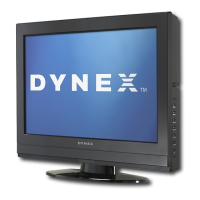
Dynex DX-LCD42HD-09 - User Manual

Dynex DX-LCD42HD-09
60 pages
Print Icon
To Next Page IconTo Next Page
Loading...
USER GUIDE • GUÍA DEL USUARIO
42" HD LCD TV
Televisor LCD de alta definición de 42"
DX-LCD42HD-09

Table of Contents

Questions and Answers

  • M
    Mr. Jose PalmerAug 14, 2025
    What to do if my Dynex DX-LCD42HD-09 remote control does not work?
    • K
      Karen GarciaAug 14, 2025
      Replace the batteries in your Dynex LCD TV remote control. Also, make sure that the batteries are inserted correctly. Check that the power cord is plugged into a power outlet.
  • A
    Amber HernandezAug 17, 2025
    What to do if my Dynex LCD TV has no picture or sound?
    • A
      Ashley WarrenAug 18, 2025
      First, ensure the power cord is properly plugged into the power outlet. Then, press the power button on your Dynex LCD TV or the remote control. Lastly, try switching to another channel, as the issue might be with the TV station itself.
  • D
    dkingAug 21, 2025
    Why is there good picture but no sound on my Dynex DX-LCD42HD-09 LCD TV?
    • M
      moorepamelaAug 21, 2025
      First, increase the volume on your Dynex LCD TV. Next, press the MUTE button to ensure the sound isn't muted. Finally, check that the audio mode is set to STEREO or MONO.
  • C
    Christine RodriguezAug 25, 2025
    What to do if my Dynex DX-LCD42HD-09 LCD TV has dark, poor, or no picture but sound is good?
    • R
      Robin SanchezAug 25, 2025
      Select the correct picture mode on your Dynex LCD TV. Also, adjust the brightness settings. Make sure that the antenna or cable TV is connected correctly.
  • D
    Dawn ScottAug 28, 2025
    Why does my Dynex DX-LCD42HD-09 only show noise (snow) on the screen?
    • E
      Erin ValentineAug 28, 2025
      Ensure that the antenna or cable TV is correctly connected to your Dynex LCD TV. You may also want to try another channel, as the issue might be with the TV station.
  • J
    Julie Lee MDAug 31, 2025
    What causes audio noise or static on my Dynex DX-LCD42HD-09 LCD TV?
    • K
      Kimberly HinesAug 31, 2025
      Move radio frequency communication equipment, such as a cordless phone, away from your Dynex LCD TV.
  • R
    Richard WhiteSep 3, 2025
    How to fix dotted lines or stripes on my Dynex LCD TV picture?
    • M
      matthew66Sep 3, 2025
      Adjust the antenna connected to your Dynex LCD TV. Move your TV away from potential noise sources like cars, neon signs, or hair dryers.
  • T
    Thomas AnthonySep 7, 2025
    How to resolve double images on my Dynex LCD TV?
    • L
      Linda CunninghamSep 7, 2025
      Use a highly directional outdoor antenna or switch to cable or satellite TV with your Dynex LCD TV.
  • C
    carsonmichaelSep 10, 2025
    What does it mean if my Dynex DX-LCD42HD-09 LCD TV picture has a few bright or dark dots?
    • T
      Taylor JohnsonSep 10, 2025
      A few bright or dark dots on an LCD screen is normal. It does not affect the operation of this Dynex LCD TV.

Summary

Child Safety

Tune Into Safety

Provides tips to prevent TVs from falling.

Wall Mounting Safety

Advises on safe wall mounting procedures and requirements.

Important Safety Instructions

Stand Safety

Recommendations for using appropriate TV stands.

Remote Control

Setting Up Your TV

Using Your TV

Basic TV Operations

Covers turning on/off, remote, input/signal source.

Channel Management

Covers scanning, changing, deleting channels.

Picture and Sound Adjustments

Covers volume, picture settings, sound settings.

Advanced Picture & Sound

Covers video noise, picture optimization, audio mode.

Parental Controls

Covers password, lock, controls, rating download.

Troubleshooting

Restoring Default Settings

How to reset TV settings to factory defaults.

Remote Control Problems

Solutions for issues with the remote control.

Video and Audio Issues

Troubleshooting for picture and sound problems.

Legal Notices

One-Year Limited Warranty

Details of the product warranty coverage.

Dynex DX-LCD42HD-09 Specifications

General IconGeneral
Screen Size42 inches
Resolution1920 x 1080
Display TypeLCD
Aspect Ratio16:9
Contrast Ratio3000:1
Brightness500 cd/m²
Response Time8 ms
HDMI Ports3
USB Ports1
InputsHDMI, Component, Composite, VGA, RF
Speakers2 x 10W
Viewing Angle178 degrees
Power Consumption220W

Related product manuals