EasyManua.ls Logo

Dynex DX-LCD22-09 - User Manual

Dynex DX-LCD22-09
24 pages
Print Icon
To Next Page IconTo Next Page
Loading...
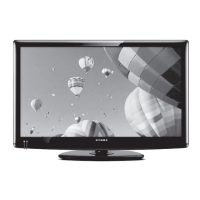
USER GUIDE
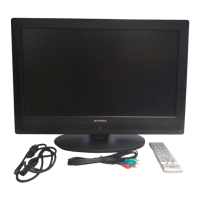
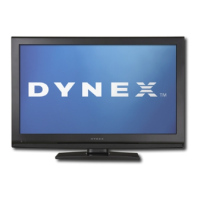
22" LCD TV
DX-LCD22-09

Other manuals for Dynex DX-LCD22-09

Questions and Answers

  • A
    Angel BrownJul 29, 2025
    What to do if I lost the password on my Dynex DX-LCD22-09?
    • J
      Jennifer MooneyJul 29, 2025
      If you've forgotten your password for your Dynex LCD TV, use the master password '1397' to access the Lock menu. From there, you can set a new password.
  • A
    Andrew ThomasAug 14, 2025
    Why can't I view some channels on my Dynex LCD TV?
    • T
      Tyler DavisAug 14, 2025
      There are a couple of reasons why you might not be able to view certain channels on your Dynex LCD TV. First, the channel(s) may be blocked by parental controls, so check those settings. Second, the channel(s) may be hidden. Try accessing the channel directly using the number buttons (0-9) on your remote.

Summary

Child Safety

Safety Tips for TV Use

General safety tips for TV placement and use around children.

Wall Mounting Safety Guidelines

Precautions and guidelines for safely mounting the TV on a wall.

Important Safety Instructions

Operational Safety

Safety regarding water, ventilation, and heat exposure during operation.

Power and Connection Safety

Safety measures for electrical connections, cords, and accessories.

Handling and Servicing Safety

Guidelines for device handling, servicing, stand installation, and repair.

Setting Up Your TV

Connecting External Sources

Audio;Video Device Connections

How to connect composite video devices and other external audio/video equipment.

Connecting Various Devices

Component Video Connection Guide

Steps to connect devices using component video and audio jacks.

Using Your TV

Initial Setup and Language

Initial configuration steps including language selection and channel scanning.

Advanced Channel Management

Parental Control Setup

Setting a Parental Control Password

How to set a password for parental control features.

Parental Control Configuration

Enabling System Lock

Steps to enable the parental control system lock.

Setting Program Rating Levels

How to set specific rating levels and block programs based on age or content.

VGA Mode Image Adjustments

Maintenance and Troubleshooting

Troubleshooting Common Issues

Solutions for common general and video/audio problems.

Warranty Details

One-Year Limited Warranty Coverage

Details of the one-year limited warranty, coverage, and terms.

Dynex DX-LCD22-09 Specifications

General IconGeneral
Screen Size22 inches
Resolution1680 x 1050
Display TypeLCD
Aspect Ratio16:10
HDMI Ports2
USB Ports1
Contrast Ratio1000:1
Response Time5 ms
Brightness300 cd/m²
InputsHDMI, Composite, Component

Related product manuals