EasyManua.ls Logo

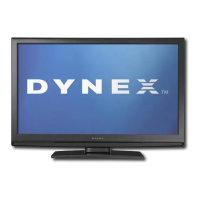
Dynex DX-LCD32 - User Manual

Dynex DX-LCD32
48 pages
Print Icon
To Next Page IconTo Next Page
Loading...
USER GUIDE • GUIDE DE L’UTILISATEUR • GUÍA DEL USUARIO
32” LCD TV
TV ACL de 32 po
Televisor con pantalla LCD de 32"
DX-LCD32

Questions and Answers

  • S
    Stephanie GreenAug 14, 2025
    What to do if my Dynex DX-LCD32 has no power?
    • M
      Mario AyersAug 14, 2025
      First, ensure the power cord is securely connected to both your TV and a functioning power outlet. If that doesn't work, unplug the power cord from the outlet, wait for about 60 seconds, and then plug it back in before turning your TV on.
  • K
    Kathleen JoyceAug 17, 2025
    What to do if my Dynex DX-LCD32 LCD TV remote control does not work?
    • T
      taylorcameronAug 17, 2025
      If your remote control isn't working, first press the TV button. If that doesn't help, replace the batteries, ensuring the + and – symbols align correctly in the battery compartment. Try cleaning the remote sensor on the front of your Dynex LCD TV. Also, bright or fluorescent lighting can interfere with the signal, so try turning off the light or moving your TV.
  • S
    Susan StokesAug 20, 2025
    Why is there no picture on my Dynex LCD TV?
    • W
      William ThompsonAug 20, 2025
      If your Dynex LCD TV shows no picture, make sure the video cables are securely connected to the back of your TV. Also, adjust the contrast and brightness settings. Verify that the correct video mode is selected and that the incoming signal is compatible. Check if the antenna is correctly connected and examine the closed caption settings, as some TEXT modes can block the screen.
  • R
    Roberto DuncanAug 25, 2025
    What to do if my Dynex LCD TV has good picture but no sound?
    • P
      Peter McdonaldAug 25, 2025
      If you're getting a picture but no sound on your Dynex LCD TV, first increase the volume. Make sure that the sound is not muted. Also, make sure that the correct audio mode is selected.
  • U
    usalinasAug 27, 2025
    Why is my Dynex LCD TV picture snowy or noisy?
    • P
      Patricia BennettAug 27, 2025
      A snowy picture or noise on your Dynex LCD TV could be due to incorrectly or loosely connected A/V and antenna cables. Make sure they are connected correctly and securely.
  • R
    Russell CastilloAug 30, 2025
    Why does my Dynex DX-LCD32 LCD TV have good sound but poor color?
    • P
      Patrick WalkerAug 30, 2025
      If your Dynex LCD TV has good sound but the color is poor, try adjusting the contrast, color, and brightness settings.
  • M
    Mikayla BrownSep 2, 2025
    Why is the picture poor on my Dynex DX-LCD32 LCD TV?
    • S
      Savannah WebbSep 2, 2025
      If the picture quality on your Dynex LCD TV is poor, ensure the room isn't too bright, as light reflecting off the screen can make the picture difficult to see. Also, if you have an S-VHS camera or camcorder connected while another device is on, this may cause a poor picture. Try turning off one or more devices.
  • J
    John CrawfordSep 6, 2025
    How to fix a horizontal dotted line on Dynex DX-LCD32 LCD TV?
    • W
      Whitney EnglishSep 6, 2025
      If you notice a horizontal dotted line on your Dynex LCD TV, it might be too close to another electrical device, like a hair dryer or neon light. Try turning off the device or moving your TV further away.
  • D
    david56Sep 9, 2025
    What causes a ghost or double image on Dynex DX-LCD32 LCD TV?
    • B
      Brandon JimenezSep 9, 2025
      A “ghost” or double image on your Dynex LCD TV may be caused by obstructions to the antenna, such as high-rise buildings or hills. Using a highly directional antenna may improve the picture quality.

Summary

Safety Information

Electrical Safety Precautions

Covers risks of electric shock, grounding, and power cord handling.

Environmental and Usage Guidelines

Advises on water, heat, ventilation, and placement for safe operation.

Servicing and Maintenance Safety

Instructions for cleaning, lightning protection, and qualified servicing.

Technical Safety and Disposal

Screen Characteristics and Defects

Information on pixel defects and their nature.

Antenna Grounding and Disposal

Guidance on grounding antennas and TV disposal.

Mobile Telephone Interference

Warning about mobile phone interference.

Features Overview

Front Panel Controls

Identifies buttons on the TV's front panel and their functions.

Remote Control Operation

Lists and describes the buttons and operations of the remote control.

Initial TV Setup

Battery Installation and Power Connection

Steps for installing batteries and connecting the TV to power.

Antenna and Cable Connections

Guidance on connecting external antennas and cable TV.

Connecting External Devices

Signal Source Connections

Instructions for connecting DVD, VCR, STB using various cables.

Computer Connectivity

Steps for connecting a computer via VGA and audio cables.

Using Your TV

Power, Signal Source, and Channels

Turning TV on/off, selecting sources, and managing channels.

Volume, Display, and Signal Strength

Adjusting volume, viewing status, and checking DTV signal.

Advanced TV Functions

Picture, Clock, and Timer Settings

Freezing picture, setting clock, and sleep timer functions.

Parental Controls Introduction

Overview of setting up parental controls and passwords.

Parental Control Configuration

Password Management

Steps to create and manage a parental control password.

Rating Block Configuration

How to block specific ratings for USA and Canadian content.

On-Screen Menu Operation

Menu Navigation Basics

General steps for using the on-screen menu.

Menu Options and Settings

Details on Setup, Video, and Audio settings.

Maintenance and Troubleshooting

TV Maintenance and Care

Advice on operating temperatures, storage, and cleaning.

Troubleshooting Common Issues

Solutions for problems like no power, no picture, no sound, and poor picture.

Appendix and Specifications

Troubleshooting Solutions

Additional solutions for VGA stability and speaker issues.

Technical Specifications

Detailed specs for inputs, outputs, power, and accessories.

Legal Notices

Regulatory Compliance

FCC and Canadian regulations for digital devices.

Copyright and Support Contact

Copyright details and customer service contact information.

One Year Limited Warranty

Warranty Terms and Coverage

Details coverage duration, what's covered, and exclusions.

Obtaining Warranty Service

Procedures for requesting repair or replacement under warranty.

Dynex DX-LCD32 Specifications

General IconGeneral
BrandDynex
ModelDX-LCD32
CategoryLCD TV
LanguageEnglish

Related product manuals