EasyManua.ls Logo

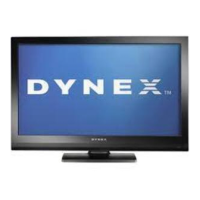
Dynex DX-32L151A11 - User Manual

Dynex DX-32L151A11
37 pages
Print Icon
To Next Page IconTo Next Page
Loading...
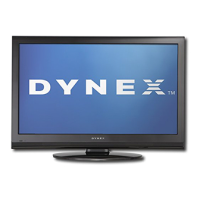
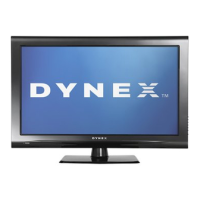
32" and 37" LCD TVs
DX-32L151A11/DX-37L130A11
USER GUIDE
DX-32L151A11-37L130A11_10-0567.book Page 1 Tuesday, June 1, 2010 9:26 AM

Table of Contents

Other manuals for Dynex DX-32L151A11

Questions and Answers

  • K
    kathleenbanksAug 18, 2025
    What to do if the Dynex DX-32L151A11 LCD TV remote control does not work?
    • L
      Lisa RobinsonAug 18, 2025
      If your Dynex LCD TV remote control isn't working, try these steps: First, make sure the TV's power cord is plugged in. Then, ensure there are no obstructions between the remote control and the sensor on the front of the TV. Next, check that the batteries are installed correctly. If not, replace the batteries with new ones.
  • J
    Jamie LambAug 20, 2025
    Why is my Dynex DX-32L151A11 showing no picture and no sound?
    • J
      James WrightAug 20, 2025
      There could be several reasons why your Dynex LCD TV isn't displaying a picture or producing sound. First, ensure the power cord is securely plugged in. Next, press the POWER button on either the TV itself or the remote control. Also, verify that you've selected the correct video input source. Finally, try switching to another channel to rule out a channel-specific issue.
  • B
    Brian MilesAug 23, 2025
    Why is my Dynex DX-32L151A11 LCD TV screen dark, poor, or has no picture, but the sound is good?
    • B
      barbaragainesAug 23, 2025
      If you're experiencing a dark, poor, or absent picture on your Dynex LCD TV while the sound is fine, try these solutions: Begin by adjusting the brightness settings. Next, ensure that the correct picture mode is selected. Finally, check that the antenna or cable TV connection is correctly and securely connected.
  • A
    Amy HunterAug 25, 2025
    What to do if my Dynex DX-32L151A11 only shows snow (noise) on the screen?
    • T
      taylorvazquezAug 26, 2025
      If your Dynex LCD TV screen is only displaying snow (noise), try the following: First, try tuning to another channel. Next, ensure that your antenna or cable TV is securely and correctly connected. Finally, check the signal strength to make sure it's sufficient.
  • K
    Kristy BlackAug 27, 2025
    Why is there good picture, but no sound on my Dynex DX-32L151A11 LCD TV?
    • M
      maryjonesAug 28, 2025
      If your Dynex LCD TV has a good picture but no sound, first ensure that the sound is not muted. Then, verify that the sound mode is set to either Stereo or Mono.
  • J
    Jasmin GutierrezAug 30, 2025
    How to fix dotted lines or stripes on Dynex DX-32L151A11 screen?
    • I
      Ian HoldenAug 30, 2025
      To address dotted lines or stripes appearing on your Dynex LCD TV screen, try these steps: First, adjust the antenna. If that doesn't work, move the TV away from potential noise sources like cars, neon signs, or hair dryers.
  • R
    Reginald AllenSep 1, 2025
    What to do if my Dynex DX-32L151A11 LCD TV has double images?
    • C
      Cody BarrettSep 1, 2025
      If you're seeing double images on your Dynex LCD TV, use a highly directional outdoor antenna or cable TV.
  • K
    Katherine NielsenSep 3, 2025
    How do I fix audio noise on my Dynex DX-32L151A11 LCD TV?
    • D
      delgadokimberlySep 3, 2025
      To resolve audio noise issues on your Dynex LCD TV, ensure that there is no interference from infrared equipment, such as cordless telephones or headphones.
  • T
    Timothy WoodsSep 5, 2025
    Why do some channels not display on my Dynex DX-32L151A11?
    • D
      Derrick KingSep 5, 2025
      If some channels are not displaying on your Dynex LCD TV, make sure that the channels are not blocked or hidden. Also, the channel may have been deleted from the channel list.
  • B
    Barbara SantiagoSep 8, 2025
    What is the default password for Dynex DX-32L151A11 LCD TV parental control if password is lost?
    • D
      Deanna TorresSep 8, 2025
      If you've lost the password for your Dynex LCD TV's parental controls, enter 9999 to access the settings. You can then set a new password.

Summary

Changing Channel Settings

Automatically Scanning for Channels

Guides users through the process of scanning for available channels on the TV.

Selecting the Signal Source

Explains how to choose the TV's input source, such as antenna or cable.

Hiding Channels

Details how to remove channels from the channel list to skip them during channel surfing.

Setting Up a Favorite Channel List

Describes how to create a list of preferred channels for quick access.

Adding or Changing a Channel Label

Allows users to assign custom names to channels for easier identification.

Checking Digital TV Signal Strength

Provides instructions to check signal quality for optimal digital TV reception.

Setting Parental Controls

Turning Parental Controls On or Off

Explains how to enable or disable the parental control feature on the TV.

Setting or Changing the Password

Guides users on how to set or modify the password for parental controls.

Turning the Button Lock On or Off

Details how to lock or unlock the physical buttons on the TV.

Setting Parental Control Levels

Describes how to set rating levels to restrict access to certain TV content.

Using Closed Captioning

Downloading Rating Information

Instructions on how to download TV rating information for parental control settings.

Turning Closed Captioning On or Off

How to enable or disable the closed captioning feature for subtitles.

Selecting the Closed Captioning Mode

Explains how to choose different modes for displaying closed captions.

Customizing Digital TV Closed Captioning Styles

Allows customization of the appearance of digital TV closed captions.

Adjusting Time Settings

Setting the Date and Time

Provides steps to set the current date and time on the television.

Setting the Sleep Timer

How to set the TV to automatically turn off after a specified period.

Adjusting Menu Settings

Selecting the Menu Language and Transparency

How to change the on-screen menu language and adjust its transparency.

Labeling an Input Source

Guides on assigning custom names to input sources for easier identification.

Restoring Default Settings

Explains how to reset all customizable settings back to factory defaults.

Installing the Stand or Removing the Stand Column

Installing the Stand

Step-by-step guide to attach the TV stand for upright placement.

Removing the Stand Column

Instructions for detaching the stand column, necessary for wall mounting.

Installing a Wall-Mount Bracket

Procedures for securely mounting the TV to a wall using a bracket.

TV Components

Accessories

Lists all the items included in the TV package.

CHILD SAFETY

Tune Into Safety

Provides essential safety tips for using the TV to prevent injury or damage.

Wall Mounting

Important considerations and safety advice for mounting the TV on a wall.

Important Safety Instructions

Safety Warnings and Cautions

Covers critical warnings about electric shock, lightning, power lines, and handling the LCD panel.

Important Safety Instructions

Outdoor Antenna Grounding

Guidelines for properly grounding an outdoor antenna system for safety.

Condensation

Advice on preventing condensation issues when moving the TV between different temperatures.

Mobile Telephone Warning

Warning about potential interference from mobile phones and cordless phones.

End of Life Directives

Non-Active Pixels

TV Components

Front

Identifies and describes the front panel components of the TV.

Side

Identifies and describes the side panel components and buttons of the TV.

TV Components

Back

Shows and explains the various input and output jacks on the back of the TV.

Remote Control

Details the layout and function of each button on the TV's remote control.

Using the Remote Control

Installing Remote Control Batteries

Instructions for inserting batteries into the remote control and precautions.

Making Connections

Aiming the Remote Control

Provides guidance on how to properly aim the remote control at the TV sensor.

Programming a Universal Remote Control to Work with Your TV

Instructions for programming a universal remote to control the Dynex TV.

Selecting a Location

Advice on choosing an optimal placement for the TV.

Connecting the Power

Steps for connecting the TV to a power outlet using the AC power cord.

Making Connections

Connecting an HDMI Device

Guide for connecting devices like Blu-ray players or game consoles via HDMI.

Connecting a Component Video Device

Instructions for connecting devices using component video and audio cables.

Connecting an Antenna, Cable TV, or Satellite TV Box

How to connect broadcast sources like antennas or cable boxes to the TV.

Making Connections

Connecting a VCR, Camcorder, or Game Console

Steps to connect older audio-visual devices using AV cables.

Connecting a Computer

Instructions for connecting a computer to the TV using VGA and audio cables.

Connecting a Home Theater System

Guide for connecting audio output from the TV to a home theater system.

Turning On Your TV for the First Time

Connecting Using a Digital Audio Cable

How to connect a digital audio system using an optical cable.

Connecting Headphones

Instructions for connecting headphones to the TV's audio jack.

Understanding the Basics

Turning Your TV On or Off

Explains how to power the TV on, turn it off, and use standby mode.

Selecting the Video Input Source

How to switch between different connected devices using the INPUT SOURCE menu.

Selecting a Channel

Methods for tuning into different TV channels using buttons or lists.

Understanding the Basics

Adjusting the Volume

How to control the TV's sound level using volume buttons and mute function.

Displaying Program Information

How to access information banners and program guides using the INFO and GUIDE buttons.

On-Screen Menu Overview

An introduction to the main on-screen menus (Picture, Audio, Setup, Channel) and their general layout.

Navigating the Menus

Adjusting the Picture

Adjusting the TV Picture

Guides on modifying picture settings like contrast, brightness, color, and sharpness for optimal viewing.

Adjusting the Picture

Adjusting the Computer Image

Specific steps for optimizing the picture quality when a computer is connected via VGA.

Adjusting the Sound

Adjusting the Sound

Selecting the Audio Mode

How to choose sound modes like Stereo, Mono, or SAP for analog and digital channels.

Playing TV Audio Only

Changing Channel Settings

Automatically Scanning for Channels

Guides users through the process of scanning for available channels on the TV.

Selecting the Signal Source

Explains how to choose the TV's input source, such as antenna or cable.

Hiding Channels

Details how to remove channels from the channel list to skip them during channel surfing.

Changing Channel Settings

Setting Up a Favorite Channel List

Describes how to create a list of preferred channels for quick access.

Adding or Changing a Channel Label

Allows users to assign custom names to channels for easier identification.

Setting Parental Controls

Turning Parental Controls On or Off

Explains how to enable or disable the parental control feature on the TV.

Checking Digital TV Signal Strength

Provides instructions to check signal quality for optimal digital TV reception.

Setting Parental Controls

Setting or Changing the Password

Guides users on how to set or modify the password for parental controls.

Turning the Button Lock On or Off

Details how to lock or unlock the physical buttons on the TV.

Setting Parental Controls

Setting Parental Control Levels

Describes how to set rating levels to restrict access to certain TV content.

Setting Parental Controls

U.S. TV Ratings (Age-Based)

Lists age-based rating categories for US television programs.

U.S. TV Ratings (Content-Based)

Lists content-based rating categories for US television programs.

U.S. Movie (MPAA) Ratings

Explains the MPAA rating system for movies.

Canadian English Ratings

Lists rating categories for Canadian English television programs.

Canadian French Ratings

Lists rating categories for Canadian French television programs.

Using Closed Captioning

Downloading Rating Information

Instructions on how to download TV rating information for parental control settings.

Turning Closed Captioning On or Off

How to enable or disable the closed captioning feature for subtitles.

Using Closed Captioning

Selecting the Closed Captioning Mode

Explains how to choose different modes for displaying closed captions.

Customizing Digital TV Closed Captioning Styles

Allows customization of the appearance of digital TV closed captions.

Adjusting Time Settings

Setting the Date and Time

Provides steps to set the current date and time on the television.

Adjusting Menu Settings

Selecting the Menu Language and Transparency

How to change the on-screen menu language and adjust its transparency.

Setting the Sleep Timer

How to set the TV to automatically turn off after a specified period.

Adjusting Menu Settings

Labeling an Input Source

Guides on assigning custom names to input sources for easier identification.

Restoring Default Settings

Explains how to reset all customizable settings back to factory defaults.

Troubleshooting

Video and Audio

Common problems related to picture and sound and their solutions.

Remote Control

Troubleshooting steps for issues with the TV's remote control.

General

Solutions for general TV issues like missing channels or lost passwords.

Maintenance

Cleaning

Guidelines for safely cleaning the TV screen and surfaces.

Specifications

Legal Notices

Legal Notices

One-Year Limited Warranty

US and Canada Markets

Details the warranty terms and conditions for products sold in the US and Canada.

Mexico Market

Outlines the warranty terms and conditions specific to the Mexican market.

What Does the Warranty Not Cover?

Dynex DX-32L151A11 Specifications

General IconGeneral
Screen Size32 inches
Display TypeLCD
Resolution1366 x 768
Aspect Ratio16:9
HDMI Ports3
USB Ports1
Refresh Rate60 Hz
Contrast Ratio1000:1
Response Time8 ms
Input PortsComposite
Sound Output10W x 2

Related product manuals