To Next Page
D
Dan LeblancSep 23, 2025
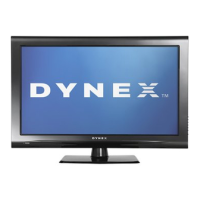
Why does my Dynex LCD TV keep turning off?
- DDominique TranSep 23, 2025
If your Dynex LCD TV keeps turning off, make sure that the sleep timer is not turned on.



Why does my Dynex LCD TV keep turning off?
If your Dynex LCD TV keeps turning off, make sure that the sleep timer is not turned on.
Why my Dynex DX-32L200NA14 LCD TV has general no power?
If your Dynex LCD TV has no power, ensure the power cord is correctly connected to both the TV and a working power outlet. You can also try unplugging the power cord, waiting 60 seconds, and then plugging it back in. Also, other devices might be interfering with your TV. Try turning off one device at a time to determine which one is causing the interference.
How to fix dark or poor picture on my Dynex DX-32L200NA14 but sound is good?
If your Dynex LCD TV shows a dark, poor, or no picture, but the sound is fine, here are a few things to check: * Try switching to another channel as the broadcast station might be experiencing issues. * Ensure your antenna or cable TV is securely connected. * Adjust the brightness settings. * Verify that the correct picture mode is selected. * Also, make sure the video cables are properly connected, and if you suspect faulty video cables, try using a new set.
What to do if my Dynex DX-32L200NA14 LCD TV says 'No signal'?
If your Dynex LCD TV displays a 'No Signal' error message, try these steps: * Press the INPUT button and select the correct input for the device or service you want to use. * If you're using a cable or satellite box, use its remote to change channels. * Ensure you've selected the correct input to view channels from your cable or satellite box.
How to troubleshoot no picture and no sound on Dynex LCD TV?
If your Dynex LCD TV has no picture and no sound, you can try the following: * Press the power button on the TV or remote. * Check that the video cables are securely connected to the back of the TV. * Adjust the contrast and brightness settings. * Ensure the power cord is plugged in properly. * Select the correct video input source. * Try another channel to rule out station problems. * Confirm that the incoming signal is compatible with the TV. * Make sure the antenna or cable TV is connected correctly and securely. * Check the closed caption settings, as some TEXT modes can block the screen.
Why control buttons do not work on Dynex LCD TV?
If the control buttons on your Dynex LCD TV do not work, make sure that the Button Lock option is set to No. You can also try unplugging the power cord, waiting a few seconds, then plugging it back in and turning on your TV.
What is the default password for Dynex DX-32L200NA14 LCD TV if I lost it?
If you've lost the password for your Dynex LCD TV, enter 9999 to access parental controls, then set a new password.
Why some settings cannot be accessed on Dynex DX-32L200NA14 LCD TV?
If some settings cannot be accessed on your Dynex LCD TV, it means the setting is not available in the current video input mode.
How to resolve double images on Dynex LCD TV?
To resolve double images on your Dynex LCD TV, use a highly directional outdoor antenna, cable TV, or satellite TV.
Why are there dotted lines or stripes on my Dynex DX-32L200NA14 screen?
If dotted lines or stripes appear on your Dynex LCD TV screen, ensure the antenna or cable TV is connected correctly and securely. If you're using an antenna, the digital channel signal may be low. Also, make sure the video cables are securely connected. If the video cables are bad, try a new set. Other devices might be interfering with your TV. Try turning off one device at a time to determine which device is causing interference.
Critical warnings regarding electrical hazards and product misuse.
Precautions for handling the TV, including damage prevention and environmental factors.
Guide to choosing optimal video/audio connection types for various devices.
Step-by-step instructions for connecting devices like cable boxes, computers, and audio systems.
Basic operations for powering the TV and selecting video sources.
Instructions for setting up or modifying the parental control password.
Restricting TV operations via buttons and blocking content based on ratings.
Enabling system lock and setting specific rating levels for content access.
Obtaining and utilizing program rating data for parental controls.
Solutions for picture distortion, no image/sound, and poor color quality.
Troubleshooting tips for remote control malfunctions and general TV operation problems.
 General
| Screen Size | 32 inches |
|---|---|
| Display Type | LCD |
| Resolution | 1366 x 768 |
| HDMI Ports | 3 |
| USB Ports | 1 |
| Refresh Rate | 60 Hz |
| Aspect Ratio | 16:9 |
| Inputs | Composite, Component |