EasyManua.ls Logo

Dynex DX-32L130A10 - User Manual

Dynex DX-32L130A10
25 pages
Print Icon
To Next Page IconTo Next Page
Loading...
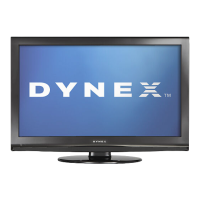
32" LCD TV
DX-32L130A10
USER GUIDE
DX-L32L130A10_09-0617_MAN_ENG_V1.book Page 1 Thursday, July 30, 2009 2:41 PM

Other manuals for Dynex DX-32L130A10

Questions and Answers

  • J
    Joseph PachecoAug 19, 2025
    How to fix a Dynex DX-32L130A10 remote that's not working?
    • E
      Edwin SheaAug 19, 2025
      Try the following: 1. Replace the batteries in the remote control. 2. Ensure the batteries are correctly inserted. 3. Make sure the Dynex LCD TV power cord is plugged into a working AC power outlet.
  • C
    Christopher ScottAug 21, 2025
    What to do if my Dynex DX-32L130A10 has no picture or sound?
    • H
      Holly SpearsAug 21, 2025
      First, ensure that the power cord of your Dynex LCD TV is securely plugged into an AC power outlet. Then, press the POWER button to verify that the TV is turned on. If the issue persists, try switching to another channel, as the problem might originate from the TV station itself.
  • A
    Ashley RiceAug 25, 2025
    Why is there no sound on my Dynex LCD TV?
    • B
      Beverly GarciaAug 25, 2025
      If your Dynex LCD TV has good picture but no sound, try these steps: * Increase the volume. * Ensure the mute option is not enabled by pressing the MUTE button. * Check that the audio mode is set to STEREO or MONO.
  • C
    Chad HardyAug 26, 2025
    How to improve poor image quality on Dynex DX-32L130A10?
    • P
      Paul JamesAug 26, 2025
      To resolve poor image quality on your Dynex LCD TV while in TV mode, make sure that the correct picture mode is selected and adjust the brightness. Check that the antenna or cable is connected correctly, and if needed, rotate the antenna, waiting up to ten seconds for a signal. Consider replacing any poor antenna cables or connectors to enhance the signal quality.
  • J
    Jonathan Mccarthy MDAug 28, 2025
    What to do if my Dynex DX-32L130A10 LCD TV only shows static?
    • S
      Susan JordanAug 28, 2025
      If your Dynex LCD TV screen only shows noise (snow), ensure the antenna or cable is correctly connected; if necessary, rotate the antenna and wait up to ten seconds for a signal. If the problem persists, try switching to another channel, as the issue may be with the TV station.
  • K
    Kevin SalasAug 30, 2025
    How to adjust color on Dynex DX-32L130A10?
    • S
      Steve HartAug 30, 2025
      If the color on your Dynex LCD TV is off, the picture is dark, or the color isn't correct, try adjusting the color saturation in the settings.
  • K
    Kenneth RoachSep 1, 2025
    How to fix dotted lines on Dynex DX-32L130A10 LCD TV screen?
    • W
      William WeaverSep 1, 2025
      To address dotted lines or stripes on your Dynex LCD TV's picture, try rotating the antenna and waiting up to ten seconds for a signal. Also, move your TV away from potential noise sources, such as cars, neon signs, or hair dryers.
  • J
    Julia MiddletonSep 3, 2025
    How to eliminate static noise on Dynex LCD TV?
    • S
      Shelby WallaceSep 3, 2025
      To eliminate audio noise or static on your Dynex LCD TV, try moving radio frequency communication equipment, such as a cordless phone, away from the TV.
  • A
    Amber BondSep 5, 2025
    How to resolve double images on Dynex DX-32L130A10 LCD TV?
    • D
      Daniel LinSep 5, 2025
      If the picture on your Dynex LCD TV has double images, try using a highly directional antenna or switch to cable or satellite TV.
  • T
    Timothy WatersSep 8, 2025
    Why can't I tune to certain channels on my Dynex DX-32L130A10 LCD TV?
    • R
      riley25Sep 8, 2025
      If you cannot tune to one or more channels on your Dynex LCD TV, make sure that the channels are not blocked by parental control settings.

Summary

CHILD SAFETY

Tune into safety

Tips for safe TV usage and placement.

Wall mounting

Guidelines for securely mounting the TV.

Important safety instructions

Cautions

Important safety precautions for TV operation.

Warnings

Critical safety warnings and hazard information.

Installing and removing the stand

Installing the stand

Steps to attach the TV stand.

Removing the stand

Steps to detach the TV stand.

Installing a wall-mount bracket

Guidance for mounting the TV on a wall.

TV components

Front and side controls

Identification of TV controls on the front and sides.

Back connections

Diagram and description of rear input/output ports.

Making connections

Connecting the power

Steps to connect the TV to a power outlet.

Connecting an antenna, cable TV, or satellite TV box

Connecting a camcorder or gaming console

Connecting a component video device

Connecting a computer

Turning on your TV for the first time

Initial Setup

Guide to the TV's initial setup wizard.

On-screen menu overview

Navigating the menus

Troubleshooting

Video and audio problems

Solutions for picture and sound issues.

Dynex DX-32L130A10 Specifications

General IconGeneral
Screen Size32 inches
Display TypeLCD
Resolution1366 x 768
HDMI Ports2
USB Ports1
Audio Output10W x 2
Aspect Ratio16:9
Contrast Ratio3000:1
Brightness450 cd/m²
Response Time8 ms
Viewing Angle178° (H/V)
InputsHDMI, Component, Composite, RF, VGA
Power Consumption120W

Related product manuals