EasyManua.ls Logo

Dynex DX-32E150A11 - User Manual

Dynex DX-32E150A11
35 pages
Print Icon
To Next Page IconTo Next Page
Loading...
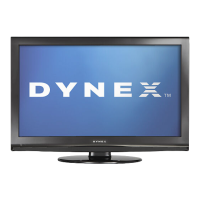
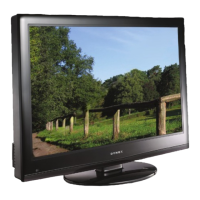
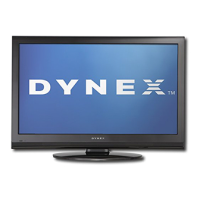
32" LCD TV
DX-32E150A11
USER GUIDE
DX-32E150A11_10-1312.book Page 1 Monday, December 13, 2010 1:36 PM

Table of Contents

Other manuals for Dynex DX-32E150A11

Questions and Answers

  • M
    Margaret WagnerJul 30, 2025
    What to do if my Dynex DX-32E150A11 has no picture and no sound?
    • J
      Jay ObrienJul 30, 2025
      If your Dynex LCD TV has no picture and no sound, ensure the power cord is properly plugged in. Press the POWER button on either the TV or the remote. Verify that you've selected the correct video input source. Also, try tuning to another channel, as the broadcast station might be experiencing technical difficulties.
  • S
    Sherry PriceAug 6, 2025
    What to do if my Dynex DX-32E150A11 LCD TV screen shows only snow?
    • E
      Edgar LeeAug 6, 2025
      If your Dynex LCD TV displays only snow (noise), try tuning to another channel as the station might be experiencing problems. Also, ensure that the antenna or cable TV is securely connected. Finally, check the signal strength of the channel.
  • M
    Matthew StewartAug 15, 2025
    Why is my Dynex LCD TV screen dark, poor, or has no picture, but the sound is good?
    • B
      Brandi BrownAug 15, 2025
      If your Dynex LCD TV screen is dark, shows a poor picture, or has no picture but the sound is good, try adjusting the brightness settings. Also, ensure that the correct picture mode is selected. Verify that the antenna or cable TV is correctly and securely connected.
  • V
    Veronica ReynoldsAug 22, 2025
    How to fix dotted lines or stripes on my Dynex DX-32E150A11 LCD TV screen?
    • M
      Michael JohnsonAug 22, 2025
      To fix dotted lines or stripes on your Dynex LCD TV screen, try adjusting the antenna. Also, move the TV away from potential noise sources like cars, neon signs, or hair dryers.

Summary

Important Safety Instructions

Warnings

Covers electric shock, lightning, and power line safety hazards.

Cautions

Details precautions for handling the LCD panel and replacement parts.

Child Safety

Wall Mounting

Guidelines and warnings for safely mounting the TV on a wall.

Installing and Removing the Stand

Installing the Stand

Step-by-step guide for attaching the TV stand to the television unit.

Installing a Wall-Mount Bracket

Instructions for mounting the TV to a wall using a bracket.

Making Connections

Connecting the power

Instructions on how to properly connect the TV to an AC power outlet.

Turning On Your TV for the First Time

Adjusting Basic Settings

Adjusting the Picture

Adjusting the TV Picture

Steps to optimize picture quality for TV viewing.

Adjusting the Sound

Adjusting Sound Settings

How to modify sound modes, treble, bass, and balance.

Changing Channel Settings

Setting Parental Controls

Turning Parental Controls On or Off

Steps to enable or disable the parental control features.

Setting or Changing the Password

Procedure to set or modify the password for parental control access.

Turning Button Lock On or Off

How to lock or unlock the TV's physical control buttons.

Setting Parental Control Levels

Configuring rating systems for US and Canadian content.

Adjusting Time Settings

Using Closed Captioning

Restoring Default Settings

Troubleshooting

Video and Audio Problems

Solutions for common issues with picture and sound quality.

Remote Control Problems

Troubleshooting steps for a non-functional remote control.

Dynex DX-32E150A11 Specifications

General IconGeneral
Screen Size32 inches
Display TypeLCD
Resolution1366 x 768
HDMI Ports3
USB Ports1
Display TechnologyLCD
Aspect Ratio16:9
Contrast Ratio3000:1
Brightness250 cd/m²
Response Time8 ms
Weight15.4 lbs
Viewing Angle178 degrees
InputsComposite, Component

Related product manuals