EasyManua.ls Logo

Dynex DX-32L152A11 - User Manual

Dynex DX-32L152A11
28 pages
Print Icon
To Next Page IconTo Next Page
Loading...
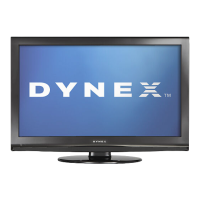
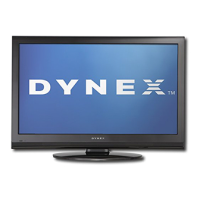
32" LCD TV
DX-32L152A11
USER GUIDE
DX-32L152A11_10-0615_MAN_ENG_V1.book Page 1 Thursday, July 22, 2010 10:30 AM

Other manuals for Dynex DX-32L152A11

Questions and Answers

  • A
    Alicia CurryAug 20, 2025
    How to fix a Dynex DX-32L152A11 remote control that is not working?
    • S
      smithbethanyAug 20, 2025
      If the remote control isn't working with your Dynex LCD TV, first, ensure the TV's power cord is plugged in securely. Check for any obstructions between the remote and the TV's remote control sensor. Verify that the batteries are correctly installed in the remote. If problems continue, try replacing the batteries with new ones.
  • M
    miranda42Aug 22, 2025
    What to do if having trouble programming Dynex LCD TV universal remote?
    • J
      Jeffrey BryantAug 22, 2025
      If you are experiencing issues programming your existing universal remote control with your Dynex LCD TV, see instructions and a table of common codes in the online User Manual. Also, try replacing the batteries. If problems persist, refer to the User Guide that came with your universal remote control and contact the manufacturer.
  • R
    Rebecca SavageAug 25, 2025
    What to do if my Dynex DX-32L152A11 LCD TV has no picture and no sound?
    • W
      William BrownAug 25, 2025
      If your Dynex LCD TV shows no picture and no sound, ensure the power cord is properly plugged in. Then, press the POWER button on either the TV or the remote. Verify that you've selected the correct video input source. If the issue persists, try tuning to another channel, as the broadcasting station might be experiencing technical difficulties.
  • D
    Dr. Richard JohnsonAug 26, 2025
    Why does my Dynex DX-32L152A11 have a picture but no sound?
    • N
      Nancy HubbardAug 26, 2025
      If your Dynex LCD TV has a good picture but no sound, first, make sure that the sound is not muted. Then, check that the sound mode is set to either Stereo or Mono.
  • Z
    Zachary HoodAug 28, 2025
    What to do if my Dynex DX-32L152A11 screen shows only snow?
    • K
      Kayla RobertsAug 28, 2025
      If your Dynex LCD TV displays only snow (noise) on the screen, first try tuning to another channel, as the broadcasting station might be experiencing technical issues. Ensure that the antenna or cable TV is securely and correctly connected. Finally, check the signal strength.
  • K
    Kelly BarreraAug 29, 2025
    Why is the picture dark on my Dynex LCD TV, but the sound is fine?
    • A
      anna09Aug 30, 2025
      If your Dynex LCD TV picture is dark, poor, or nonexistent (but the screen is lit) and the sound is good, try adjusting the brightness settings. Also, make sure that the correct picture mode is selected. Finally, check that the antenna or cable TV connection is both correct and secure.
  • J
    jeannetorresSep 1, 2025
    How to eliminate audio noise on my Dynex DX-32L152A11 LCD TV?
    • D
      David HooverSep 1, 2025
      To address audio noise on your Dynex LCD TV, ensure there's no interference from infrared equipment like cordless phones or headphones. If such equipment is present, move it away from the TV to see if the noise is eliminated.
  • A
    alex94Sep 3, 2025
    How to adjust color on Dynex LCD TV?
    • C
      Corey NavarroSep 3, 2025
      If your Dynex LCD TV has no color, a dark picture, or incorrect colors, try adjusting the color saturation setting.
  • M
    Molly WatsonSep 5, 2025
    What to do if control buttons on Dynex LCD TV do not work?
    • B
      Brooke DaySep 5, 2025
      If the control buttons on your Dynex LCD TV are not working, disconnect the power cord, wait a few seconds, then reconnect it and turn the TV back on.
  • F
    finleynatalieSep 6, 2025
    How to reset a lost password on a Dynex LCD TV?
    • D
      Donald ParkerSep 7, 2025
      If you've lost the password for your Dynex LCD TV, enter '9999' to access the parental controls. From there, you can set a new password.

Summary

Child Safety

Tune Into Safety

Provides tips for safe TV placement and handling to prevent injury.

Wall Mounting

Guidelines for safely mounting the TV on a wall, emphasizing proper mounts and professional help.

Important Safety Instructions

General Precautions and Warnings

Electrical, lightning, and general safety precautions.

Handling the LCD Panel and Replacement Parts

LCD panel care and using correct replacement parts.

Installing and Removing the Stand

Accessories

Lists items included in the TV box.

Installing the Stand

Step-by-step guide to attach the TV to its stand.

TV Components

Front and Side Controls

Identifies physical buttons and indicators on the TV.

Removing the Stand

Instructions to detach the TV stand.

Installing a Wall-Mount Bracket

Instructions for attaching a wall-mount bracket.

Back Connections

Port Descriptions

Details input/output ports on the TV's back.

Remote Control

Button Functions

Identifies and describes remote control button functions.

Using the Remote Control

Installing Remote Control Batteries

Step-by-step guide for inserting remote batteries.

Initial Connections and Setup

Aiming the Remote Control

Pointing the remote for optimal signal reception.

Programming a Universal Remote Control

Guide to programming universal remotes using codes.

Connecting the Power

Instructions for connecting the TV's power cord.

Device Connections

Selecting a Location

Guidance on choosing the best place to position the TV.

Connecting an HDMI Device

Steps to connect devices via HDMI for quality audio/video.

Connecting a Component Video Device

Instructions for connecting devices using component cables.

Connecting Antenna, Cable TV, or Satellite Box

Guidance on connecting TV signal sources.

AV and Computer Connections

Connecting a VCR, Camcorder, or Game Console

Steps for connecting AV devices like VCRs or game consoles.

Connecting a Computer

Instructions for connecting a computer via VGA and audio cables.

Turning on Your TV for the First Time

Connecting a Home Theater System

How to connect and use audio cables for home theater systems.

Connecting Headphones

Instructions for plugging in headphones and audio muting.

Initial TV Configuration

Initial setup process: language, picture mode, tuner mode.

Understanding the Basics

Turning Your TV On or Off

Basic operations for powering the TV on, off, and standby.

Selecting the Video Input Source

How to switch between different input sources.

Selecting a Channel

Methods for changing channels.

Adjusting the Volume

How to control sound level.

Displaying Program Information

How to view channel and program information.

Navigating the Menus

On-Screen Menu Overview

How to access and use the TV's on-screen menu system.

Adjusting the Picture

Picture Settings

Adjusting brightness, contrast, color, tint, sharpness, temp, advanced video.

Display Format (Aspect Ratio)

How to change the screen aspect ratio.

Adjusting the Sound

Sound Settings

Configuring audio settings like balance, surround, equalizer.

Selecting the Audio Mode

How to choose different sound modes.

Changing Channel Settings

Channel Configuration Options

Tuner mode, scan, skip, MTS/SAP, audio language.

Setting Parental Controls

How to set parental controls, change password, block content.

Adjusting TV Settings

Rating Systems

Explanation of Canadian TV rating systems.

Setup Options

Configuring OSD language, screen mode, time, caption, reset.

Troubleshooting

Video and Audio Issues

Common picture/sound problems and solutions.

Remote Control Issues

Troubleshooting steps for remote control problems.

General TV Issues

Solutions for general TV problems (channels, passwords, noise).

Maintenance

Cleaning the TV

Instructions for cleaning the TV screen and case safely.

Specifications

Technical Specifications

TV type, panel, system, power, dimensions.

Cable Compliance

Using shielded cables and FCC compliance.

Canadian Compliance Statement

Statement for Canadian digital apparatus compliance.

HDMI Interface Information

Information about the HDMI interface and trademarks.

Legal Notices

FCC Part 15 Compliance

FCC compliance statement and interference guidance.

FCC Warning

Warning about unauthorized equipment modifications.

Warranty Information

One-Year Limited Warranty (US;Canada)

Details of the limited warranty for US/Canada.

Warranty Exclusions

Items not covered by the warranty.

Mexico Market Warranty

Warranty and service information for Mexico.

Dynex DX-32L152A11 Specifications

General IconGeneral
Display TypeLCD
Resolution1366 x 768
Aspect Ratio16:9
Brightness300 cd/m²
Response Time8 ms
HDMI Ports2
USB Ports1
Refresh Rate60Hz
Screen Size32 in
Viewing Angle178° horizontal, 178° vertical
InputsHDMI, USB, VGA, Component, Composite, RF

Related product manuals