EasyManua.ls Logo

Dynex DX-32L220A12 - User Manual

Dynex DX-32L220A12
12 pages
Print Icon
To Next Page IconTo Next Page
Loading...
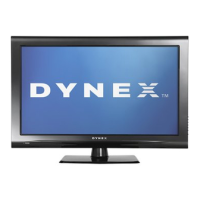
24" and 32" LCD TVs
DX-24L230A12
DX-32L220A12
IMPORTANT INFORMATION
DX-24L230A12-32L220A12_11-0075_IMP INFO.book Page 1 Tuesday, January 25, 2011 9:53 AM

Other manuals for Dynex DX-32L220A12

Questions and Answers

  • K
    Kimberly BanksJul 29, 2025
    What to do if my Dynex DX-32L220A12 has no picture and no sound?
    • K
      kylegarciaJul 29, 2025
      If your Dynex LCD TV screen is dark and there's no sound, try the following: * Ensure the power cord is properly plugged in. * Press the power button on the TV or remote. * Check that the video cables are securely connected. * Select the correct video input source. * Try a different channel to rule out station issues. * Confirm the incoming signal is compatible. * Make sure your antenna or cable TV is correctly connected. * Adjust the contrast and brightness settings. * Ensure the Audio Only option is set to Off. * Check the closed caption settings, as some TEXT modes can block the screen.
  • H
    Herbert RhodesAug 14, 2025
    Why does my Dynex DX-32L220A12 picture not fill the screen?
    • C
      Christopher Hodge Jr.Aug 14, 2025
      If your Dynex LCD TV picture doesn't fill the screen and you see black bars, it might be due to the aspect ratio. Many digital TV programs and movies are now shown in widescreen (16:9). To resolve this, change the aspect ratio setting on your TV.

Summary

Child Safety Guidelines

Tune Into Safety

Provides essential safety guidelines for using the TV and furniture correctly.

Wall Mounting Safety

Details important considerations and precautions for securely mounting the TV on a wall.

Important Safety Instructions

General Safety Precautions

Covers essential precautions like avoiding water, ensuring ventilation, and proper plug use.

Electrical Safety Warnings

Highlights risks of electric shock and precautions for plugs, cords, and grounding.

Lightning and Power Surge Protection

Advises on unplugging during storms to prevent damage from lightning and surges.

LCD Panel Handling Precautions

Precautions for handling the glass screen and liquid inside if it breaks.

Service and Cautions

Defines when to seek professional service and general cautions for product care.

Troubleshooting Common Issues

Troubleshooting Guide Overview

Provides solutions for common video and audio issues encountered with the TV.

Picture and Sound Problems

Addresses specific problems like no picture, no sound, or aspect ratio adjustments.

Video Quality Diagnosis

Solutions for dark, poor color, no picture, snow, dotted lines, and double images.

Audio and Interference Solutions

Resolves problems with audio sync, noise, and interference from other devices.

Maintenance and Operation

Remote Control Troubleshooting

Tips for when the remote control is not working or programmed correctly.

General TV Operation Issues

Addresses issues like no power, 'no signal' messages, and interference.

Cleaning and Product Care

Instructions on how to properly clean the TV screen and body.

Product Specifications

Warranty Period Details

Covers the warranty period for parts and labor for the televisions.

Dimensions and Weight Information

Provides physical measurements and weight for the TVs with and without stands.

Screen Performance Specifications

Details screen size, type, resolution, aspect ratio, and brightness.

Connectivity Ports and Features

Lists all available input and output ports for connecting external devices.

Power Consumption and Settings

Information on power consumption, OSD languages, and V-Chip.

Legal Notices and Compliance

FCC Compliance Statement

Details FCC rules, warnings, and requirements for digital devices.

Canadian Compliance Standards

States compliance with Canadian ICES-003 standards for digital apparatus.

Cable Connection Requirements

Specifies the use of shielded cables for maintaining FCC compliance.

Trademark and Licensing Information

Notices for HDMI and Dolby Laboratories trademarks and licensing.

One-Year Limited Warranty

Warranty Definitions and Coverage

Explains warranty terms, duration, and what is covered for the product.

How to Obtain Warranty Service

Provides instructions on how to get service or repair under warranty.

Items Not Covered by Warranty

Lists items and conditions that are not covered by the Dynex warranty.

Warranty Limitations and Exclusions

Outlines limitations on liability and implied warranties.

Dynex DX-32L220A12 Specifications

General IconGeneral
BrandDynex
ModelDX-32L220A12
CategoryLCD TV
LanguageEnglish

Related product manuals