EasyManua.ls Logo

Dynex DX-32L200A12 - User Manual

Dynex DX-32L200A12
48 pages
Print Icon
To Next Page IconTo Next Page
Loading...
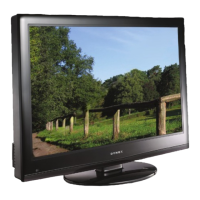
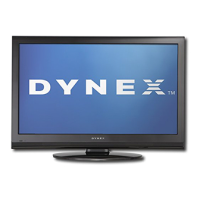
32” /37” /46” LCD TV
DX-32L200A12
DX-37L200A12
DX-46L262A12
USER GUIDE
DX-32L-37L-46L_11-1082_MAN_V2_EN.book Page 0 Tuesday, November 22, 2011 1:09 PM

Table of Contents

Other manuals for Dynex DX-32L200A12

Questions and Answers

  • S
    Stacey NewmanSep 9, 2025
    How to fix a 'no signal' error message on my Dynex DX-32L200A12 LCD TV?
    • C
      Crystal KennedySep 10, 2025
      Press the INPUT button on your Dynex LCD TV remote and ensure you've selected the correct input for the device or service you're trying to use. If you're using a cable or satellite box, use the remote that came with the box to change channels.
  • J
    Jeffery CastilloAug 25, 2025
    How to fix a Dynex DX-32L200A12 LCD TV remote that's not working?
    • T
      Tamara ObrienAug 25, 2025
      First, ensure the power cord is correctly connected to both your Dynex LCD TV and the power outlet. Then, check for any obstructions between the remote and the TV's remote control sensor. Point the remote directly at the sensor. Make sure the batteries are installed correctly or replace them with new ones.
  • K
    Kimberly JonesAug 25, 2025
    Why aren't the control buttons working on my Dynex DX-32L200A12 LCD TV?
    • A
      Alexandria StanleyAug 26, 2025
      Make sure that the Button Lock option is set to No on your Dynex LCD TV. If that doesn't work, unplug the power cord, wait a few seconds, then plug the cord back in and turn on your TV.
  • S
    Sandra BlackwellSep 23, 2025
    Why is there no output from one of the speakers on my Dynex LCD TV?
    • J
      Jeremy AllenSep 23, 2025
      If there is no output from one of the speakers on your Dynex LCD TV, adjust the audio balance. Make sure that the audio cables are connected correctly and securely to the back of your TV.
  • D
    Dalton PriceSep 12, 2025
    How to remove black bars around the picture on my Dynex DX-32L200A12 LCD TV?
    • J
      Joseph McintoshSep 12, 2025
      Change the aspect ratio setting on your Dynex LCD TV.
  • M
    Martin StarkSep 15, 2025
    How to fix dotted lines on Dynex LCD TV screen?
    • R
      Robert RossSep 15, 2025
      If your Dynex LCD TV displays dotted lines or stripes, ensure the antenna or cable TV is connected correctly and securely. If using an antenna, the digital channel signal may be low. Also, check that the video cables are securely connected. The video cables you are using may be bad, so try a new set. Other devices, like surround sound receivers or fans, might be causing interference; try turning them off one by one to identify the source and move it further from the TV.
  • M
    Michael BrownSep 4, 2025
    Why does my Dynex LCD TV keep turning off?
    • F
      Fernando WattsSep 4, 2025
      If your Dynex LCD TV keeps turning off, make sure that the sleep timer is not turned on.
  • M
    Melissa OlsonSep 5, 2025
    How to prevent after images on my Dynex DX-32L200A12 LCD TV?
    • B
      bonddarrenSep 5, 2025
      If you are experiencing after images on your Dynex LCD TV, avoid displaying a still image, such as a logo, game, or computer image, for an extended period of time. This can cause a permanent after-image to be burned into the screen, which is not covered by your warranty.
  • J
    Jeremiah RobertsonSep 23, 2025
    Why some settings on my Dynex LCD TV cannot be accessed?
    • J
      jessica65Sep 23, 2025
      If some settings on your Dynex LCD TV cannot be accessed (are grayed out), it means the setting is not available in the current video input mode.
  • J
    Joy ShepherdAug 30, 2025
    Why is the picture quality poor on some channels of my Dynex LCD TV?
    • A
      Amanda DurhamAug 30, 2025
      If your Dynex LCD TV picture quality is good on some channels but poor on others, the problem may be a weak signal from the broadcaster or cable TV provider. If you connect to cable or satellite TV without a set-top box, you may need to install a set-top box to improve signal reception and picture quality. Contact your cable or satellite TV provider about upgrading to a set-top box.

Summary

CHILD SAFETY

Safe TV Usage Tips

Provides essential safety advice for TV placement, especially concerning children's safety.

Wall Mounting Guidelines

Offers instructions and warnings for securely mounting the TV on a wall.

Important Safety Instructions

General Safety Warnings

Covers electrical hazards, lightning protection, LCD panel care, and using replacement parts safely.

Numbered Safety Precautions

Lists 18 detailed instructions for safe operation, handling, installation, and electrical safety.

Installing TV Mounts

Stand Installation Guide

Step-by-step instructions for attaching the TV stand, including screw details and orientation.

Wall Mount Bracket Attachment

Guidance on attaching a wall mount bracket to the TV, referencing manufacturer instructions.

TV Connections and Remote Functions

Making Connections - Choosing Best Options

Connection Type Recommendations

Recommends the best video connection types (HDMI, Component, Composite) for optimal quality and provides cable visuals.

Connecting Power and Source Devices

Cable;Satellite Box via HDMI

Details connecting a cable/satellite box using HDMI for the best video and audio signal.

Video Connection Methods

Connecting Audio and Video Sources

Connecting TV Signal Sources

Connecting High-Quality Devices

Audio Systems and Initial TV Setup

Understanding TV Operation Basics

On-Screen Menu Navigation

Adjusting Picture and Channel Settings

Menu Navigation and Picture Adjustments

Explains menu navigation and how to adjust picture settings like Mode, Contrast, and Brightness.

Advanced Picture and Sound Settings

Picture Setting Details

Details advanced picture settings like Sharpness, Backlight, Noise Reduction, and Color Temperature.

Sound Setting Adjustments

Guides on adjusting sound modes, treble, bass, balance, and audio language.

Sound Modes and Channel Scanning

Changing Channel Settings

Setting Parental Controls

Setting or Changing the Password

Steps to set or change the parental control password for accessing restricted content.

Parental Control Levels Configuration

Setting Parental Control Levels

Details how to set parental control levels for US and Canadian TV/movie ratings.

Content Rating Management

Blocking Unrated TV Programs

Instructions on how to block TV programs that do not have a rating signal.

Using Closed Captioning Features

Turning Closed Captioning On;Off

Instructions for enabling or disabling closed captioning (CC) for TV programs.

Selecting Closed Captioning Modes

Details on choosing different closed captioning modes for analog and digital broadcasts.

Customizing Closed Captioning Styles

Adjusting Time and Sleep Timer

Using USB Flash Drives

USB Photo Viewing Options

Maintaining and Troubleshooting TV

Cleaning and Servicing Procedures

Provides guidance on cleaning the TV screen and surfaces, and when to seek professional servicing.

Video and Audio Troubleshooting

Lists common video and audio problems and their solutions.

Troubleshooting Common TV Issues

Picture and Sound Problem Solving

Addresses issues like snow/noise, dotted lines, double images, and no sound.

General Troubleshooting and Remote Control

Universal Remote Control Guide

Dynex Limited Warranty Details

Warranty Coverage and Service

Outlines the one-year limited warranty, coverage, definitions, and how to obtain service.

Warranty Exclusions and Contact

Lists items not covered by the warranty, exclusions, and contact information for customer service.

Dynex DX-32L200A12 Specifications

General IconGeneral
Screen Size32 inches
Display TypeLCD
Resolution1366 x 768
Aspect Ratio16:9
HDMI Ports2
USB Ports1
Display TechnologyLCD
Brightness250 cd/m²
Response Time8 ms
Viewing Angle178° (H) / 178° (V)
Speakers2 x 8W
Power Consumption65W
InputsComposite, Component, RF

Related product manuals