Appendix
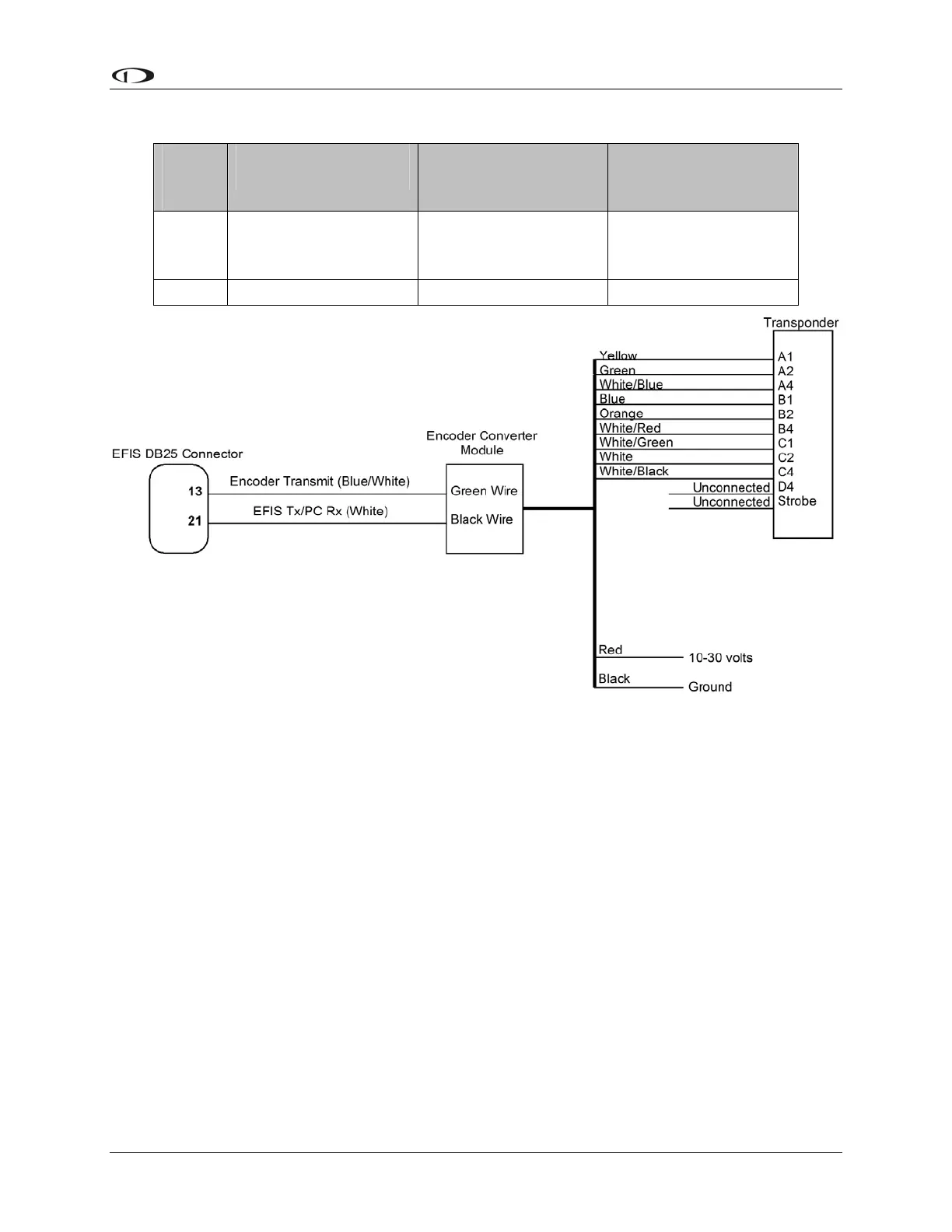
EFIS
DB25
Pin#
Dynon EFIS
harness color
Encoder Converter
Wire Color
Function
13
Blue/White (may be
black on some
harnesses)
Green (May be Red on
older models)
Serial Encoder
Transmit
21 White Black Serial Encoder Ground
STEP 3: EFIS-D6 ENCODER FORMAT
For proper communication the EFIS Altitude Encoder format must be set to format number one.
To change this setting, from the main menu, select: SETUP > ALTENC. Press FRMAT until it
reads “1.”
EFIS-D6 Installation Guide 5-17



 To Next Page