With the buttons
o
resp.
a
you can
switch between both display formats.
11
When the desired indicator format is blink-
ing in the display
d
: Wait for ca. 10 sec-
onds, without pressing a button. e dis-
play
d
returns to its normal status; the time
is now shown in the selected display format.
e date is only shown when the radio is
switched o.
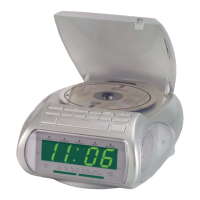
8. Using the RDS Radio Alarm
8.1 Using the radio of the RDS Radio
Alarm
e RDS Radio Alarm is tted with an auto-
matic station scanner with an automatic save
function. e station scanner starts automa-
tically, as soon as the RDS Radio Alarm is con-
nected to mains power. If you would like to use
the station scanner again at a later time:
8.1.1 Using the automatic radio station
scanner
With the radio switched on, hold the button
“Memory”
g
pressed down for ca. three sec-
onds. e automatic station scanner now starts;
Stations with sucient reception strength are
now automatically saved to xed programme
positions.
8.1.2 Manually setting and saving radio
stations
If you wish to save other radio stations additio-
nally to the ones automatically saved to xed
programme positions:
1
Search for a radio station with the buttons
o
resp.
a
. With each press of the
key you will shi the frequency in steps of
kHz.
Alternatively, you can also keep the buttons
o
resp.
a
pressed for a short period; this
starts the manual station scanner. If a station is
found with sucient reception strength, the
station scanner stops.
If a radio station you are searchuing for is being
received, you can save it to one of the xed
programme positions. Additionally:
ô
Note:
To carry out the steps 2 to 4 you have ca. 5 se-
conds for each step. If one step is delayed, you
must start again from step 2.
2
Press the button “Memory”
g
once. In the
display
d
a two-gure programme position
number as well as “GROUP” is shown, the
clock symbol and “MEM” are blinking. To
designate a programme position number for
the tuned radio station:
3
First of all select the number for the rst
digit of the programme position number.
For this, repeatedly press the button “Group
WEC”
f
. As soon as the desired gure for
the rst digit of the programme position is
shown in the display
d
:
4
Select the gure for the second digit of the
two-gure programme position number.
Repeatedly press the buttons “/” to “/”.
e buttons have the following functions:
Ú
Button “/”
;
– for selection of resp.
as the second digit of the programme
position
Ú
Button “/”
l
– for selection of resp.
as the second digit of the programme
position
Ú
Button “/”
k
– for selection of resp.
as the second digit of the programme
position
|



 To Next Page