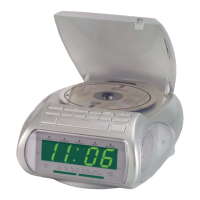
On the selected date the alarm tone of the RDS
Radio Alarm reminds you of the programmed
appointment. e reminder sounds hourly
between : and :. ereby, the alarm
tone remains switched on for minutes.
To interrupt the alarm tone: Press any button.
e alarm tone sounds again on the next full
hour (and each following full hour on this day).
To programme additional appointment remind-
ers:
Follow the steps to in this chapter. However,
before carrying out step press once on …
Ú
the button “/”
k
, to select the second
memory slot (“SDA”) for appointments.
Ú
the button “/”
j
, to select the third
memory slot (“SDA”) for appointments.
Ú
the button “/”
h
, to select the fourth
memory slot (“SDA”) for appointments.
Ú
the button “/”
;
, to select the h mem-
ory slot (“SDA”) for appointments.
e individually selected memory slot then
blinks in rotation with the date indicator “--
” in the display
d
.
Subsequently, contine with further steps as
described.
8.3.3 Programming the Nap Timer
With the so called “Nap Timer” you can
arrange an alarm call aer a short pause or
a reminder for an appointment. You can pro-
gramme time periods between and
minutes until switch on of the reminder alarm.
To programme the Nap Timer:
1
Press the “NAP Timer” button
t
once. In
the display
d
“NAP” and “” are blinking.
2
Programme the desired time interval until
activation of the reminder alarm. Time in-
tervals between and minutes are avail-
able. To do this, press the buttons
o
resp.
a
. With each press of the buttons
you increase or decrease the indicated time-
span by ten minutes.
3
Press the button “NAP Timer”
t
once more
to conrm the programming.
e reminder alarm call sounds when the
selected timespan has elapsed. e time remain-
ing to the reminder alarm call and “NAP” are
shown in the display
d
. Until switch on of the
reminder alarm call the operational state display
w
blinks.
4
To switch o the Nap Timer: Hold the
button “NAP Timer”
t
pressed down;
“NAP” and the indicator for the timespan in
the display
d
extinguish.
9. Adjusting the display
brightness
e brightness of the display
d
can be adjusted
in two levels. This functions with both a
switched on and a switched o radio. For this:
1
Hold the button “SNOOZE”
e
pressed for
ca. three seconds, until the display bright-
ness has diminished.
2
To raise the display brightness again: Once
again hold the button “SNOOZE”
e
pressed
down for ca. three seconds.
|



 To Next Page