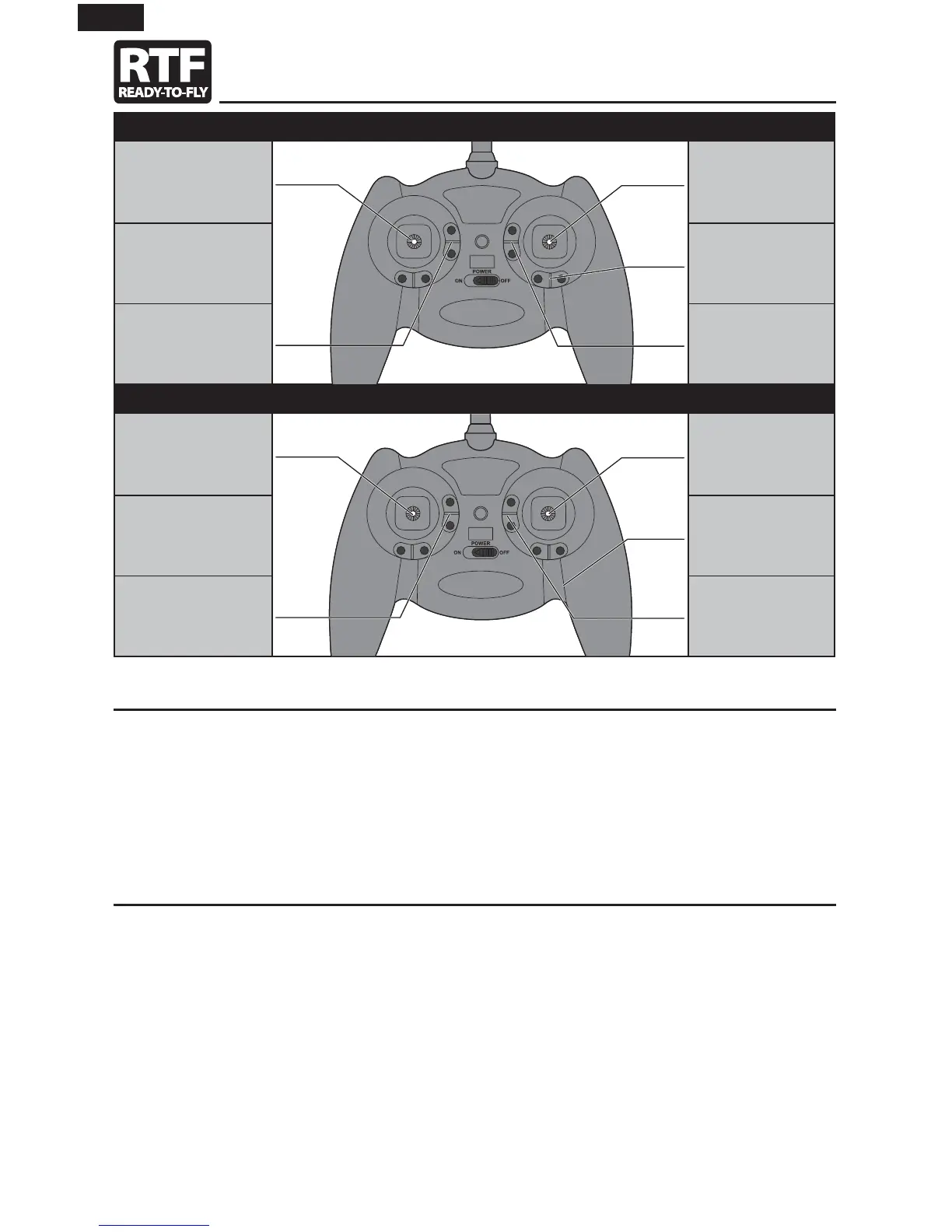
Transmitter Control
Digital Trims
The E-Flite
®
4-channel DSM2
®
/DSMX
®
transmitter features digital trim buttons on all controls to make fi ne
adjustments. The digital trims are used to fi ne-tune the model’s fl ight path when in fl ight.
Before the fi rst fl ight, center the control surfaces mechanically (see Control Centering).
When pressed down, trim buttons make a sound that increases or decreases in pitch at each pressing. The
middle or neutral trim position is heard as a middle tone in the pitch range of the sounds. The end of the
control range is sounded by a series of beeps.
Dual Rate Function
This transmitter’s dual rate feature lets you change between high and low control rates for the elevator and
rudder.
• When powered ON, this transmitter is automatically set to high-rate mode.
• Change rate modes by pushing the right-hand control stick vertically into the case (until it clicks) while
the transmitter is powered on.
• High-rate mode is shown by the transmitter’s LED glowing solid red. In high-rate mode, the controls can
reach their maximum values. This mode is typically preferred by experienced pilots for maximum control
authority.
• Low-rate mode is shown by the transmitter’s LED blinking continuously. In low-rate mode, the controls
are reduced to approximately 70% of their maximum values. This mode is typically preferred by (and best
for) beginner pilots or others interested in smoother and more easily controlled fl ight.
Mode 2
Throttle Elevator/Rudder
Rudder Trim
Throttle Trim Elevator Trim
Mode 1
Elevator Throttle/Rudder
Rudder Trim
Elevator Trim Throttle Trim
8
EN


 To Next Page