6
Your quick start guide
1
2
3
4
6
5
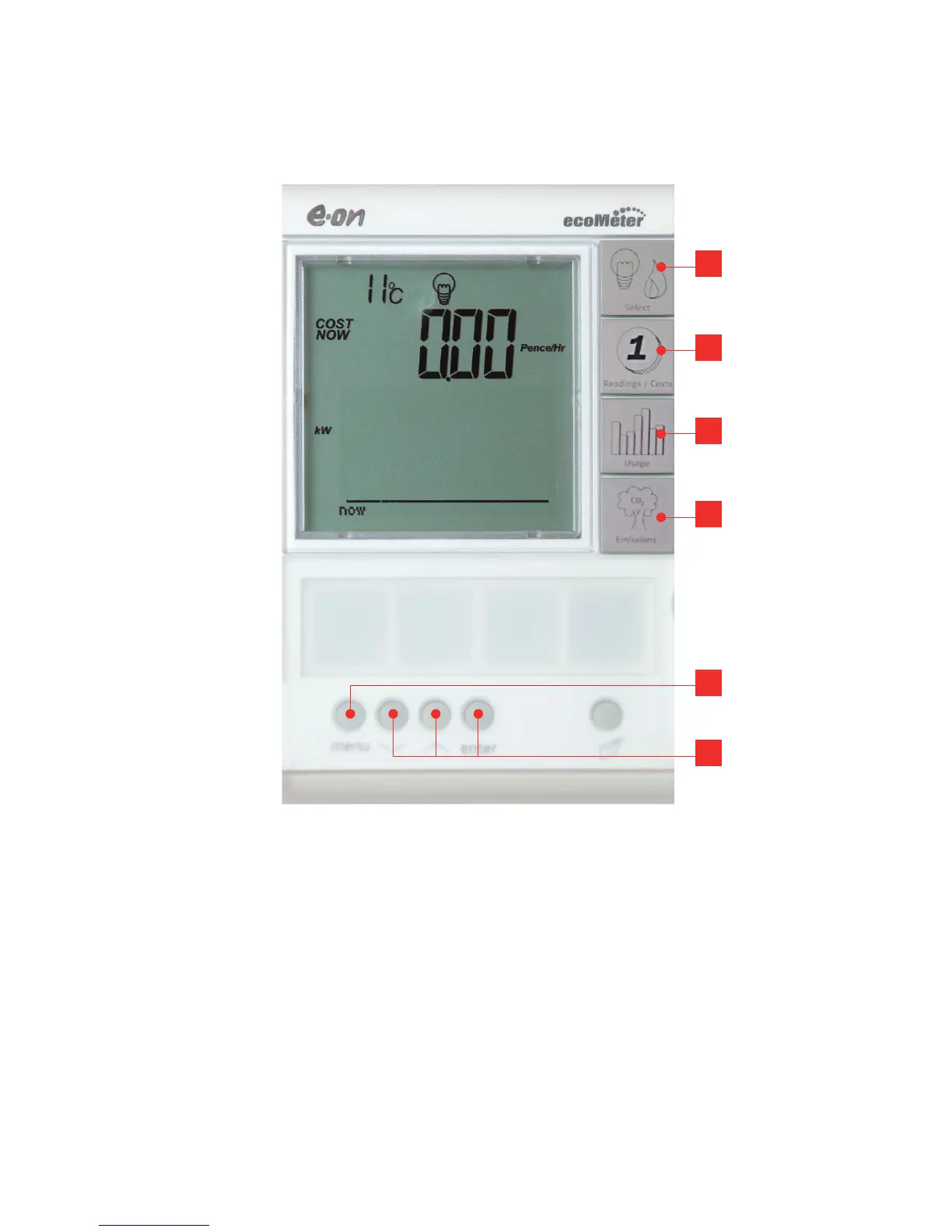
1. Select Fuel Button
This button will let you switch between
fuels if you have E.ON smart meters fitted
for both electricity and gas. You’ll see a
lightbulb for electricity, and a flame for gas.
On CO
2
emissions, both fuels can be
shown combined.
2. Reading/Costs display
By pressing the readings/costs button you
can view the current active rate and
readings then easily move through the
screens showing a guide to all costs for
Electricity for today, yesterday, last 7
and 28 days.


 To Next Page