- 11 -
Power Saving
Description: Power saving mode sets the power consumption to minimum, when it is
idle or isn‟t reading a card. Changes will be effective after scanner ACK response.
Scanner Response: ACK / NAK
Table 2.8
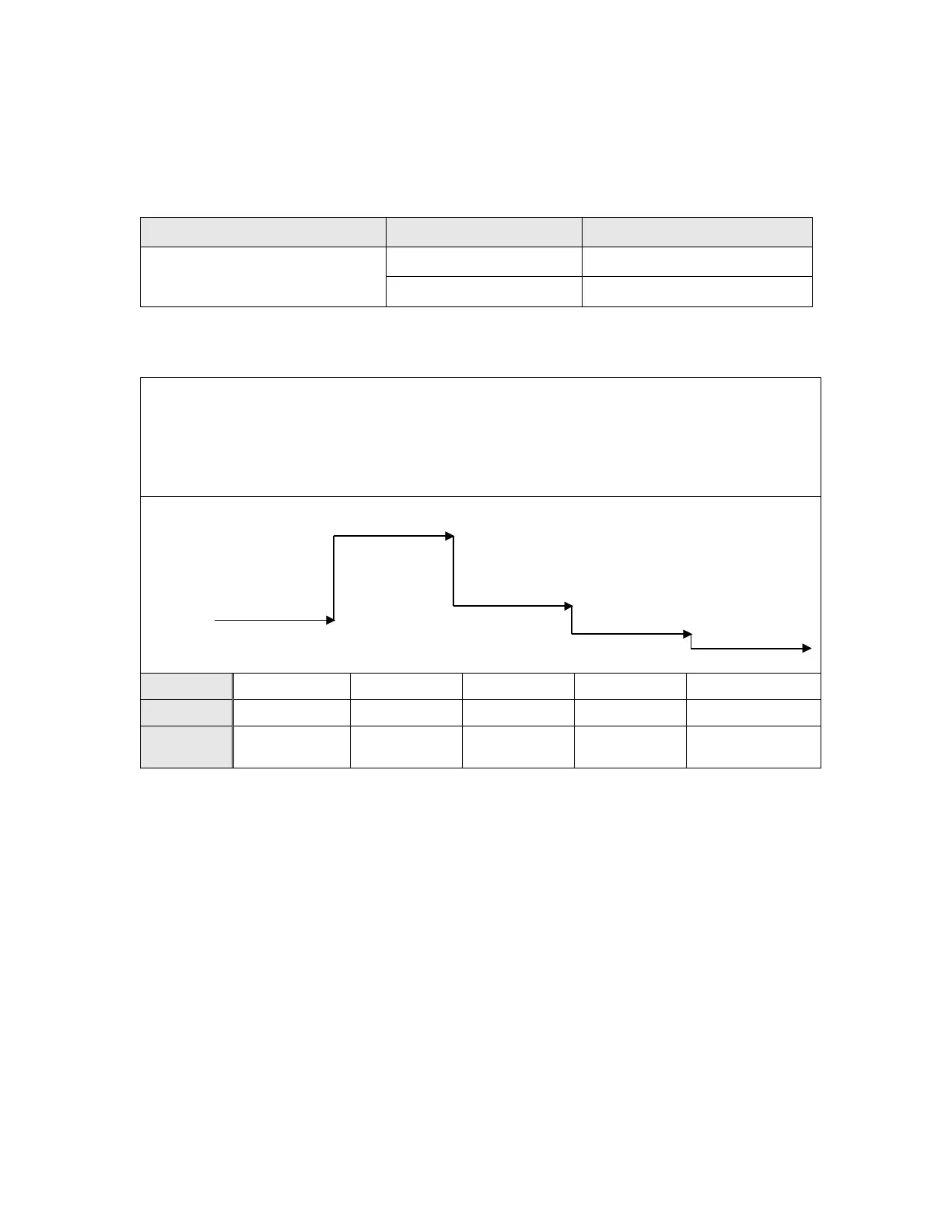
Power Saving Time Line:
If Power Saving Mode enabled, the Model 200/250/260 goes to minimum power
consumption after 15 seconds. In this mode, the green LED is blinking every 2
seconds. The scanner wakes-up by either inserting a barcode or swiping a magnetic
card.
Power-Up
Maximum
Average
Idle
Power Saving
Wake-up by
Magnetic,2D Card



 To Next Page