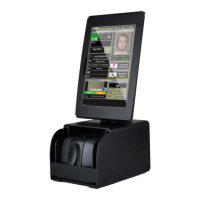
M280 Reference Guide
8-21-2013, Rev D. Page 4
Recommended System Requirements
•
More than Intel Core 2, or AMD Phenom™ CPU
•
More than 2 GB memory
•
USB2.0 High speed
• Windows XP with Service Pack 2 or later, Windows Vista, or Windows 7 (32-bit or 64-bit)
3. Unpacking M280
The M280 package includes:
• M280 Device
• USB Cable
The M280 is provided with a USB interface cable. This cable allows the M280 to interface with
standard USB port on your computer.
Figure 3-1. USB Cable
4. Getting Started
Install M280 on the PC
Connect the M280 to the system using USB Cable
NOTE: M280 will automatically install on Windows 7 and Vista.


 To Next Page