M280 Reference Guide
8-21-2013, Rev D. Page 9
5. Using M280
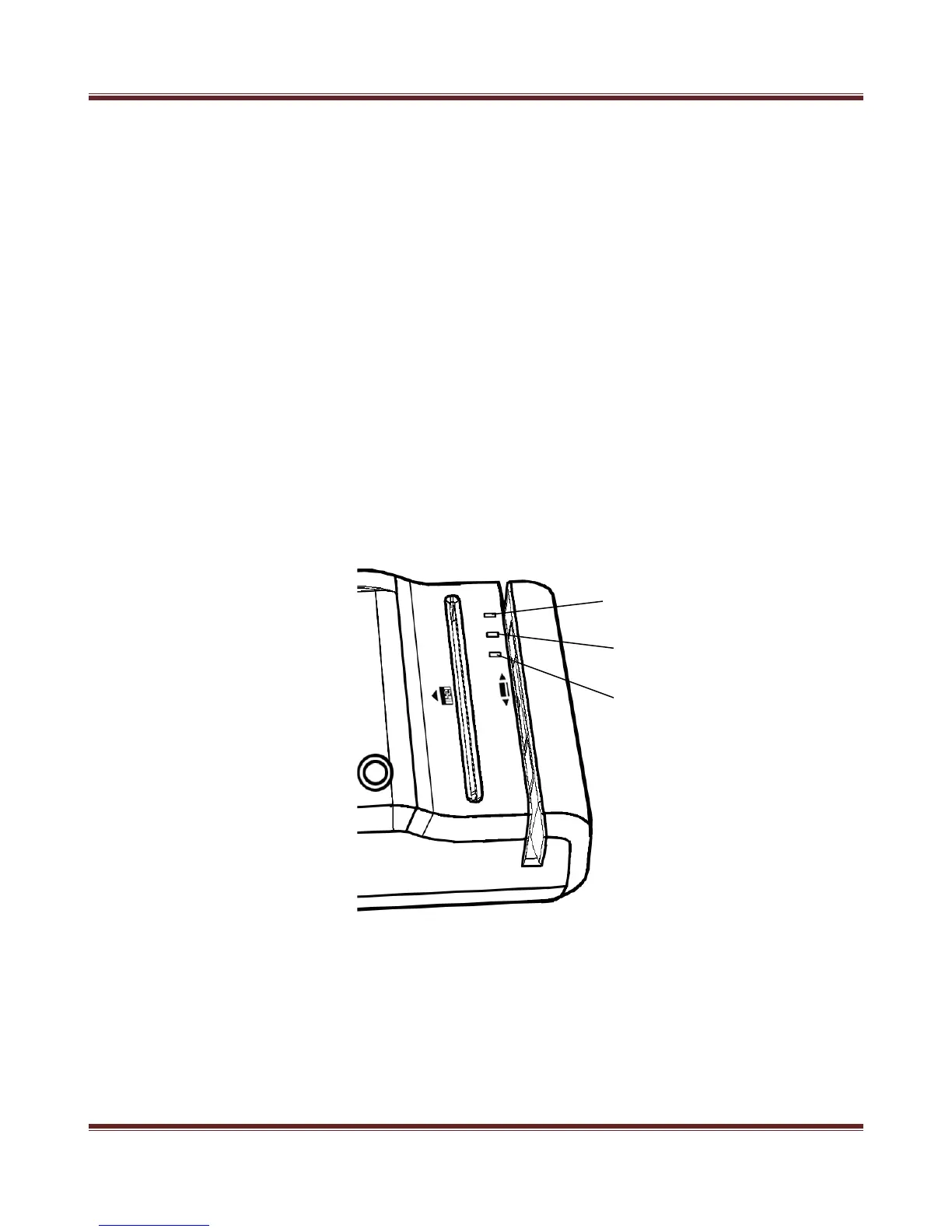
LED Indicator
The M280 incorporates three LED indicators. These LEDs are assigned to the following functions:
1.1 Scan Status LED
This LED indicates barcode scanner status. Red color means barcode scanner or
magnetic stripe reader is in use or processing the read. Green color means barcode
scanner or magnetic stripe reader is awake and ready to use.
5.2 Imager Ready Statue LED
This LED indicates Imager ready status. Green color means ready to capture the
Image.
5.3 Image Capture Status LED
This LED indicates Imager capture status. Red color means the Image is being
captured.
Figure 5-1. LED


 To Previous Page