M280 Reference Guide
8-21-2013, Rev D. Page 8
4.3 Check for Proper Installation
Go to:
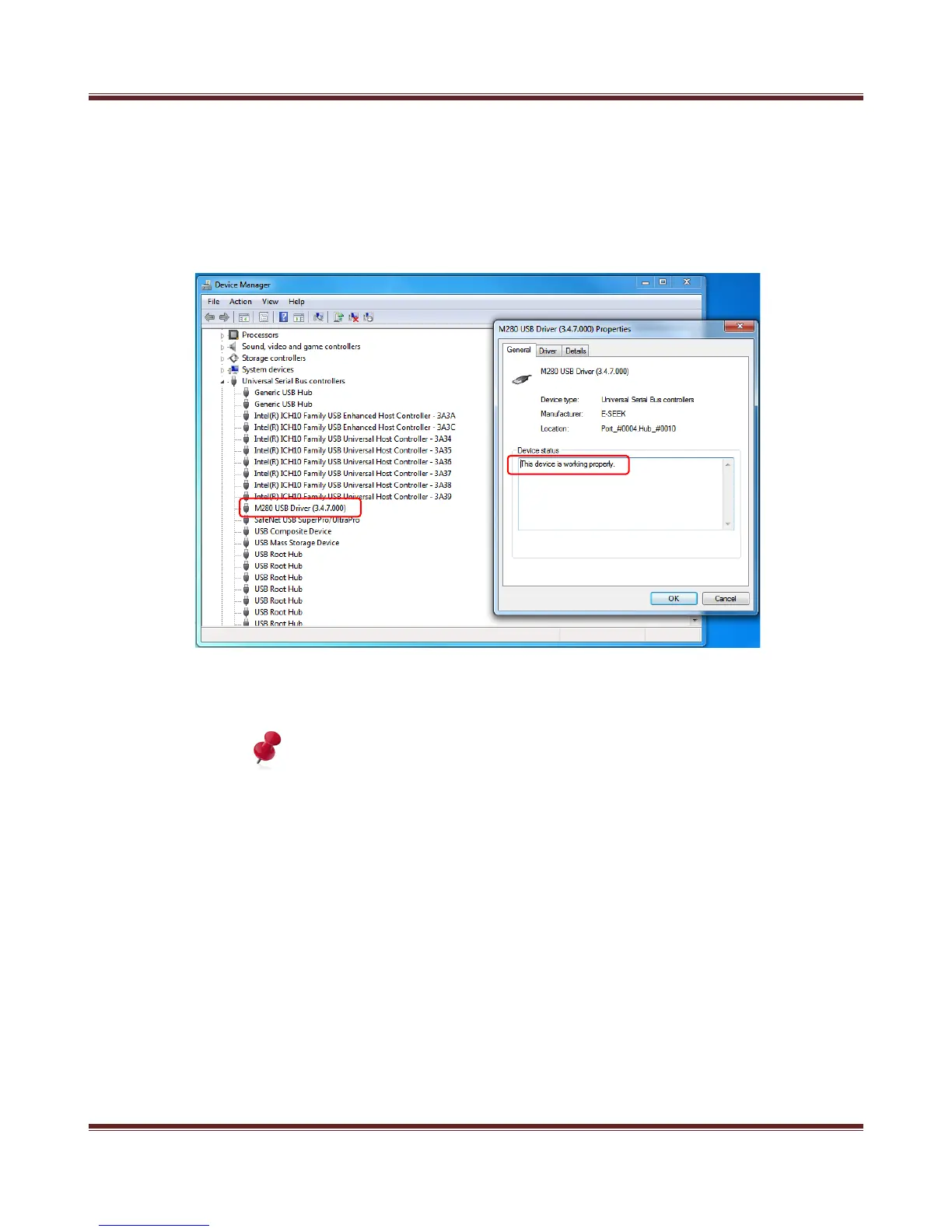
Start > Control panel > Device Manager. Select and open Universal Serial Bus Control, right
click on M280 USB Driver and select properties. You will see “This device is working properly“.
Figure 4-7. Device Working Properly
Note: The Windows Vista and 7 are supported automatic driver installation.


 To Next Page