Need help?
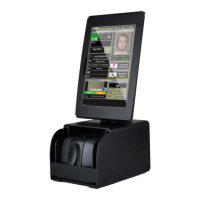
Do you have a question about the E-Seek M280 and is the answer not in the manual?
Instructions on downloading the driver from the official website.
Steps to install the M280 driver using Device Manager.
Verifying the driver installation status in Device Manager.
Explains the functions of the three LED indicators on the M280.
 General
| Brand | E-Seek |
|---|---|
| Model | M280 |
| Category | Card Reader |
| Language | English |

 To Next Page