19
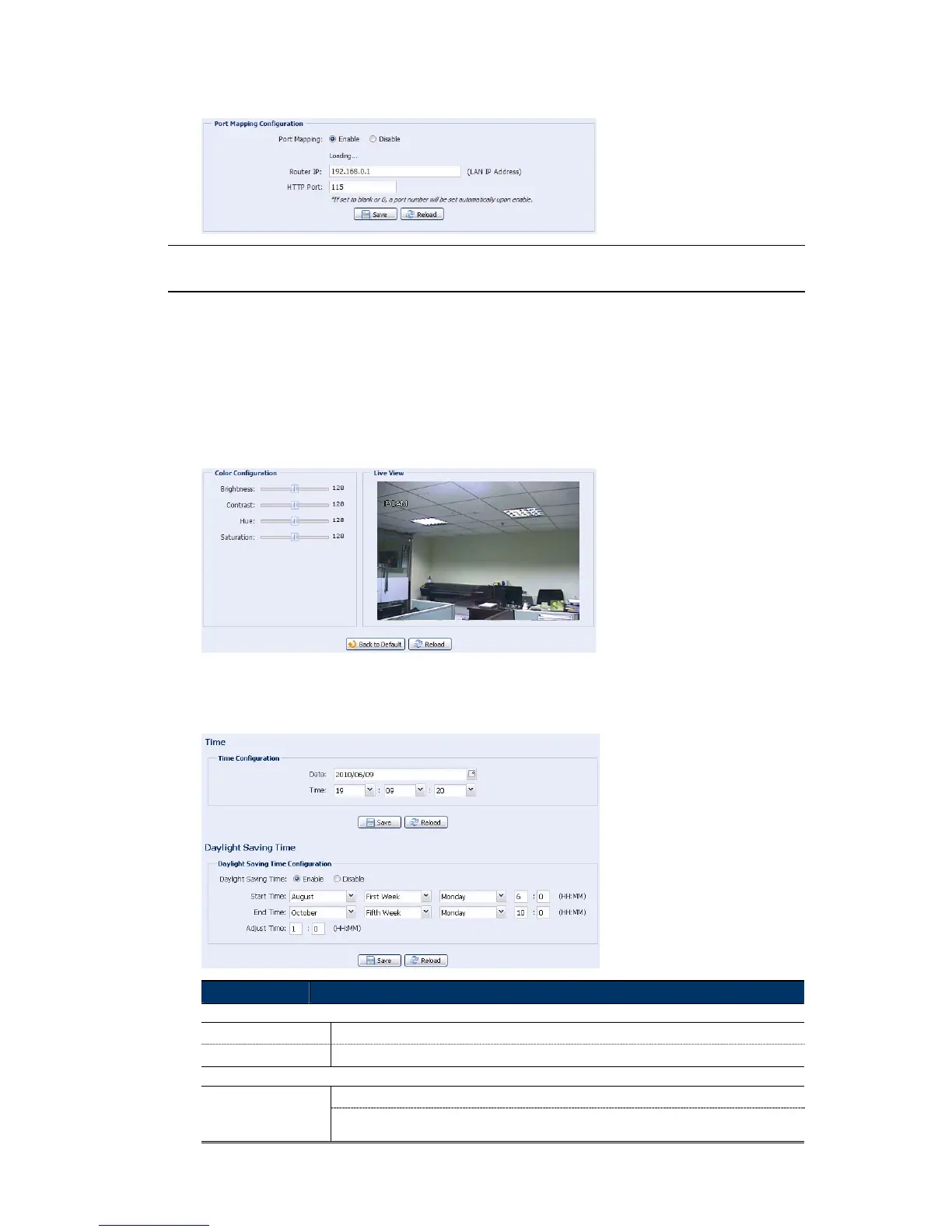
When “Port Mapping” is set to “Enable”, the system will automatically assign an IP address or
port number for you if no IP address or port number is entered.
Note: When the configurations are saved successfully, you’ll see a message indicating
the IP address and port number assigned to your device.
4.4 Camera
4.4.1 Color
Adjust the color performance from Brightness, Contract, Hue and Saturation. Click and drag the
slider to preview the color change on the right side of ths page and adjust the image color.
To restore the default values, click “Back to Default”.
4.4.2 Time
Set daylight saving time and the current time, and click “Save” to confirm.
Function Description
Time Configuration
Date
Set the current date.
Time
Set the current time.
Daylight Saving Time Configuration
Daylight Saving Time
Specify whether to use daylight saving time (Enable / Disable).
If this function is enabled, set the time period (Start Time / End Time), and adjust the daylight
saving time in hours (Adjust Time).



 To Next Page