4
3. ACCESSING THE CAMERA VIA VIDEO VIEWER
3.1 Accessing the camera
Step1: Double-click “ ” on your PC desktop to open Video Viewer. By defaults, the “Address
Book” panel will be displayed on the right side of the control panel.
Step2: Click “
” to select the IP address of the camera you intend to connect, and double-click
it.
Step3: The live view is displayed in the Video Viewer.
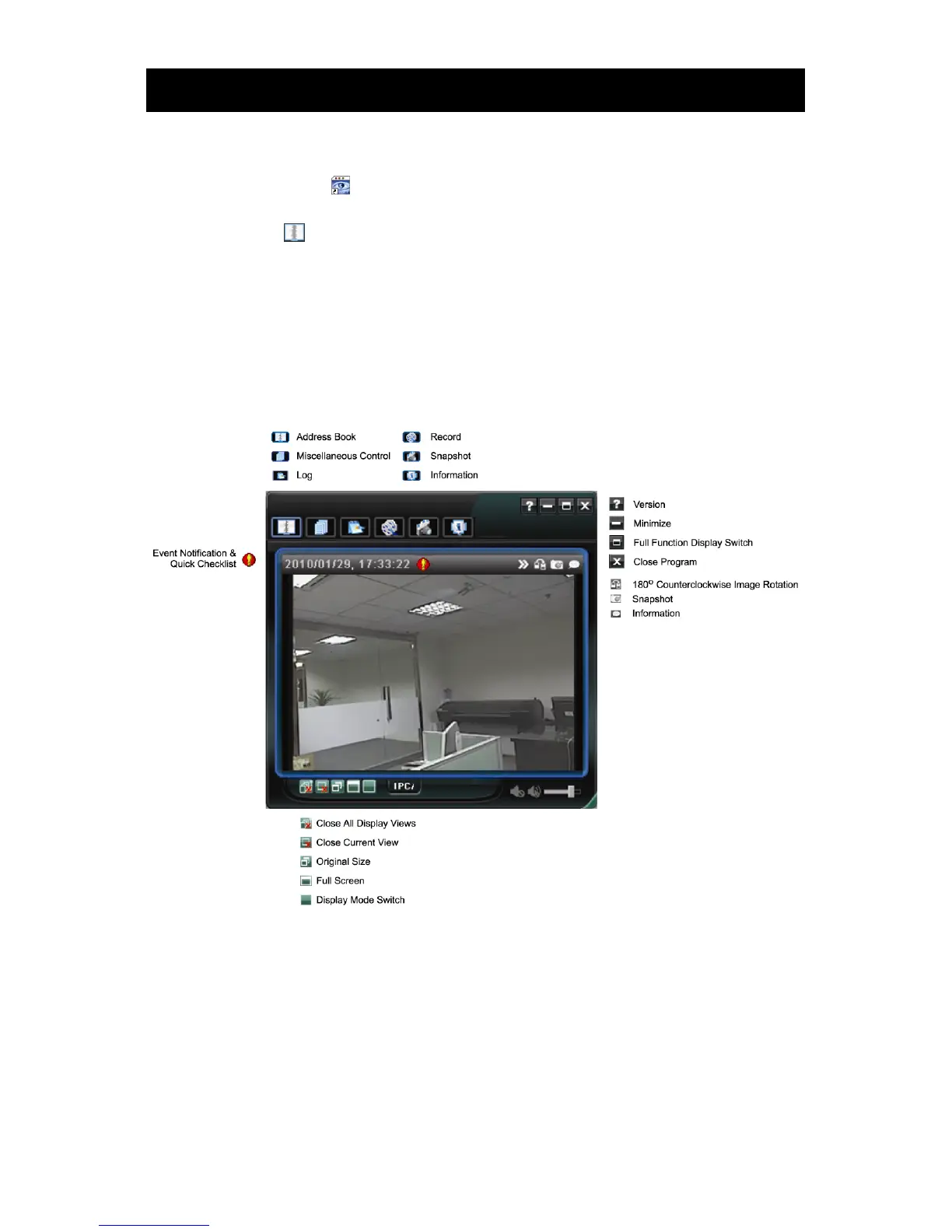
3.2 Control panel overview
Two control panels are available and can be switched depending on your using habit.
3.2.1 Simplified Version (Default)



 To Next Page