- 19 -
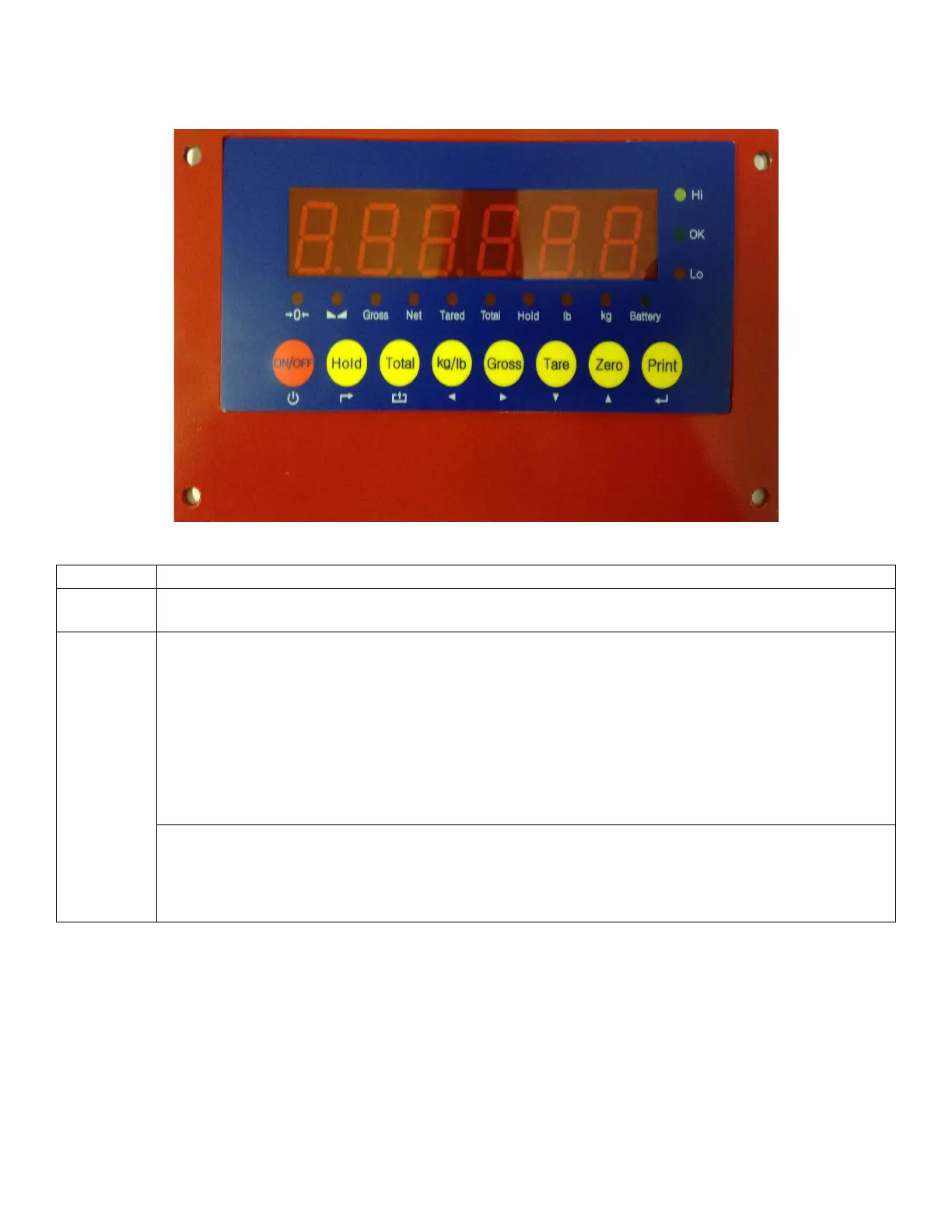
4.1 Weight Scale - Introduction & System Overview
Turns Scale On / Off
Press and hold for 2+ seconds to operate
Hold Weight on Scale (Manual Hold)
Press 'Hold' with scale loaded.
Hold Peak Weight (Auto Hold)
Press 'Hold' prior to loading scale. Can be used for multiple package weighing or unstable
loads.
Release Hold Function
Press 'Hold' again to return to normal operation.
Return (Settings Mode)


 To Next Page