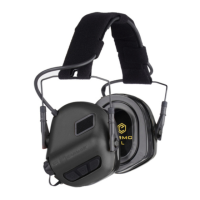
The EARMOR M20T Wireless BT5.3 Earbuds are in-ear electronic hearing protectors designed to suppress hazardous noise above 82dB while enhancing situational awareness and communication in noisy environments. These earbuds combine hearing protection with wireless Bluetooth 5.3 connectivity, allowing users to listen to music, answer calls, or reject calls while maintaining noise reduction. They are designed to be smaller and lighter than traditional headphones, offering improved compatibility, portability, and comfort.
Function Description:
The primary function of the EARMOR M20T is hearing protection, reducing exposure to hazardous noise and other loud sounds. It achieves this through electronic noise suppression. The integrated Bluetooth 5.3 module enables wireless audio streaming and hands-free communication. The earbuds feature a multi-scene switch with three distinct sound modes:
- Outdoor mode: Provides maximum sound amplification and extends the listening distance, suitable for open environments.
- Indoor mode: Offers normal hearing amplification and a shorter listening distance, ideal for indoor settings.
- Silent mode: Focuses solely on Wireless BT5.3 audio or calls, with ambient sound amplification minimized or off.
A "Clear voice tracking" feature optimizes self and surrounding vocal tracking through acoustic design, enhancing communication clarity. The "Fast reaction core" provides ultra-fast compression (0.5ms) when quick-response gunshot sounds are detected, protecting hearing from sudden loud noises.
Important Technical Specifications:
- Noise Reduction Rating (NRR): 26dB.
- Attenuation Data (ANSI S3.19-1974):
- 125 Hz: Mean Attenuation 34.4 dB, Standard Deviation 5.9 dB
- 250 Hz: Mean Attenuation 30.2 dB, Standard Deviation 5.1 dB
- 500 Hz: Mean Attenuation 34.3 dB, Standard Deviation 5.5 dB
- 1000 Hz: Mean Attenuation 35.7 dB, Standard Deviation 4.7 dB
- 2000 Hz: Mean Attenuation 38.4 dB, Standard Deviation 4.1 dB
- 3150 Hz: Mean Attenuation 41.5 dB, Standard Deviation 2.7 dB
- 4000 Hz: Mean Attenuation 43.7 dB, Standard Deviation 5.3 dB
- 6300 Hz: Mean Attenuation 45.5 dB, Standard Deviation 4.8 dB
- 8000 Hz: Mean Attenuation 45.1 dB, Standard Deviation 5.7 dB
- Wireless Connectivity: Bluetooth 5.3.
- Battery Life: Up to 8 hours on a full charge.
- Operating Temperature Range (earpieces): -20°C to 50°C.
- Storage Temperature Range (complete kit): -20°C to 50°C.
- Charging Temperature Range: 0°C to 50°C.
Usage Features:
- Automatic Power On/Off: Earbuds automatically turn on when taken out of the charging box and turn off when placed back in.
- Manual Power On/Off: Press and hold the power/mode button on each earbud for 3 seconds to manually turn them on or off.
- Mode Switching: A single click on any button (left or right) cycles through the modes: outdoor → indoor → mute → outdoor.
- Device Pairing: After being taken out of the charging box, the earbuds automatically enter pairing mode (red and blue lights flash alternately). The pairing name is "M20T". A "Connected" prompt confirms successful pairing.
- Music Playback: Double-click the left or right button to play/pause music after successful device connection.
- Transparency Mode: Can be adjusted during music playback by clicking the left or right buttons.
- Call Management:
- Answer call: Click the left or right button.
- Hang up call: Double-click the button.
- Reject call: Press and hold the button for 2 seconds.
- Low Battery Prompts: Voice prompts indicate low battery status.
- Automatic Power Off: If not in use, the earbuds will automatically power off after two hours.
Maintenance Features:
- Charging:
- Place earbuds in the charging case and connect the Type-C data cable to a power supply. The battery indicator will flash during charging and remain solid when fully charged.
- Before first use, remove the insulating film from the charging slots of the earbuds.
- Ensure the earpiece charging contacts are pointing downwards and align with the charging points in the socket.
- Initial charging takes approximately 2 hours.
- Earpiece Components: The earbuds consist of a Power/Mode Button, Microphone, Charging contacts, Earpieces cap, and Eartips.
- Charging Case Components: Features Retention cord storage posts, a Status button, Earpieces charging receptacles, an Indicator light, Hanging holes, a Type-C USB charging port, and an Indicator light for earbuds (red for charging, red and blue flashing for power-on).
- Retention Cord: The charging box has rotatable storage posts for the retention cord when not in use. Hanging holes on the case allow it to be attached to MOLLE webbing.
- Earpiece Cap and Eartips Installation:
- Ensure the appropriate size ear cover is worn on the earpiece, aligning the fixing hole with the fixing post.
- Fix one end of the retention cord to the earplug stem.
- Install ear tips on the ear tips stem, ensuring they are completely fixed.
- Silicone ear covers and eartips are specifically designed for M20T Earbuds. Do not insert the earplug directly into the ear without them.
- Wearing Instructions:
- Turn off power before wearing.
- Keep earpieces clean and dry.
- Choose the suitable eartips size for your ear canal.
- Rub sponge earplugs finely before insertion.
- Gently pull the ear upwards and insert the earbud into the ear canal.
- Keep earplugs straight for about 20 seconds after insertion to allow them to rebound.
- Ensure eartips size is appropriate when the device is off.
- Gently pull the earpieces to confirm they are secure; repeat steps if they come loose easily.
- Always follow instructions carefully to prevent bodily injury or severe protection compromise.
- Misuse or failure to wear hearing protectors at all times in noisy environments can lead to hearing loss or injury.
- Consult a physician if experiencing ear drainage or ear infection before wearing hearing protection.
- Do not disassemble, puncture, crush, heat, or throw batteries into fire.
- Do not use if batteries show severe swelling or after immersion in water.
Warranty:
The EARMOR M20T hearing protector comes with a 1-year warranty against defects in material and workmanship from the original purchase date. The warranty is voided if the product is broken down, reconstructed, or modified by unauthorized parties, damaged through improper use, or damaged by battery leakage.

 Need help?

 To Next Page
 General