46
Select a programme Press the programme button until the selected programme
lights up. (See the section entitled “Operation instruction).
Running the dishwasher Turn on the water tap, close the door. The machine will
start working right now.
Changing the programme
Add forgotten dishes in
the dishwasher
If the appliance is switched
off during a wash cycle
Switch off the appliance
1. A running cycle can only be modified if it has been
running for a short time. Otherwise the detergent may
have already been released and the water already
drained. If this is the case, the detergent dispenser must
be refilled.
2. Open the door carefully, when the sprayers stop running,
press the program button more than 3 seconds, the
machine will be in standby state, then you can change the
program to the desired cycle setting.
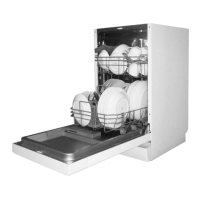
1. Open the door a Little to stop the dishwasher.
2. After the spray arms stop working, you can open the door
completely.
3. Add the forgotten dishes.
4. Close the door, the dishwasher will start running again
after 10 seconds.
If the appliance is switched off during a wash cycle, when
switched on again, please re-select the washing cycle
and operate the dishwasher according to the original
Power-on state.
When the working cycle has finished, the buzzer of
the dishwasher will sound 8 times, then stop.
Turn off the appliance using the ON/OFF button.


 To Next Page