15
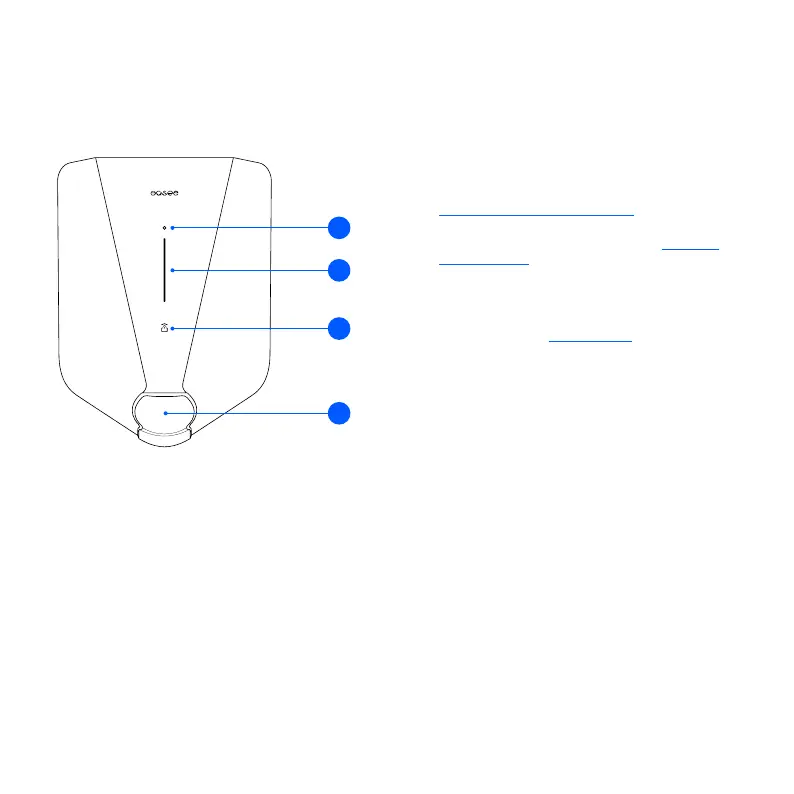
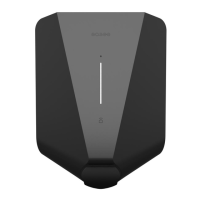
1. Touch button: The touch button is used to activate
the local interface. The local interface is intended
for local operations of the charger when no internet
is available. Read more about the local interface at:
easee.com/support/localinterface
2. Light strip: The light strip communicates the status
of the Charging Robot at all times. (See Charging
Robot interface).
3. RFID area: The integrated RFID reader enables
access control of the Charging Robot and
identification of different users. You can use it to
unlock the charger with an Easee Key. Check our
knowledge base at easee.support for more details
on how to add and manage your Easee Keys.
4. Type 2 socket: The Type 2 socket is completely
universal and allows you to charge any type of
electric vehicle using the appropriate charging cable.
Furthermore, it is possible to permanently lock the
charging cable, so you do not have to worry about
it being stolen.
NOTE: Adaptors should not be used on the charger
or the charging cable. The charging cable must have
appropriate sockets on each end.
Features
2
3
4
1


 To Next Page