
 Need help?
Do you have a question about the EasyCap EasyCAP001 and is the answer not in the manual?
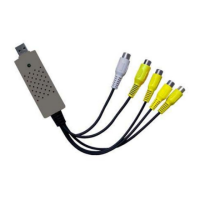
Connects the EasyCAP001 receiver to TV, Monitor, or LCD Monitor using the power adapter.
Guides through installing the USB 2.0 Video Capture Controller driver, prompts for CD insertion and selection.
Checks if the driver is correctly installed via Device Manager's 'Sound, video and game controllers'.
Steps to install the Wireless Camera Watcher application for single-channel input using the CD-ROM.
Steps to install the MultiViewer application for four-channel input using the CD-ROM.
Details the basic functions of the remote controller, noting it controls hardware, not software.
Explains how to select channels (CH1-CH4) and use auto-view, including speed adjustment and skipping channels.
 General
| Interface | USB 2.0 |
|---|---|
| Power Source | USB powered |
| Video Input | Composite (RCA) |
| Supported Resolutions | PAL: 720x576, NTSC: 720x480 |
| Compatibility | Windows |
| Video Standards | PAL, NTSC |
| System Requirements | DirectX 9.0 or higher |

 To Next Page