Connect the battery cable to the battery. The electrical
installation is then complete.
Attach the housing cover of the base station.
6. Installation, electrical system
GB7
Check whether all cables have been properly laid, firm-
ly fastened without friction points and safely attached.
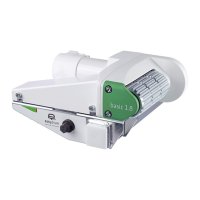
E6 Basis station
E7 Connecting the battery
The main switch in the battery cable is not required
when a REICH MPP battery (Mobility Power Pack) is
used. The MPP has a separate main switch.
E5 Connecting the main switch
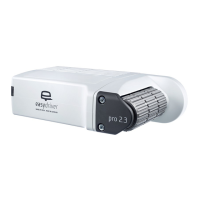
The easydriver pro 2.3 is delivered with an illuminated
remote switch. It should preferably be installed in the
vicinity of the entrance door.
A hole with a 25 mm diameter is required for the
switch. Insert the cable with the PC-board plug through
this hole from the front. Firmly press the switch into the
drill hole. Glue the dome sticker over the switch. Lay
the cable to the base station. Ensure that the cable is
not kinked. Connect the PC-board connector to the
base station as shown in the figure.
easydriver pro 1.8:
The main switch supplied is installed in the red, plus
(+) battery line. It must be easily accessible from the
outside. It is recommended to place it in the area of the
entrance door or a storage box flap.
Cut the red, plus (+) cable for this purpose. Connect the
M10 ring cable shoes to the cut, unshielded cable by
using appropriate pliers. Connect the ring eyelets to the
main switch.
easydriver pro 2.3:
Never swap the plus (+) and minus (-)
connection of the voltage supply!
English


 To Next Page