13
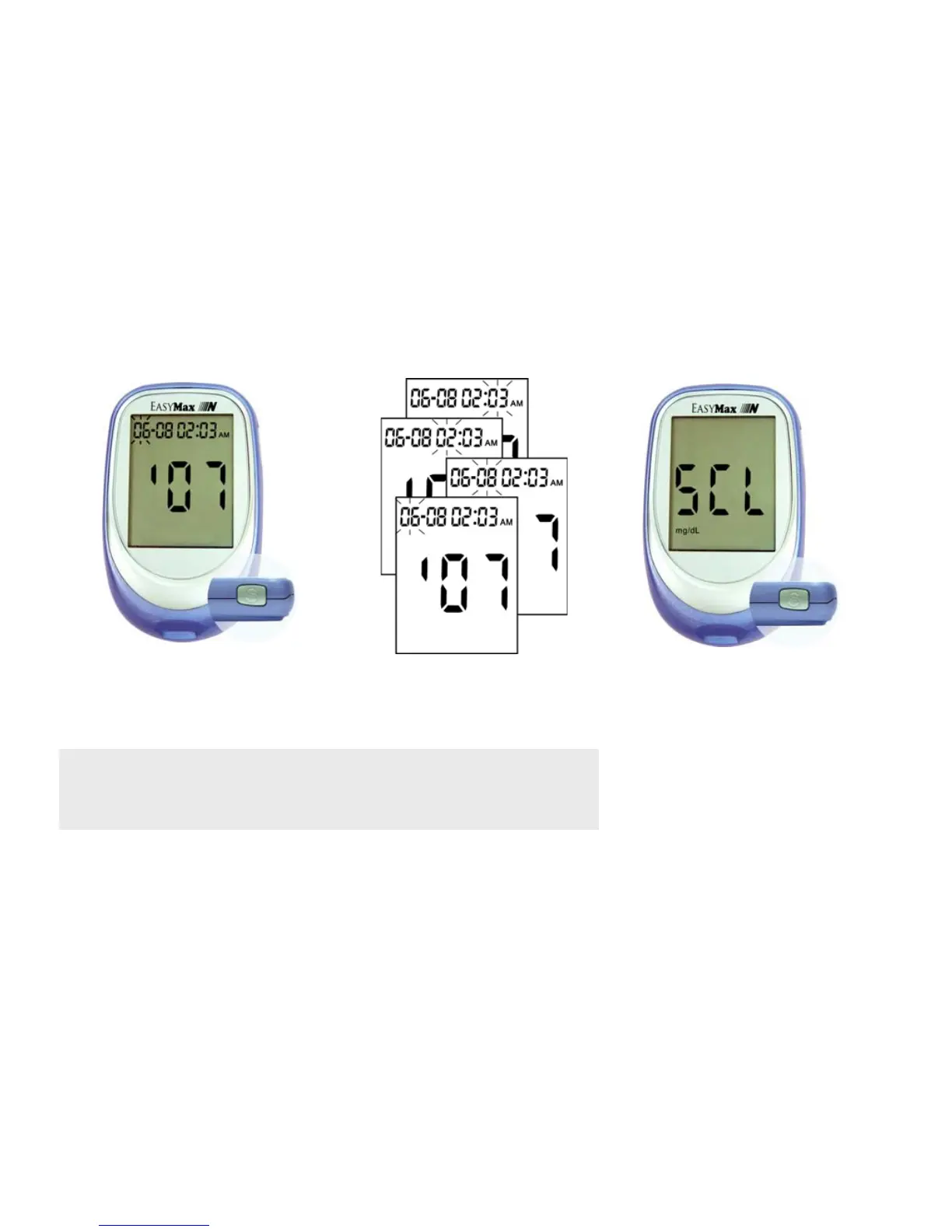
4. Press and release "S" button
to set the year.
The month will then flash.
5. Repeat step 3 and 4 to set
the date, hour, and minute.
The flashing field is the one
you are setting.
6. Press the "S" button to confirm
the setting. The display will show
"SCL" and the unit of
measurement. Press the "S"
button again, to go to screen
shown in Step 1. Press and hold
"S" for more than 3 seconds, and
the meter will turn off.
Note:
The unit of Blood Glucose Meter is set at mg/dL without any
modification function.



 To Next Page