39
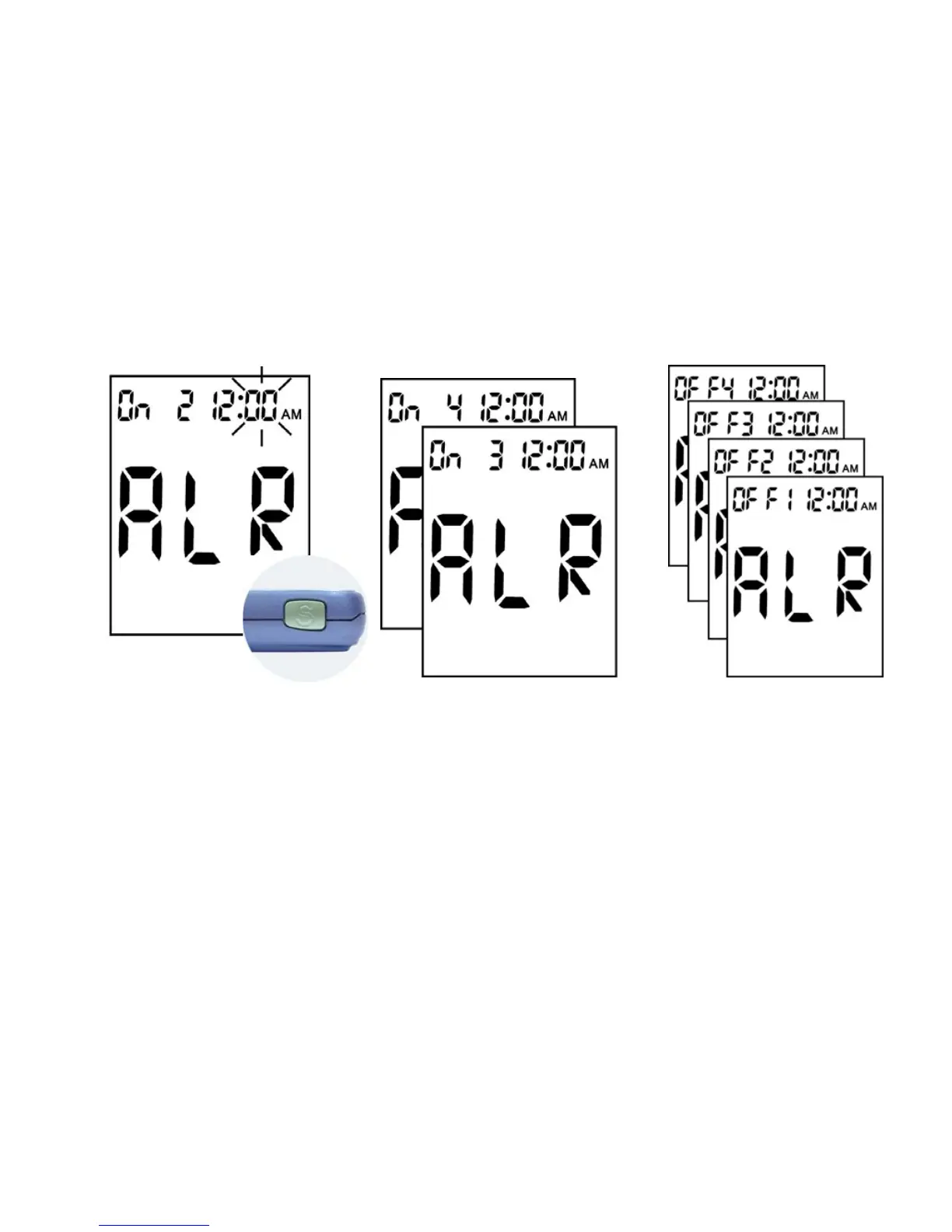
4. If the time shows 12:00 AM,
you must press the "M" 12
times to set at "PM".
Press "S" to confirm.
5. The minute flashes.
Press "M" to adjust the
minutes, and press "S" to
confirm the setting.
6. And then you can establish
other alarms that you would
like.
Please repeat steps 2 to 5,
and finally press "S" to
confirm the setting till in to
“Beep Setting Mode”.
As the following page shows.
7. If you don’t want the alarm on
at all, please confirm every
alarm showing "OFF" at the
upper left corner of the display.
Press "S" into Beep Setting
Mode, as the following page
shows.



 To Next Page