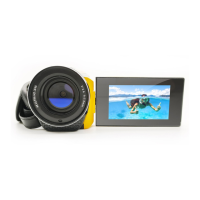
Manual
1. Key features of your camcorder
5.0 Mega pixels resolution sensor
Digital video camcorder
Digital still camera
Built-in flash Light
2.4" LTPS real color display
SD card support
Driver free for Windows 7 / Vista / XP and MAC 10.4 or above
Macro mode
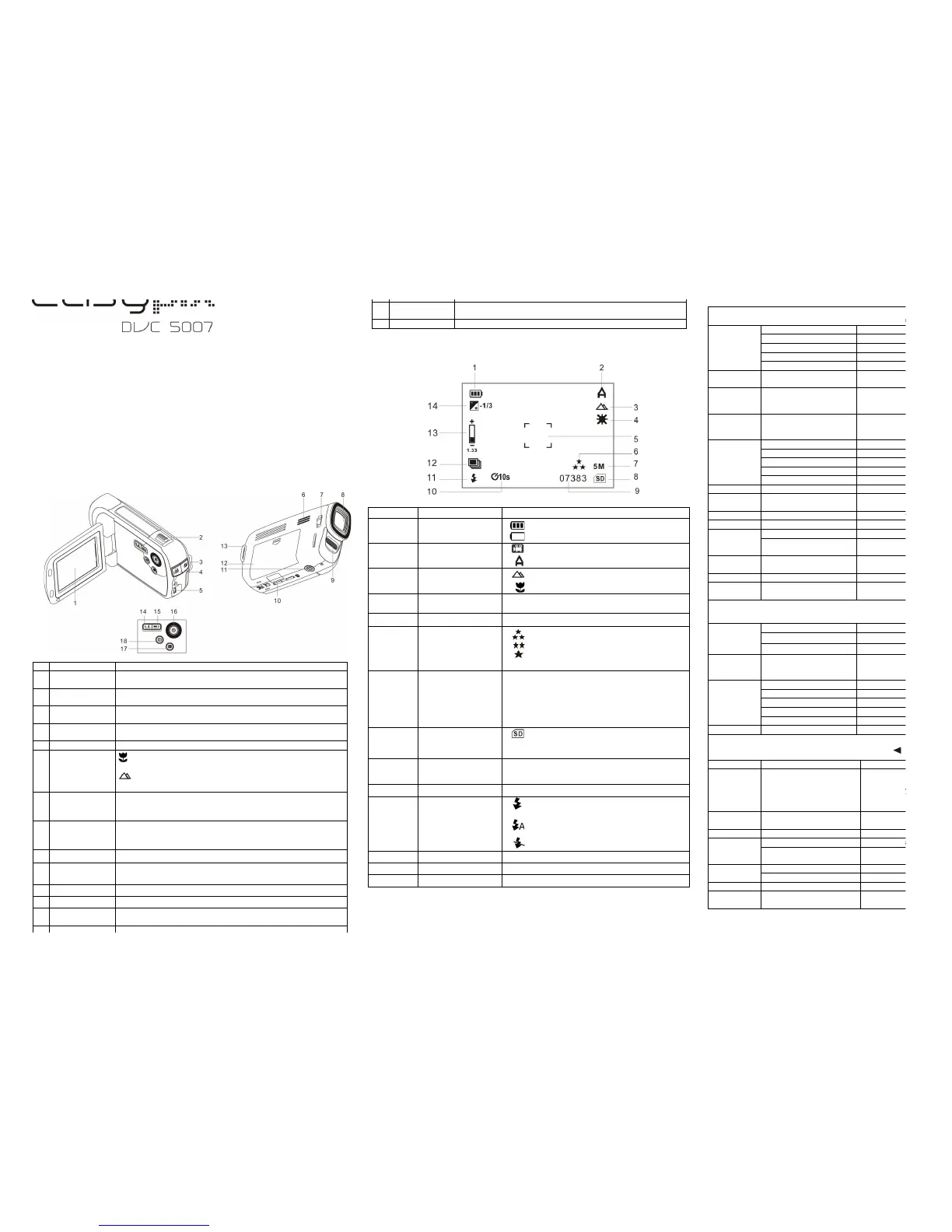
2. Functional parts
Display photographs, video clips, camera setting and menu.
Digital zoom In / Out ,
Up & Down selection in menu mode.
Press this button to get into PHOTO mode /
To take photographs, or to confirm changes in menu mode.
Press this button to get into VIDEO mode /
To start/stop recording a video clip.
Via this connection, you can download photographs and video clips to
a computer and view photographs and video clips on TV.
Speaker for video playback.
Macro mode: Select this mode to take close-up photographs
(distance 11cm - 18cm).
Normal mode: Select this mode to take photographs from 0.5m -
infinity.
Records the image to be taken.
Note: Keep the lens clean. Dirt and fingerprints will affect the quality
of the picture.
Use the built-in flash to give the subject extra lighting if it is in dark
surroundings.
(the best flash distance is recommended within 1.5m.).
For fixing the camera on tripod.
For 2xAA alkaline batteries.
For attaching the hand strap to the camera.
LEFT selection in menu mode and flash light mode selection in photo
mode.
RIGHT selection in menu mode and exposure value set up in
photo/video mode.
Press this button to turn ON / OFF the camcorder.
Press it to get into menu setting or to delete the photos/videos in
playback mode.
Press it to enter playback mode.
3. Explanation of the status icons
The batteries are full.
The batteries are empty.
Videos capture mode.
Photo capture mode.
Normal / Macro
mode indicator
Normal mode (0.5m – infinity).
Macro mode (11cm –18cm).
3 M = 2048X1536;
5 M = 2560x1920;
8 M = 3264x2448;
12 M = 4032x3024;
VGA = 640x480
Files will be stored in SD card.
If no icon has been show, files will be stored in
built-in memory.
Show time left in DV mode
Show picture left in DC mode
Show recording time during recording
Force flash: The flash is on in any
environment.
Auto Flash: The camera determines if the
flash should be used or not.
No Flash : The flash is turned off.
4. Details for camera setting
Photo setting
In photo mode, press MENU button once to enter photo set up mode.
Fine / Standard /
Economy
Auto / Sport / Night /
Portrait / Landscape /
Backlight
+2.0,+5/3,+4/3,+1.0,+2/3,
+1/3,+0.0,-1/3,-2/3,-1.0,-4/3
,-5/3,-2.0
White balance selected for daylight surrounding
White balance selected for cloudy surrounding
White balance selected for tungsten lighting
White balance selected for Fluorescent surrounding
Standard / Vivid / Sepia /
Monochrome
10 Seconds / 2 Seconds /
10+2 Seconds
Set the delay time at 10s / 2s / 10+2s to take a
picture
Off / Date only /
Date & Time
Off / Face Det. / Smile Det.
Video setting
In video mode, press MENU button once to enter video set up mode.
+2.0,+5/3,+4/3,+1.0,+2/3,
+1/3,+0.0,-1/3,-2/3,-1.0,
-4/3,-5/3,-2.0
White balance selected for daylight surrounding
White balance selected for cloudy surrounding
White balance selected for tungsten lighting
White balance selected for Fluorescent surrounding
Setup
In photo/video set up mode, select SET UP icon, press or to enter basic set up mode.
Format the memory card or memory.
English(Default)/T-Chinese/
S-Chinese/French/
German/Italian/
Japaneses/Spanish/
Portuguese/Netherland
Auto power off in1min, 3min, 5mins if no
operation
Light-
Frequency
(Flicker)
Main European electricity frequency
Main American electricity frequency
American and Japanese video format
Open or close the button
sound
Note: The camera will remain the last setting when it is turned off.


 To Next Page
 Loading...