4
Prepare Your Camera for use
Install battery
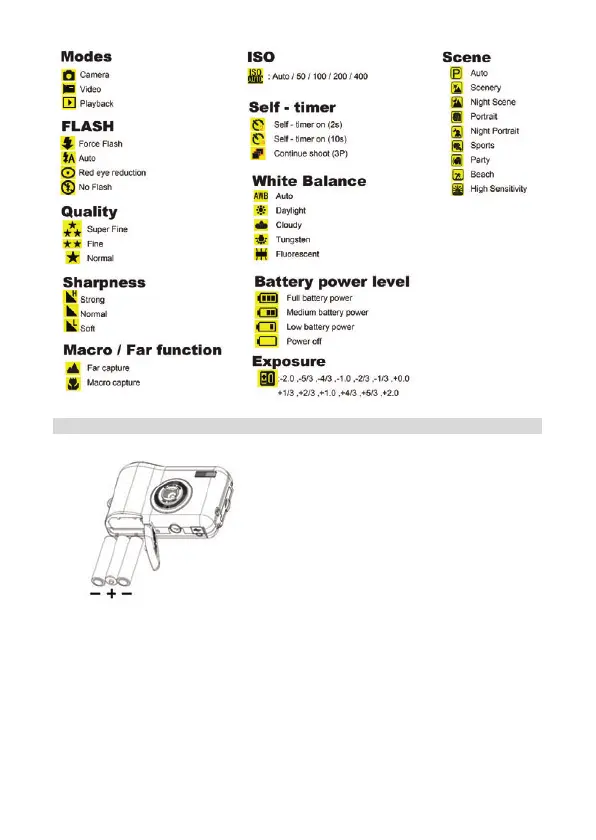
Please insert the battery correctly as the correct polarity facing up with the battery cover.
Note:
1. “Low battery” will show on the LCD when battery is insufficient and your camera will be off.
2. Please uninstall your battery when you don’t intend to use your camera for a long time to
forbid them leakage and corrosion.
3. Your digital camera will be off when the battery is insufficient.
4. The photos will be lost when the camera off or open the battery door, transfer the test
photos/videos to PC as often as possible.
5. Do not mix old and new batteries.
6. Do not mix alkaline, standard (carbon-zinc), or rechargeable (nickel-cadmium metal hydride)
batteries.
Install SD memory card
This camera supports any compatible SD memory card up to 8GB. Limited internal memory is only
for you to take test photos, these photos will be lost when you turn off your camera or remove the














 To Next Page