EasyManua.ls Logo

Eaton 66D2032G01 - User Manual

Eaton 66D2032G01
123 pages
Print Icon
To Next Page IconTo Next Page
Loading...
I.L. 17562
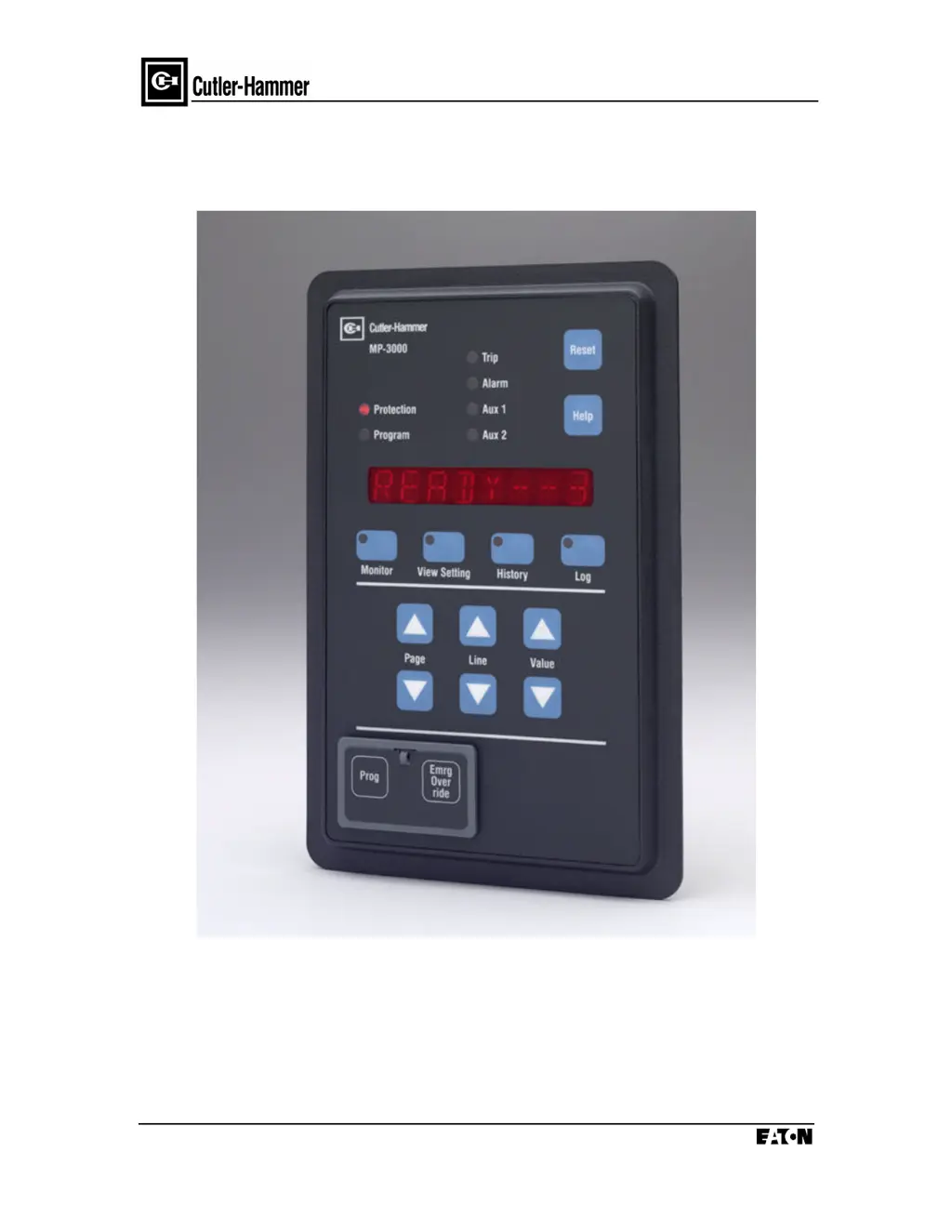
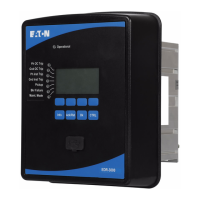
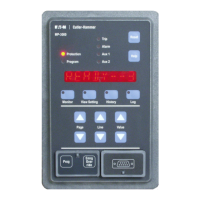
MP-3000 Motor Protection Relay
Effective 8/99 Version PR 0.3
Cutler-Hammer
Power Management Products Center
240 Vista Park Drive
Pittsburgh, PA 15205
1-800-809-2772
http:\\www.cutlerhammer.eaton.com

Questions and Answers

  • E
    Elizabeth WilliamsSep 7, 2025
    What does TRANSIT mean on Eaton Relays?
    • H
      hharrisSep 7, 2025
      If your Eaton Relays display 'TRANSIT', it means the starting current was still above the transition threshold P5L5 when the transition timer P5L6 delay expired. This trip occurs only if setpoint P5L7 is set to TRN I or TRN T/C. Verify the correctness of transition settings. Also, check the motor and load for any causes of slower than expected acceleration.
  • J
    Jordan CaseAug 23, 2025
    What does GND FAULT mean on Eaton 66D2032G01 Relays and how to fix it?
    • L
      Lynn HarrisAug 23, 2025
      A 'GND FAULT' on Eaton Relays signals an insulation failure leading to ground current leakage. This situation poses a danger. Immediately stop and isolate the motor to prevent further damage or more hazardous conditions. It is essential to get an expert evaluation of the motor's insulation condition.
  • A
    Andrew JohnsonAug 25, 2025
    What does PH UNBAL mean on Eaton 66D2032G01 and what should I check?
    • M
      micheleparsonsAug 26, 2025
      If you see 'PH UNBAL' on your Eaton Relays, it means there's a phase unbalance, possibly due to source voltage unbalance from a remote fault or single-phase loading, or single phasing of the motor. Check the voltage balance and the integrity of feeder connections. Also, inspect the fuses in the starter. Do not attempt to restart until the cause of single-phasing is found.
  • M
    Melinda Walker MDAug 27, 2025
    What should I do if my Eaton 66D2032G01 display WD TEMP MB TEMP LB TEMP AX TEMP?
    • E
      Elizabeth BarryAug 27, 2025
      If your Eaton Relays show 'WD TEMP MB TEMP LB TEMP AX TEMP', it means the temperature is at or above the alarm setpoint value. Check the specific value in Monitor mode to find the cause. Stator heat could be from overload or blocked cooling airflow. Bearing heat often means a failure is coming or there's not enough lubrication.
  • C
    Christopher HowellAug 27, 2025
    What does JAM mean on Eaton 66D2032G01 Relays and how to resolve it?
    • J
      John SmithAug 27, 2025
      If 'JAM' appears on your Eaton Relays, it indicates a malfunction or jam in the driven process equipment. Ensure safety by locking out the motor starter and then inspect the process equipment to identify and resolve the jam.
  • D
    David CrossSep 23, 2025
    What does INCOM mean on Eaton 66D2032G01 Relays?
    • M
      Michelle CainSep 23, 2025
      If your Eaton Relays display 'INCOM', it indicates that a remote PowerNet or other data communications host requested a motor trip. You should determine the cause of the remote trip.
  • J
    john73Sep 17, 2025
    What does REMOTE mean on Eaton Relays?
    • A
      Amanda LopezSep 17, 2025
      If your Eaton Relays display 'REMOTE', it means that either or both of discrete input 1 and/or discrete input 2 are set to indicate remote trip contact input, and the input configured in this way was energized with 120 Vac. Determine the source of the remote contact operation requesting the trip.
  • L
    laura36Sep 18, 2025
    What does DIF TRIP mean on Eaton 66D2032G01?
    • S
      Sarah OrtegaSep 18, 2025
      If your Eaton Relays display 'DIF TRIP', it means that either or both of discrete input 1 and/or discrete input 2 are set to indicate differential trip contact input from an external differential relay, and the input configured in this way was energized with 120 Vac. Because a differential relay operation indicates an electrical fault, shut down and lock out the motor. Get expert help in evaluating the condition of the motor and its repair needs. Do not try to restart without expert evaluation. After or during repair or replacement of the motor, check the fuses in the starter and replace any blown fuses.
  • A
    Anthony SolomonSep 6, 2025
    What does T BYPASS mean on Eaton 66D2032G01?
    • K
      Karen HarrisonSep 6, 2025
      If your Eaton Relays display 'T BYPASS', it means the MP-3000 tripped but continued to detect current flowing to the motor for over a second after the trip. This could be due to a stuck or jammed contactor or breaker, or because someone bypassed the trip contact, keeping the contactor energized after the trip. You should immediately open the upstream source breaker or loadbreak switch, lock it out, and then diagnose the problem or locate the bypass in the starter.
  • J
    Jason HarrisSep 3, 2025
    Why does my Eaton 66D2032G01 display LRC/I2T?
    • M
      markmcconnellSep 3, 2025
      If your Eaton Relays display 'LRC/I2T', it means the thermal-model bucket has reached the trip level. Note that this trip cannot be reset until the thermal-model bucket has cooled below the user-set I2T alarm level. Determine if the motor is experiencing a larger than expected sustained loading. Check for unbalance in supply currents or voltages causing negative-sequence heating. Also, check for abnormal system voltage level and inspect for cooling air blockage or abnormal ambient conditions.

Summary

SECTION 2. PRODUCT OVERVIEW

2.1 Optimum Motor Protection

Explains the design principles for maximizing motor utilization and protection.

2.1.1 Intel-I-Trip (Adaptive I2 t Motor Overload Protection)

Details the adaptive overload protection using thermal models and RTDs.

SECTION 6. INSTALLATION AND WIRING

6.2 Wiring - General

Provides general guidelines for routing wires and connections.

SECTION 7. STARTUP

7.1 Power-off checks

Lists essential checks to perform before applying power.

7.2 Initial ac power checks

Details checks to verify power supply and wiring after initial power application.

7.6 Entering Relay Setpoints

Guides on how to enter and verify relay setpoints.

7.7 Checking contact outputs

Explains how to test output relay contacts for proper operation.

SECTION 8. MOTOR THERMAL PROTECTION BASICS

8.2 Protective Functions

Lists the various protective functions offered by the MP-3000.

8.2.1 Direct Load-Based Protection

Details protection based on direct measurements like current and temperature.

8.2.2 Thermal-Model and Rotor Temperature Protection

Explains the I2t algorithm for modeling rotor and stator heating.

8.2.3 Thermal Bucket

Describes the thermal model's bucket concept for tracking motor heat.

SECTION 9. APPLICATIONS AND SETTINGS

9.1 Motor Protection

Details how the MP-3000 protects motors through various functions.

9.1.1 Thermal Modeling and Overload Protection without RTDs

Explains the I2t algorithm and its setpoints for overload protection.

9.1.2 Overload Protection with RTDs

Describes how RTD inputs enhance overload protection and thermal modeling.

9.1.3 Protection Curve

Illustrates how motor protection curves are derived from setpoints.

9.1.3.1 Instantaneous Overcurrent Function

Details the function and settings for instantaneous overcurrent protection.

9.1.3.2 Locked-Rotor Function

Explains the locked-rotor curves based on LRC and LRT setpoints.

9.1.3.3 Ultimate Trip

Describes the ultimate trip function and its relation to service factor.

9.1.3.4 Underload Functions

Explains underload protection setpoints for alarms and trips.

9.1.3.5 Jam Functions

Details jam protection setpoints for alarms and trips.

9.1.5 Load Shedding Function

Explains how load shedding prevents trips by reducing motor load.

9.1.8 Thermal Protection by Direct Measurement

Covers stator temperature protection using RTDs.

9.1.9 Unbalance Protection

Explains protection against unbalanced currents and voltage.

9.1.10 Ground Fault Protection Application

Details the application of ground fault protection with a flux-canceling CT.

Section 11. TESTING

11.5 Testing the Trip Relay

Guides on testing the trip relay output.

Section 12. TROUBLESHOOTING

12.2 Troubleshooting MP-3000 Monitored Equipment

Provides troubleshooting steps for monitored equipment.

12.2.1 Alarm conditions

Explains alarm conditions and their resolution.

12.2.2 Trip Conditions

Details trip conditions and their causes and solutions.

12.3 Troubleshooting the MP-3000

Offers troubleshooting steps for MP-3000 specific issues.

Eaton 66D2032G01 Specifications

General IconGeneral
BrandEaton
Model66D2032G01
CategoryRelays
LanguageEnglish

Related product manuals