EasyManua.ls Logo

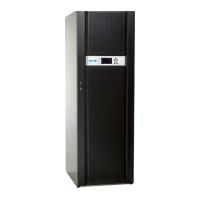
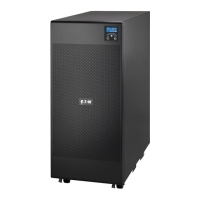
Eaton 9EEBM240 - User Manual

Eaton 9EEBM240
40 pages
Print Icon
To Next Page IconTo Next Page
Loading...
powerquality.eaton.com
Eaton 9E
6-20kVA

Other manuals for Eaton 9EEBM240

Questions and Answers

  • C
    Cheryl SmithAug 12, 2025
    What to do if my Eaton 9EEBM240 UPS buzzer sounds and shows code A80E, A810, or F808?
    • R
      Robert GayAug 12, 2025
      If the buzzer sounds continuously and the display shows codes A80E, A810, or F808, it means the load on your Eaton UPS is too high. Reduce the load to be within 100% of the UPS's capacity. If the display indicates a fault, remove the load and power cycle the UPS.
  • Z
    Zachary RasmussenAug 16, 2025
    Why is my Eaton 9EEBM240 UPS running on battery when mains voltage is available?
    • M
      Matthew HernandezAug 16, 2025
      If your Eaton UPS is operating from the battery even when mains voltage is present, it indicates that the input voltage is outside the acceptable range for mains operation. This is a mains issue. Allow the UPS to automatically return to mains operation once the input mains voltage is back within the tolerance range.
  • R
    Rita Jones DVMAug 20, 2025
    How to troubleshoot a Eaton 9EEBM240 UPS when the display doesn't light up?
    • D
      Denise MullinsAug 20, 2025
      If the display of your Eaton UPS doesn't light up, check the following: * Ensure the input switch on the back of the UPS is closed. * Verify the power cable is correctly connected. * Confirm that power is reaching the UPS (no blackout). * Reset the thermal protection, but first ensure there's no output overload.
  • B
    bpopeAug 25, 2025
    What to do if my Eaton 9EEBM240 UPS display shows code A60D?
    • L
      Laura YatesAug 25, 2025
      If the display of your Eaton UPS shows code A60D, it indicates that the batteries or battery box are missing or not connected. Verify that the Battery Box is properly inserted and connected to the UPS.
  • P
    patrick40Aug 27, 2025
    What to do if my Eaton 9EEBM240 UPS display is on but the load is not powered?
    • L
      Linda AndrewsAug 27, 2025
      If the display is on but the load is not powered by your Eaton UPS, the UPS might be in Standby mode. Press the “ON” button on the front panel to power the loads.
  • K
    kevinvasquezAug 31, 2025
    Why does my Eaton UPS buzzer sound and display code A004 or F004?
    • R
      Richard HamiltonAug 31, 2025
      If the buzzer sounds continuously and the display shows codes A004 or F004 on your Eaton UPS, it signifies that the temperature inside the UPS is too high. Ensure that the ambient temperature around the UPS does not exceed 40°C.
  • M
    Mary WeberSep 4, 2025
    What does it mean when my Eaton UPS buzzer sounds and displays code F805?
    • B
      brentgutierrezSep 4, 2025
      If the buzzer sounds continuously and the display shows code F805 on your Eaton UPS, there's a fault on one or more of the connected loads. Disconnect all the utilities, switch the UPS off and back on again, then reconnect them one at a time to find the faulty one.
  • C
    Catherine SmithSep 7, 2025
    How do I fix Eaton UPS code A900?
    • K
      Kerri ClarkSep 7, 2025
      If the display shows code A900 on your Eaton UPS, the maintenance bypass function is active. To deactivate it, open the manual bypass switch located on the back of the UPS.

Summary

Introduction

Safety Instruction

Essential safety precautions and warnings for the installation, operation, and maintenance of the UPS system.

Certification Standards

Details the safety and electromagnetic compatibility (EMC) standards the UPS unit adheres to.

Special Symbols

Defines the meaning of various symbols used on the UPS unit and within the user manual for clarity.

Presentation

Model List

Presents a comprehensive list of available UPS models with their respective power ratings and key specifications.

Electrical Structure

Provides schematic diagrams illustrating the internal electrical configurations for different UPS series models.

UPS Views

Offers visual representations of the front and rear panels, identifying key components and connection points.

Installation

Unpacking

Step-by-step instructions for the safe removal and initial handling of the UPS unit from its packaging.

Package Content

Lists all components and accessories expected to be found within the UPS packaging for user verification.

Connection

Guides users through the essential electrical wiring and connection procedures for the UPS system.

Operation

Display and Buttons

Details on control buttons, LCD indicators, and their functions for operating the UPS.

Operating UPS

Instructions for powering the UPS on and off, and managing its operational modes.

Configuration and Connectivity

Guides on UPS parameter settings, communication ports, and optional connectivity cards.

Trouble Shooting

Outlines common issues, their potential causes, and recommended solutions for troubleshooting UPS malfunctions.

Alarm Codes

Lists and explains various alarm codes displayed by the UPS, indicating system status and faults.

Technical Data

Eaton 9EEBM240 Specifications

General IconGeneral
Product NameEaton 9EEBM240
CategoryUPS
Output Voltage230 V
Frequency50/60 Hz
Operating Temperature0 to 40 °C
Battery TypeLead-acid
Typical Recharge Time3 hours
Operating Humidity0% to 95% non-condensing
Runtimevaries based on load

Related product manuals