EasyManua.ls Logo

Eaton 9SX 8000 - User Manual

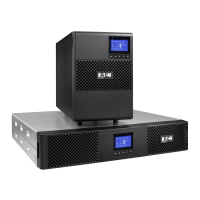
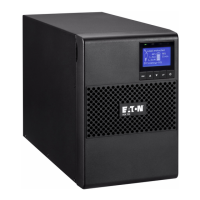
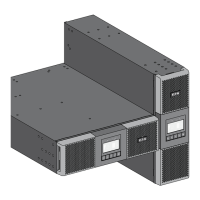
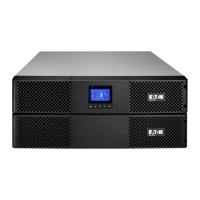
Eaton 9SX 8000
44 pages
Print Icon
To Next Page IconTo Next Page
Loading...
ENGLISH
9SX 8000
9SX 11000
9PX 8000
9PX 11000
9SX EBM 240V
9PX EBM 240V
Installation
and user manual
Copyright © 2012 EATON
All rights reserved.
Service and support:
Call your local service representative
8-11kVA EU_EN

Questions and Answers

  • M
    Mrs. Natasha WagnerAug 16, 2025
    What to do if the Eaton UPS power overload LED is on?
    • P
      Pamela DorseyAug 16, 2025
      When the Power Overload LED is on and the UPS beeps continuously, it means the power demands of your connected equipment exceed the UPS capacity. To resolve this, remove some equipment from the Eaton UPS. The UPS will continue to operate, but might switch to Bypass mode or shut down if the load increases. The alarm will reset once the overload condition is resolved.
  • D
    douglas52Aug 22, 2025
    Why is the Eaton 9SX 8000 UPS in bypass mode?
    • M
      Michelle BishopAug 22, 2025
      If the Eaton UPS is beeping continuously and the Bypass mode LED is on, the connected equipment is powered but not protected by the UPS. Check for alarms such as overtemperature, overload, or UPS failure.
  • Y
    ylopezAug 26, 2025
    How to troubleshoot an Eaton 9SX 8000 UPS that does not start?
    • M
      mariabraunAug 26, 2025
      If the Eaton UPS does not start, check the input connections to ensure they are correctly connected. Also, verify if the Remote Power Off (RPO) switch is active or the RPO connector is missing. If the UPS Status menu displays the "Remote Power Off" notice, inactivate the RPO input.
  • K
    Kyle HamiltonAug 28, 2025
    What does it mean when the Eaton 9SX 8000 input/output bad wiring LED is on?
    • S
      sarah75Aug 28, 2025
      If the Eaton UPS is beeping continuously and the Input bad wiring / Output bad wiring LED is on, it means that the input or output cables are not connected to the correct terminal blocks. Ensure that you correctly connect the Input/Output cables.
  • H
    Heather PerezAug 31, 2025
    Why is my Eaton 9SX 8000 UPS not providing enough backup time?
    • E
      Elizabeth ThompsonAug 31, 2025
      If the Eaton UPS does not provide the expected backup time, apply utility power for 48 hours to charge the batteries. If the problem continues, contact your service representative.
  • G
    glasswendySep 3, 2025
    What to do if Eaton 9SX 8000 UPS no battery LED is on?
    • M
      Michael ManningSep 3, 2025
      If the Eaton UPS is beeping continuously and the No battery LED is on, it indicates that the batteries are disconnected. Verify that all batteries are properly connected. If the condition persists, contact your service representative.
  • S
    Scott SchwartzSep 6, 2025
    Why is the Eaton UPS battery fault LED on?
    • B
      Barbara OdomSep 6, 2025
      If the Eaton UPS is beeping continuously and the Battery fault LED is on, it means the battery test failed due to bad or disconnected batteries, or the battery minimum voltage has been reached in ABM cycling mode. Verify that all batteries are properly connected. Start a new battery test. If the condition persists, contact your service representative.
  • J
    Jasmine WhiteSep 9, 2025
    What does it mean if the Eaton 9SX 8000 UPS overtemperature LED is on?
    • S
      Sarah JohnsonSep 9, 2025
      If the Eaton UPS overtemperature LED is on and it beeps every 3 seconds, it means that the UPS internal temperature is too high or a fan has failed. If the UPS transferred to Bypass mode, it will return to normal operation when the temperature drops 5°C below the warning level. If the condition persists, shut down the UPS, clear vents, remove any heat sources, allow it to cool, ensure airflow is not restricted, and restart it. If the condition continues, contact your service representative.
  • D
    Douglas DeleonSep 10, 2025
    Why is the Eaton 9SX 8000 UPS battery mode LED on?
    • G
      garrettbarrySep 12, 2025
      When the Battery mode LED is on and the UPS beeps every 10 seconds, it indicates a utility failure, and your Eaton UPS is running on battery power. Prepare your equipment for shutdown as the UPS is now providing battery backup.
  • E
    Elijah ArmstrongSep 12, 2025
    What does 'MBP disconnected' mean on my Eaton 9SX 8000?
    • J
      jbeckSep 12, 2025
      If the Eaton UPS displays 'MBP disconnected', it means the HotSwap MBP is no longer connected to the UPS. If the HotSwap MBP is connected, check that the detection connector is correctly plugged.

Summary

Safety Instructions

Safety of Persons and Product

Safety of Persons

Outlines critical safety precautions for personnel handling the UPS and its batteries.

Product Safety

Details safety requirements for UPS installation and operation, including circuit protection.

Special Precautions

Lists specific handling and installation precautions, including team lifting and service.

Control Panel and LCD Functions

Control Panel Layout

Explains the UPS control panel, including the LCD display and buttons.

LCD Description and Statuses

Describes LCD information and operational statuses like Online, Battery, and Bypass modes.

Installation Procedures

Connecting Extended Battery Modules (EBMs)

Explains how to connect Extended Battery Modules (EBMs) to the UPS.

Installation Requirements and SEA

Installation Requirements

Outlines requirements for upstream protection devices and cable cross-sections.

Power Cable Connections

Common Input Source Connection

Details the procedure for connecting common AC input sources to the UPS.

Separate Input Source Connection

Explains how to connect separate AC input sources to the UPS.

UPS Operation and Modes

UPS Startup and Shutdown

Provides step-by-step instructions for starting up and shutting down the UPS.

UPS Communication

UPS Maintenance Procedures

When to Replace Batteries

Indicates when battery replacement is recommended based on the UPS display.

Replacing UPS Batteries

Details the procedures and safety precautions for replacing UPS batteries.

Replacing Extended Battery Modules (EBMs)

Explains the process for replacing Extended Battery Modules (EBMs).

UPS Service and Recycling

Replacing UPS with HotSwap MBP

Guides on replacing the UPS without interrupting loads using a HotSwap MBP.

Troubleshooting UPS Alarms and Faults

Typical Alarms and Faults Chart

Presents a chart to diagnose common UPS alarms, faults, and their corresponding actions.

Silencing Alarms and Service

Explains how to silence alarms and provides contact info for service and support.

UPS Specifications

Eaton 9SX 8000 Specifications

General IconGeneral
BrandEaton
Model9SX 8000
CategoryUPS
LanguageEnglish

Related product manuals