EasyManua.ls Logo

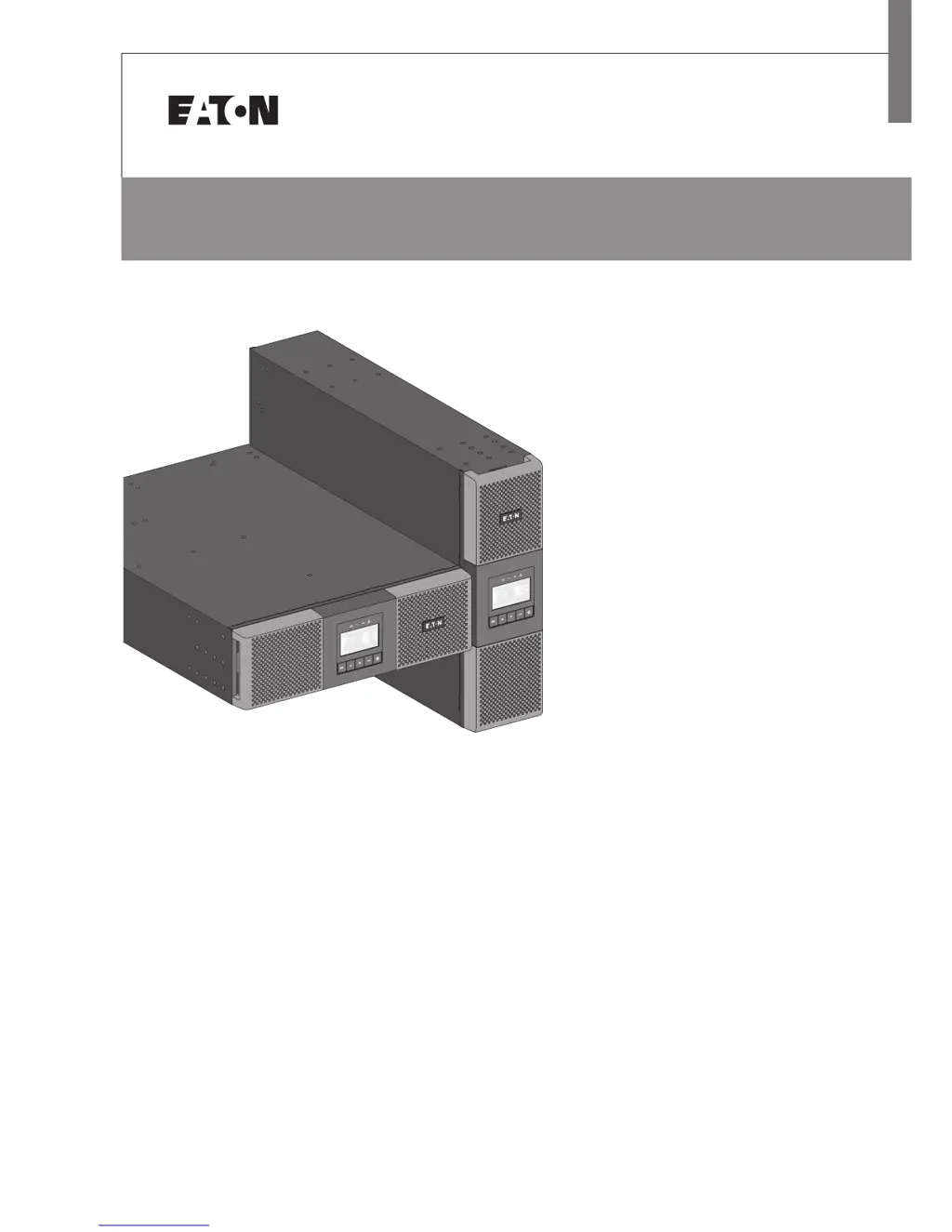
Eaton 9SX 5000 - User Manual

Eaton 9SX 5000
44 pages
Print Icon
To Next Page IconTo Next Page
Loading...
ENGLISH
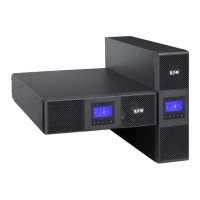
9SX 5000
9SX 6000
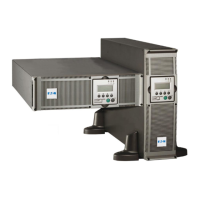
9PX 5000
9PX 6000
9SX EBM 180V
9PX EBM 180V
Installation
and user manual
Copyright © 2012 EATON
All rights reserved.
Service and support:
Call your local service representative
5-6kVA EU_EN

Questions and Answers

  • R
    roberttorresAug 17, 2025
    What to do if the power overload LED is on and Eaton UPS beeps continuously?
    • J
      James CisnerosAug 17, 2025
      If the power requirements exceed the UPS capacity, remove some equipment from the UPS. The UPS will continue to operate, but may switch to Bypass mode or shut down if the load increases. The alarm resets when the condition becomes inactive.
  • P
    Philip BenderAug 20, 2025
    What does it mean when the battery fault LED is on and Eaton 9SX 5000 beeps continuously?
    • R
      Raymond McfarlandAug 20, 2025
      This indicates that the battery test failed due to bad or disconnected batteries, or the battery minimum voltage has been reached in ABM cycling mode. Verify that all batteries are properly connected. Start a new battery test; if the condition persists, contact your service representative.
  • J
    John FieldsAug 22, 2025
    Why is the battery mode LED on and Eaton UPS beeping every 10 seconds?
    • J
      James TaylorAug 22, 2025
      A utility failure has occurred, and the UPS is in Battery mode. The UPS is powering the equipment with battery power; prepare your equipment for shutdown.
  • T
    Terry MillerAug 25, 2025
    What does it mean when the battery low LED is on and Eaton 9SX 5000 beeps every 3 seconds?
    • T
      Timothy ScottAug 26, 2025
      The UPS is in Battery mode, and the battery is running low. This warning is approximate, and the actual time to shutdown may vary significantly. Depending on the UPS load and number of Extended Battery Modules (EBMs), the 'Battery Low' warning may occur before the batteries reach 20% capacity.
  • T
    Tiffany JohnsonAug 27, 2025
    What to do if no battery LED is on and Eaton 9SX 5000 beeps continuously?
    • C
      cantuchadAug 28, 2025
      The batteries are disconnected. Verify that all batteries are properly connected. If the condition persists, contact your service representative.
  • A
    Amy BaileyAug 30, 2025
    Why doesn't my Eaton 9SX 5000 UPS provide the expected backup time?
    • K
      Kimberly HaynesAug 30, 2025
      The batteries may need charging or servicing. Apply utility power for 48 hours to charge the batteries. If the issue persists, contact your service representative.
  • J
    Joseph EllisSep 2, 2025
    What to do if my Eaton 9SX 5000 UPS does not start?
    • R
      Rachael WillisSep 2, 2025
      The input source may not be connected correctly, so check the input connections. Alternatively, the Remote Power Off (RPO) switch may be active or the RPO connector is missing. If the UPS Status menu displays the 'Remote Power Off' notice, inactivate the RPO input.
  • H
    Heidi ReedSep 4, 2025
    How to fix an Eaton 9SX 5000 UPS overtemperature issue?
    • J
      jessicawatkinsSep 5, 2025
      If the UPS internal temperature is too high or a fan has failed, and if the UPS transferred to Bypass mode, the UPS will return to normal operation when the temperature drops 5°C below the warning level. If the condition persists, shut down the UPS. Clear vents and remove any heat sources, allow the UPS to cool, ensure the airflow around the UPS is not restricted and restart the UPS. If the condition continues to persist, contact your service representative.
  • T
    Thomas PriceSep 7, 2025
    Why is the bypass mode LED on my Eaton UPS?
    • A
      Anthony SilvaSep 7, 2025
      An overload or a fault has occurred, or a command has been received and the UPS is in Bypass mode. This means your equipment is powered but not protected by the UPS. Check for one of the following alarms: overtemperature, overload or UPS failure.
  • J
    James RobinsonSep 12, 2025
    What does it mean when input bad wiring / output bad wiring LED is on and Eaton 9SX 5000 beeps continuously?
    • C
      Cheyenne JohnsonSep 12, 2025
      This indicates that the input/output cables are not connected to the correct terminal blocks. Connect the input/output cables correctly.

Summary

SAFETY INSTRUCTIONS

Certification standards

Lists the safety and EMC certification standards the UPS complies with.

4. Power cables connection

5. Operation

5.1 UPS startup and shutdown

Step-by-step guide for powering the UPS on and off correctly.

6. Communication

7. UPS maintenance

7.3 When to replace batteries

Indicates when battery replacement is recommended based on UPS status.

7. UPS maintenance

Replacing the EBM(s)

Procedure for replacing Extended Battery Modules (EBMs) safely.

Testing new batteries

Steps to conduct a battery test after installation or replacement.

8. Troubleshooting

8.1 Typical alarms and faults

Chart for identifying UPS conditions, possible causes, and recommended actions.

8. Troubleshooting

Eaton 9SX 5000 Specifications

General IconGeneral
Power Rating5000 VA
Output Power4500 W
Form FactorTower
TopologyDouble Conversion Online
Output Frequency50/60 Hz
Frequency Range40 - 70 Hz
Operating Temperature0 - 40 °C
Input Voltage200-240 V
Output Voltage200-240 VAC
Battery TypeLead-acid battery
Communication PortsUSB, RS-232
Input Frequency50/60 Hz
Typical Recharge Time3 hours to 90%

Related product manuals