EasyManua.ls Logo

Eaton 9SX1500I - User Manual

Eaton 9SX1500I
60 pages
Print Icon
To Next Page IconTo Next Page
Loading...
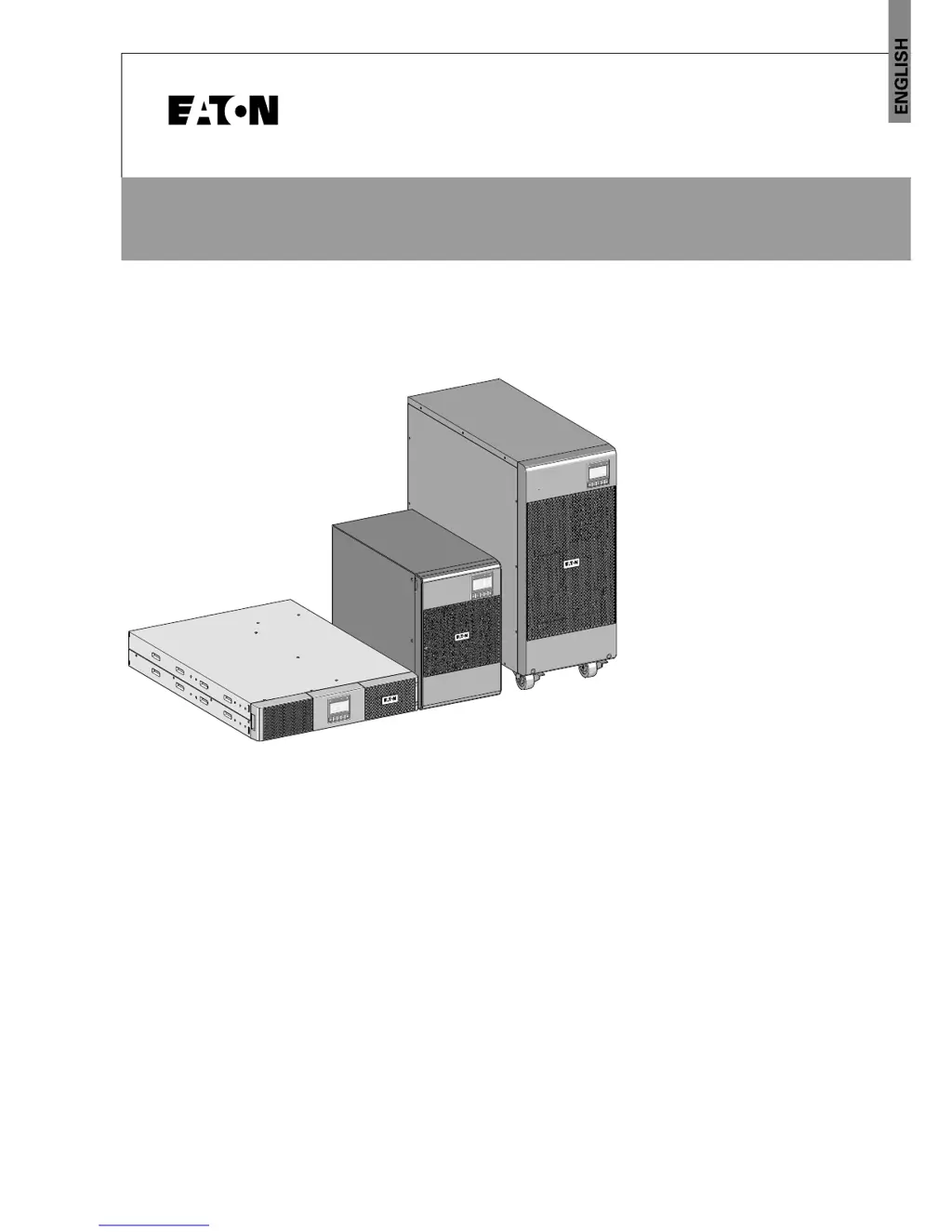
9SX UPS
9SX EBM
Installation
and user manual
Copyright © 2018 EATON
All rights reserved.
614-20306-00_EN
9SX 0-6 KVA EMEA

Questions and Answers

  • R
    Robert VelazquezAug 14, 2025
    What to do if Eaton 9SX1500I shows power overload?
    • R
      Roy ElliottAug 14, 2025
      If the Power overload LED is On and the UPS beeps continuously, it means that the power requirements exceed the UPS capacity. To resolve this, remove some of the equipment from the UPS. Note that the UPS continues to operate, but may switch to Bypass mode or shut down if the load increases.
  • K
    Kelly SmithAug 17, 2025
    Why is the Eaton 9SX1500I UPS battery mode LED on?
    • K
      karenhenryAug 17, 2025
      The Battery mode LED is On with 1 beep every 10 seconds because a utility failure has occurred, and the UPS is now in Battery mode. The UPS is using battery power to keep your equipment running. You should prepare your equipment for shutdown.
  • K
    Kaitlyn ByrdAug 21, 2025
    What to do if my Eaton 9SX1500I doesn't start?
    • J
      James MillerAug 21, 2025
      If the Eaton UPS doesn't start, there might be several reasons. First, check the input connections to ensure the input source is correctly connected. Second, ensure that the Remote Power Off (RPO) switch is not active, and the RPO connector is properly connected. If the UPS Status menu displays the 'Remote Power Off' notice, inactivate the RPO input.
  • A
    Anna WrightAug 25, 2025
    What to do if Eaton 9SX1500I UPS is overheating?
    • T
      tuckerjohnAug 26, 2025
      If the UPS overtemperature LED is On and it beeps every 3 seconds, it indicates that the UPS internal temperature is too high or a fan has failed. If the UPS transferred to Bypass mode, it will return to normal operation when the temperature drops 5 °C below the warning level. If the condition persists, shut down the UPS. Clear vents and remove any heat sources. Allow the UPS to cool. Ensure the airflow around the UPS is not restricted. Restart the UPS.
  • D
    David HolmesAug 28, 2025
    What to do if Eaton 9SX1500I battery fault LED is on?
    • J
      Jessica HaneyAug 28, 2025
      If the Battery fault LED is On and the UPS beeps continuously, it indicates that the battery test failed due to bad or disconnected batteries, or the battery minimum voltage is reached in ABM® cycling mode. Verify that all batteries are properly connected. Start a new battery test.
  • R
    rothtonySep 1, 2025
    Why Eaton 9SX1500I UPS battery low LED is on?
    • P
      Paul DavisSep 1, 2025
      The Battery low LED is On and the UPS beeps every 3 seconds because the UPS is in Battery mode and the battery is running low. This warning is approximate, and the actual time to shutdown may vary significantly. Depending on the UPS load and number of Extended Battery Modules (EBMs), the 'Battery Low' warning may occur before the batteries reach 20% capacity.
  • K
    Kristin CarterSep 5, 2025
    How to fix Eaton UPS not providing expected backup time?
    • M
      Michele FowlerSep 5, 2025
      If the Eaton UPS isn't providing the expected backup time, it could be that the batteries need charging or service. To address this, apply utility power for 48 hours to charge the batteries.
  • K
    Kelly PerezSep 8, 2025
    What to do if Eaton UPS no battery LED is on?
    • B
      brennanrebeccaSep 8, 2025
      If no battery LED is On and the UPS beeps continuously, it means that the batteries are disconnected. Verify that all batteries are properly connected.

Summary

Safety Instructions

Special Symbols and Warnings

Describes symbols used on the UPS and accessories to alert users to important information.

Safety of Persons

Safety precautions for personnel handling the UPS, emphasizing its power source and grounding.

Special Handling Precautions

Guidance on safe handling of the unit, including weight, lifting, and battery replacement precautions.

Product Safety Guidelines

Safety rules for product installation and operation, including connection and environmental considerations.

UPS Installation Procedures

Inspecting Equipment Upon Arrival

Steps to check for shipping damage, verify contents, and check battery recharge dates.

Tower UPS 0-3 KVA Connection

Connecting the 0-3KVA tower UPS to the AC power source and connecting loads.

EBM Tower 0-3 KVA Connection

Steps for connecting the EBM Tower 0-3KVA to the UPS.

Tower UPS 5-6 KVA Unpacking and Mounting

Instructions for unpacking and installing the 5-6KVA tower UPS.

Tower UPS 5-6 KVA Electrical Connections

Details upstream protection, cable sizing, and earthing arrangements for 5-6KVA UPS.

Terminal Block Access and Wiring

Accessing the terminal block and connecting common input sources.

Separate Input Source and Frequency Converter Connections

Wiring procedures for separate input sources and frequency converter connections.

EBM Tower 5-6 KVA Unpacking and Mounting

Instructions for unpacking and installing the 5-6KVA tower Extended Battery Module.

Connecting EBM Tower 5-6 KVA

Steps to connect the EBM Tower 5-6KVA to the UPS.

UPS Rack 0-3 KVA Mounting and Connection

Rack mounting procedures and connecting the 0-3KVA rack UPS to power.

Tower UPS 0-3 KVA Installation

Checking the accessory kit and initial installation steps for the 0-3KVA tower UPS.

EBM Tower 0-3 KVA Installation

Checking the accessory kit and installing the 0-3KVA Extended Battery Module.

UPS Interfaces and Communication

UPS Operation Guide

Startup, Normal Operation, and Battery Start

Procedures for starting the UPS, normal operation, and starting on battery power.

UPS Maintenance Procedures

UPS Troubleshooting Guide

Typical Alarms and Faults Diagnosis

A chart to identify and resolve common UPS alarms, faults, and conditions.

Troubleshooting Specific Faults and Alarms

Continues fault diagnosis, includes silencing alarms, and contacting support.

UPS Specifications Overview

UPS Specifications

Eaton 9SX1500I Specifications

General IconGeneral
BrandEaton
Model9SX1500I
CategoryUPS
LanguageEnglish

Related product manuals