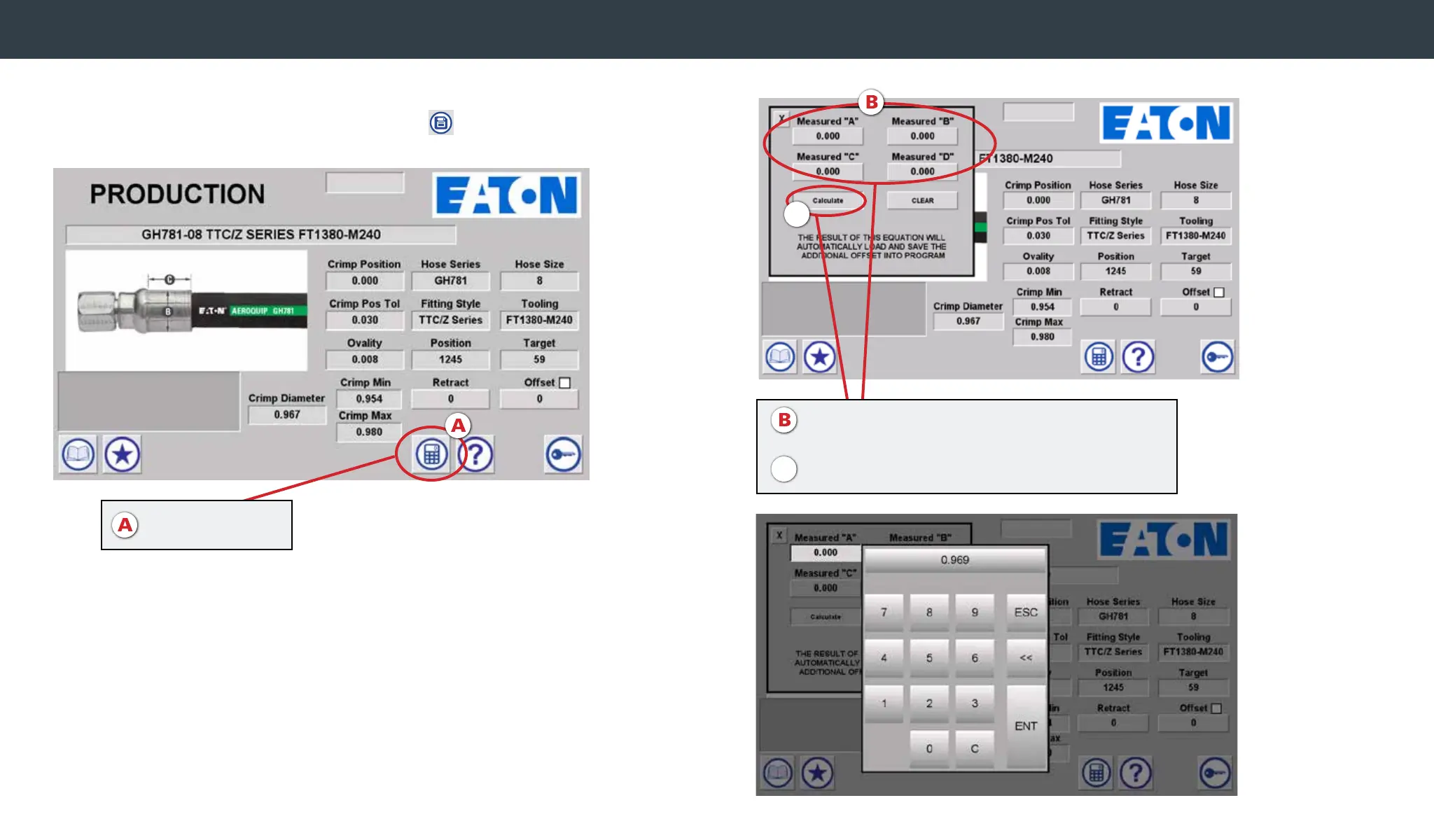
After crimping, measure the crimp diameter across each of the ats
of the crimped tting. Press the Calculator Icon .
The calculator window will open. Enter the four measurements and
select the Calculate button. One or more values must be entered for the
calculation to be performed. The offset value is automatically calculated
based on the average of the measurements entered and stored with the
Favorites record, if the spec was accessed from Favorites.
Note: The calculated offset may be adjusted and overwritten by
selecting the Offset button and entering a new value.
Changing crimp offsets via calculator
A. Enter the 4 Measured Diameters in
Measured “A”, “B”, “C”, and “D”
B. Press “Calculate”
A. Press Calculator
C
C


 To Next Page