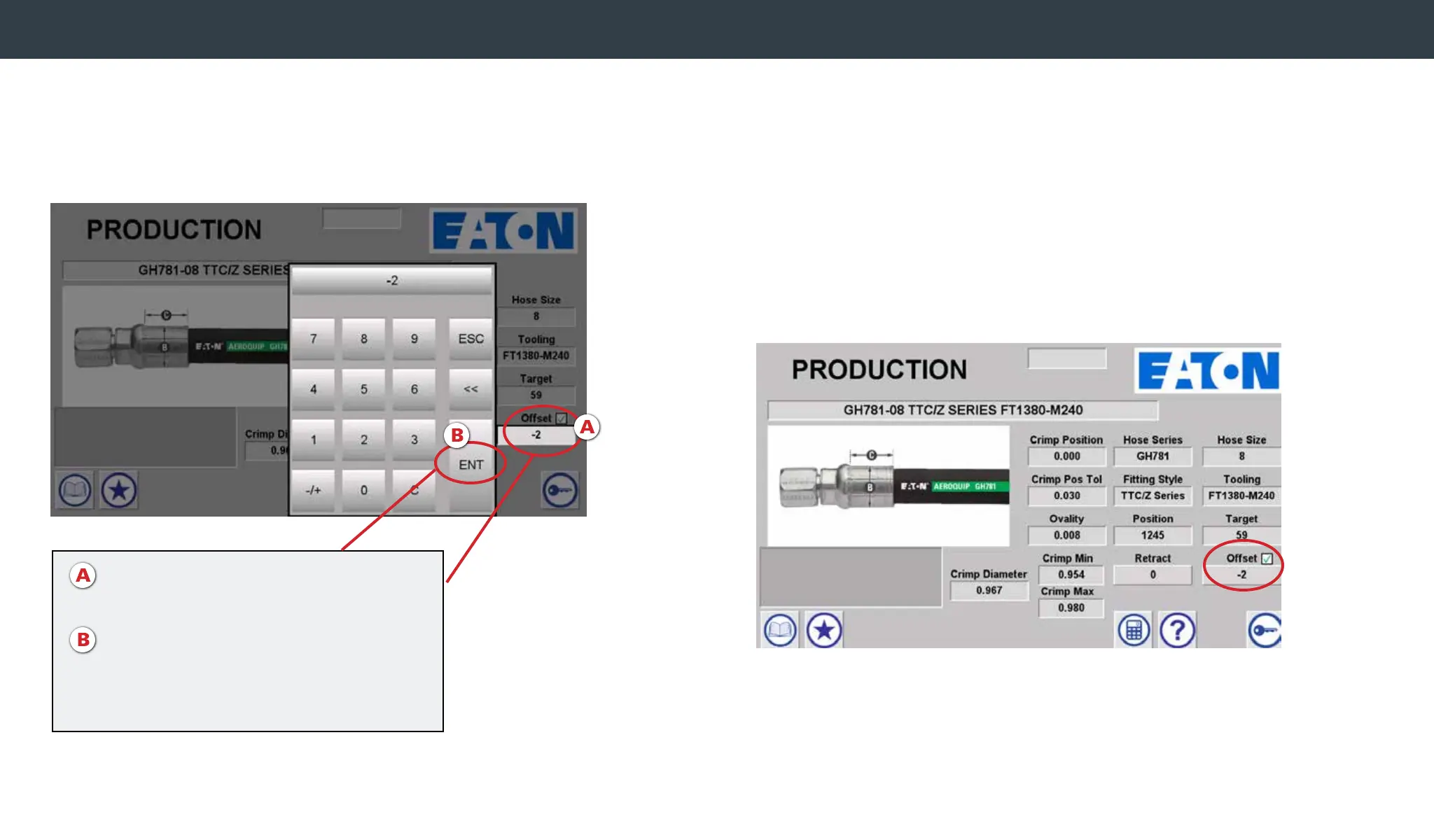
To change the crimp spec offset manually, press the “offset”
eld. Enter the desired offset using the keypad. Hit the ENT
button to save and close window.
Offset Verication
Once the offset has been veried, select the box next to Offset
and a green checkmark will appear. This indicates that the offset
has been veried.
Note - If unable to select the checkbox, the Administrator
has not enabled this Offset Verication privilege for
the Non-Admin user.
Changing crimp offset manually
A. Press “Offset” eld
Type in desired offset
B. Hit ENT to save and close the window
Note: This function overwrites the offsets
determined via the calculator


 To Next Page