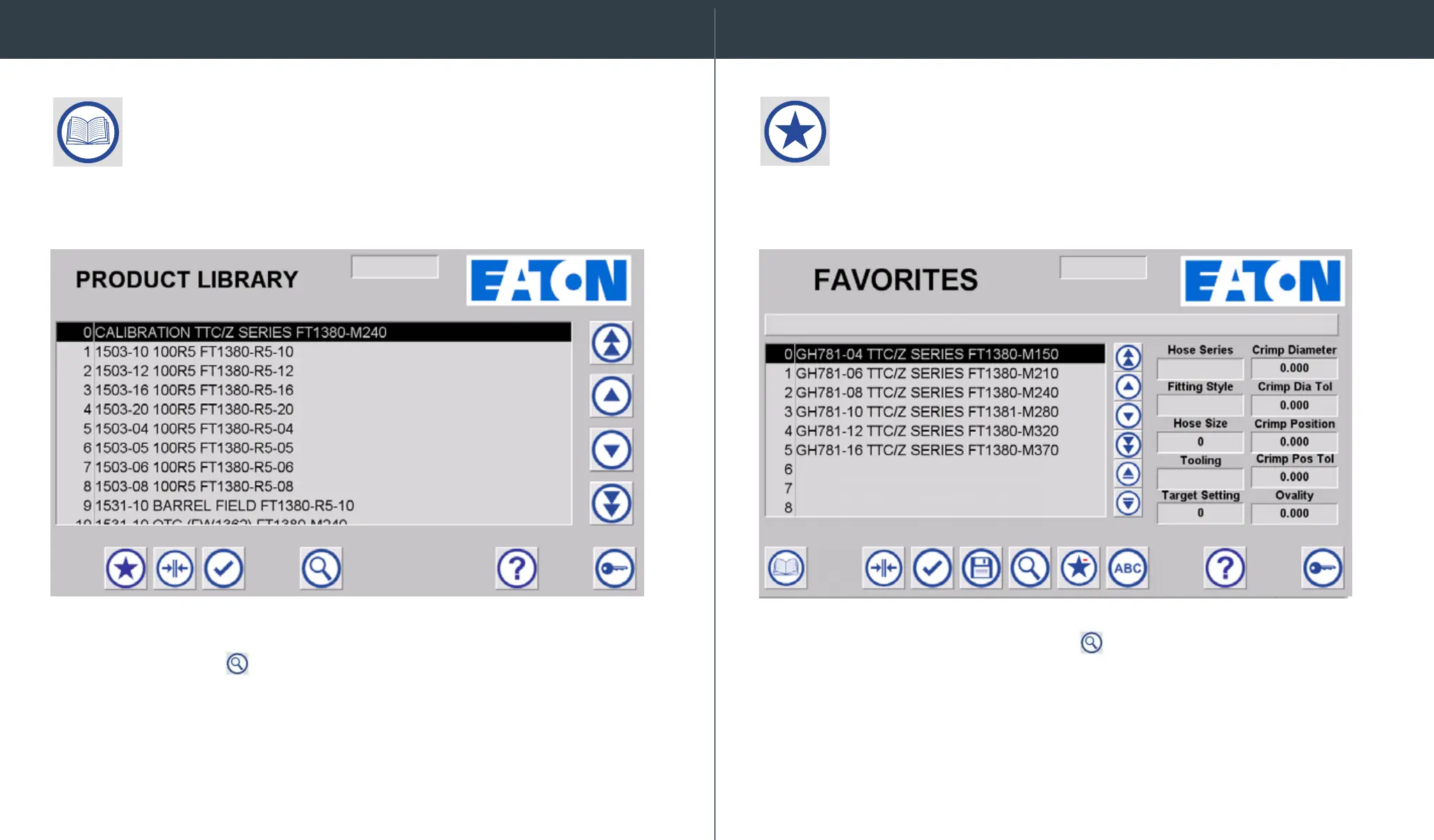
The screen displays available Crimp Spec options. To nd your spec,
select the search icon . Once the keyboard appears, type in the
hose series name on the keyboard, then hit ENT. It will scroll to the
rst entry for the searched value. Scroll up or down using the arrow
icons to locate the desired crimp spec.
To nd your spec, select the search icon
. Once the keyboard appears,
type in the hose series name on the keyboard, then hit ENT. It will scroll to
the rst entry for the searched value. Scroll up or down using the arrow
icons to locate the desired crimp spec.
Commonly crimped hoses should be saved as Favorites. If an offset
has been entered for the crimp spec, it will be stored with the Favorites
record.
On the Product Library Screen, you can see the complete list
of FT1380e crimp specs.
Favorites Menu
Product Library


 To Next Page