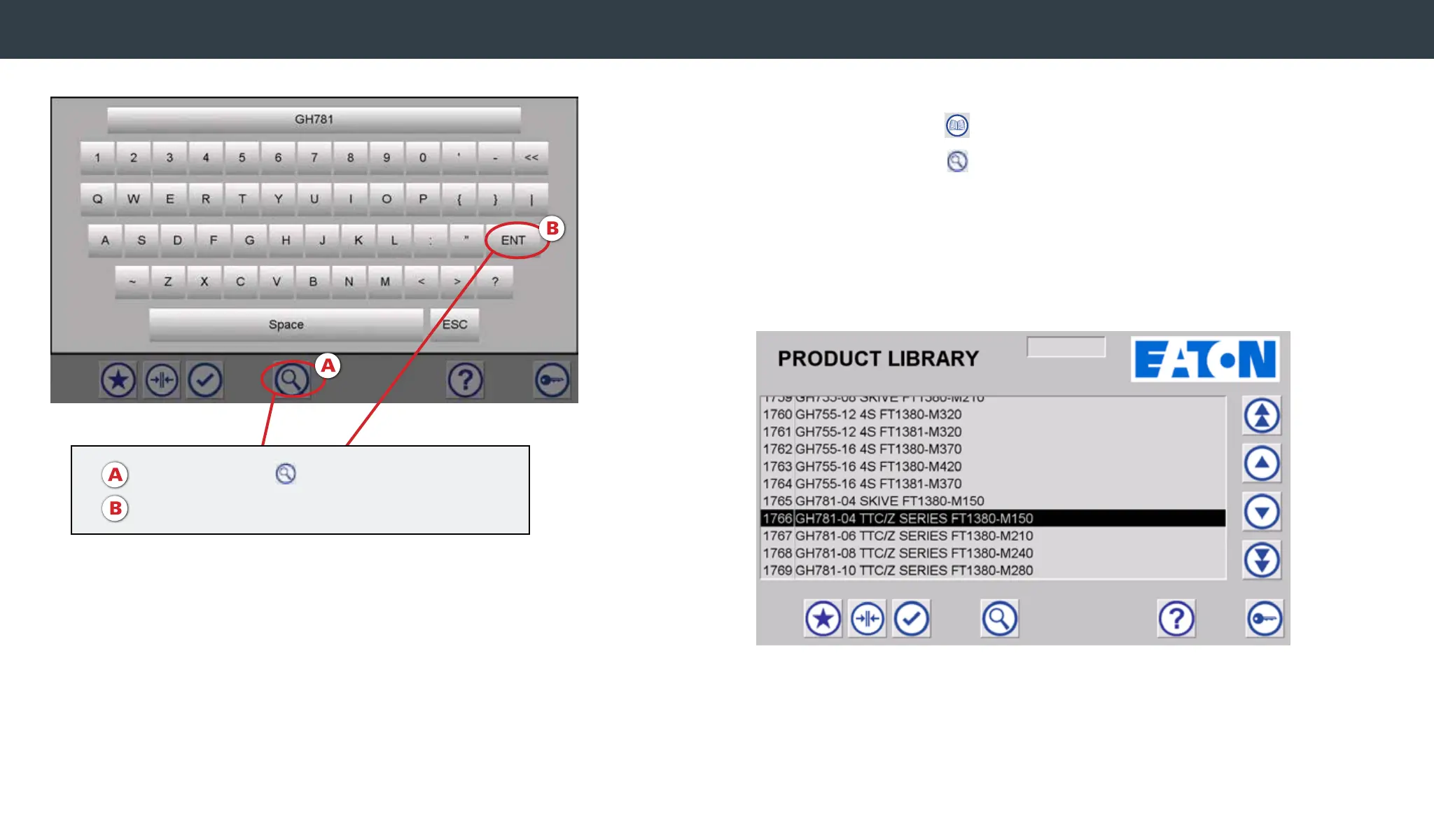
Note: It will scroll to the rst entry for the searched value. Scroll up or
down using the arrow icons to locate the desired crimp spec.
• Navigate to the Product Library Screen by selecting the
Product Library icon .
• Click the Search icon
on the bottom of the screen.
Once the keyboard appears, type in the hose series name on the
keyboard, then hit ENT.
To search for a crimp spec
A. Click Search icon
B. Type in hose name, hit ENT


 To Next Page