8
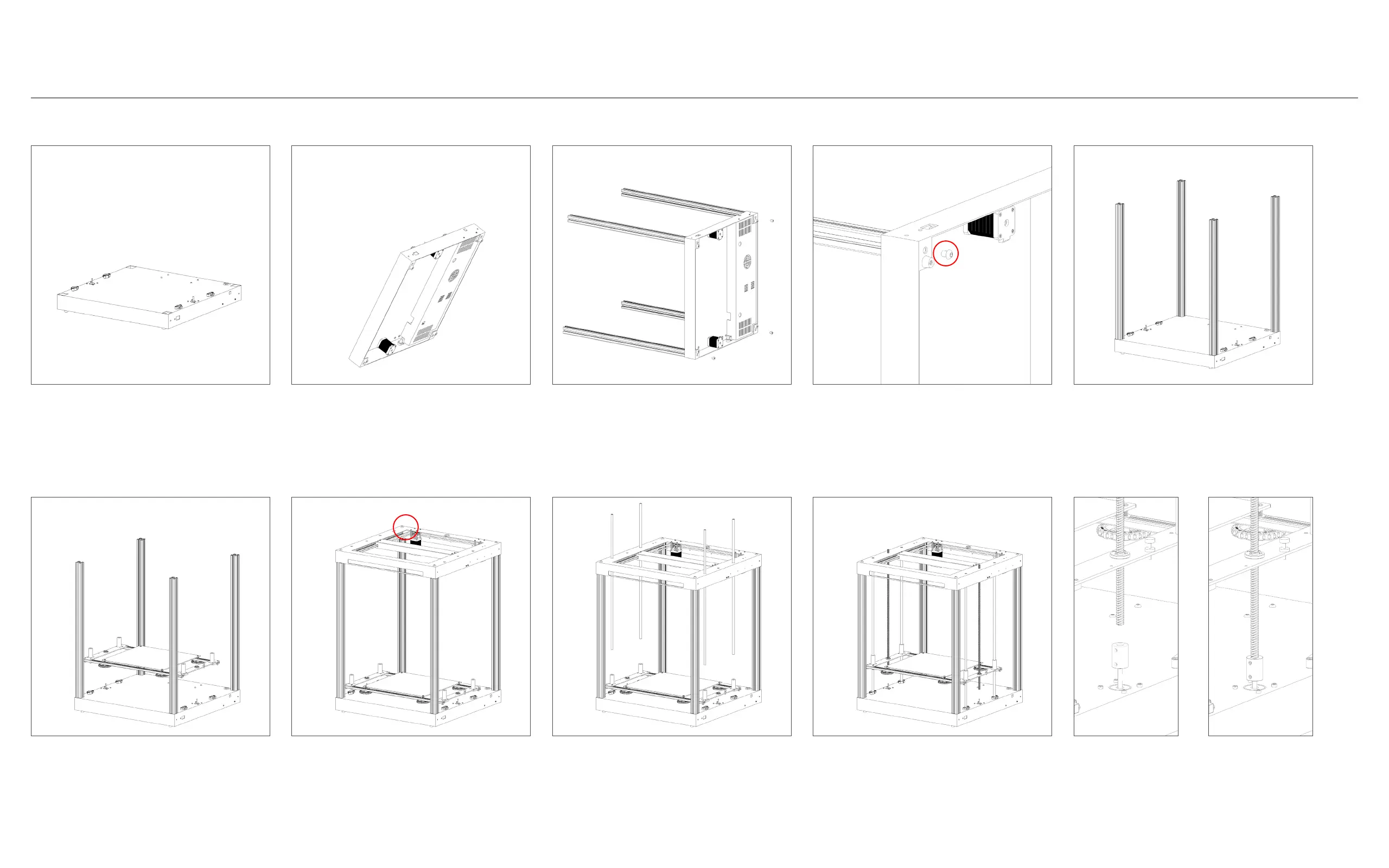
4*M8-10 screw/螺栓
1. 将底座放在平坦的桌面上。
6. 放置Z轴打印平台。
2. 将底座旋转90度。
7. 使用4颗M8-10螺栓固定顶部,确保电机与电源开关
处于同一侧。
3. 从包装中取出4根铝材。
8. 安装4根Z轴光轴。
4. 使用4颗M8-10螺栓将每根铝材与底座固定。
9. 安装2根Z轴丝杆。
5. 将底座旋转回正面朝上的位置。
10. 在每个螺纹杆底部加装Z轴联轴器,并确保牢固地
拧紧。
1. Place the base on a flat and even sur-
face.
6. Place the Z-axis printing platform in
position.
2. Rotate the base by 90 degrees.
7. Secure the top using 4 M8-10 bolts,
ensure that the motors are on the same
side as the power switch.
3. Take 4 aluminum profiles from the
package.
8. Insert 4 Z-axis smooth rods.
4. Fasten each aluminum profile to the
base using 4 M8-10 bolts.
9. Insert 2 Z-axis screw rods.
5. Rotate the base back to its original
position, facing up.
10. Attach a Z-axis coupling at the bot-
tom of each screw rod and ensure it is
tightly fastened.
第一步:主体组装
Step 1 - Main Body Assembly
4*M8-10 screw/螺栓



 To Next Page