11
Unit Installation
2.0
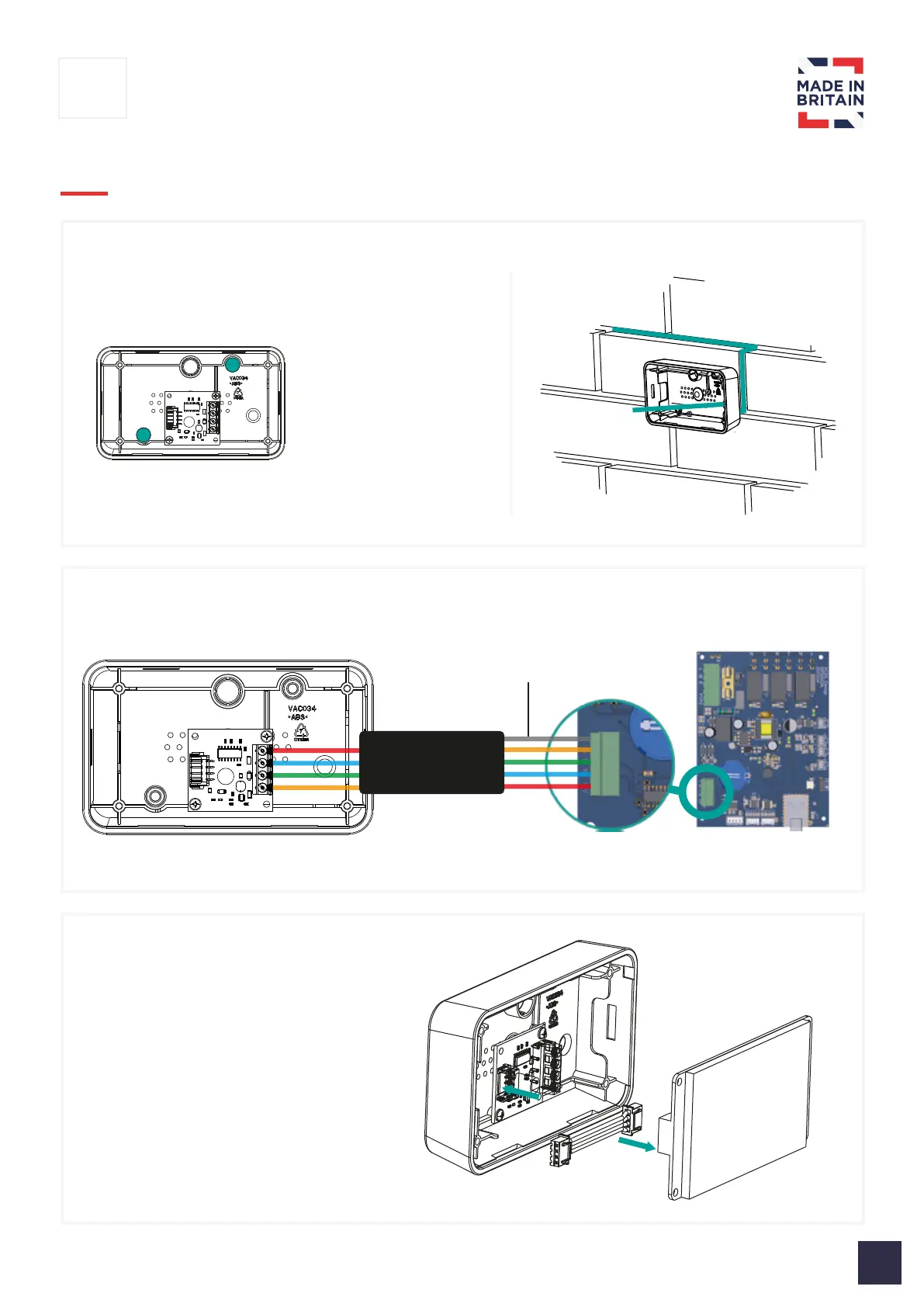
4 | Connect ribbon cable to screen
3 | Connect communication cable to PCB
2 | Secure touchscreen backbox to wall
Drill or push out plastic
to show 2x mounting
holes.
Ensure communication
cables is routed inside
of box before
mounting to wall
Note: Mounting screws and wall plugs not included
Screening ground
point (optional)
Note: Colours used only to identify wire orientation



 To Next Page