Error Code Display Error Code Definition
Motor position sensor fault! Motor Hall Signal Abnormality
THROTTLE fault! Throttle Abnormality
Motor or controller short circuit fault!
Motor or controller has short circuit
Abnormality
The fault is excluded and the fault code display interface is automatically exited.
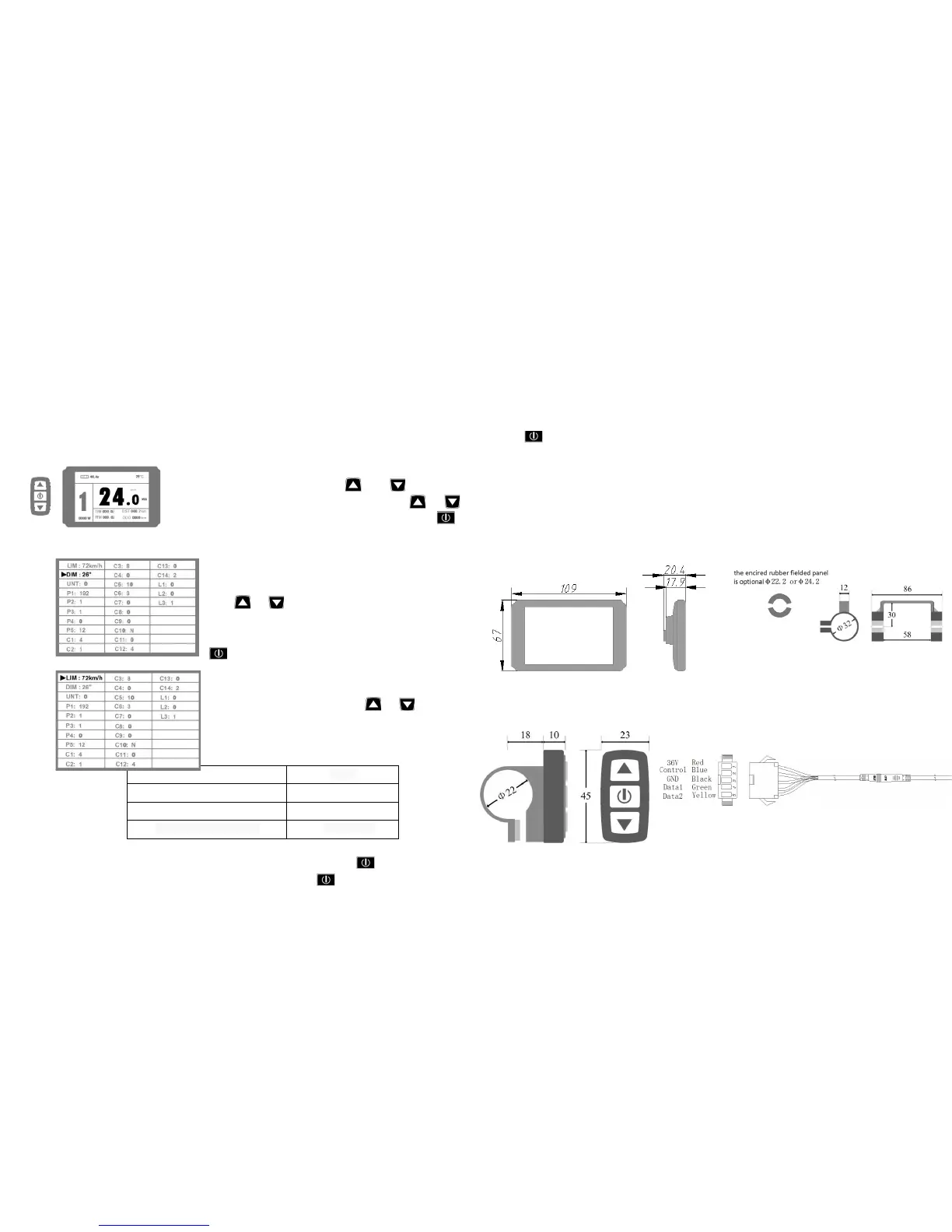
General Project Setting
After power on for 5 seconds, hold and at the same
time, maximum riding speed Km/H and MXS flash,hold or
shortly to set the maximum riding speed (default 25Km/H). Hold
button shortly and go to the next parameter settings.
The wheel diameter will be set after finishing setting the
maximum riding speed, wheel diameter specifications flashes.
Hold or shortly to set the specifications of wheel
diameter. Select the range
6,8,10,12,14,16,18,20,22,24,26,700c,28and 29 inches.Hold
button shortly and go to the next parameter settings.
2. Set the metric units
The metric units will be set after finishing setting wheel
diameter, Km/H and Km flash. Hold or shortly and
select the three metric units of speed, mileage, and ambient
temperature in synchronization.
Display Metric
Riding speed
Km/H
Total distance
Km
Environment temperature
℃ Temperature
4.
Km/H and Km stop flash after metric unit setting is completed. Hold button shortly again
to re-enter the maximum riding speed setting interface; or hold button long to exit from
setting environment of routine projects and save the setting values, returning to display 1.
5.
All three routine project settings can exit from the setting environment and return to the
display
if hold button long after each setting is completed, meanwhile the setting values are saved.
Under each setting interface, if the button failed holding for more than 1 minute, it will
automatically return to display 1, and the setting value is invalid.
Outline Drawings and Dimensions
1.Dimensions of main instrument body 2.Mounting dimensions of double brackets
3.Dimensions of button box 4.Wiring diagram
www.greenbikekit.com


 To Previous Page
 Loading...