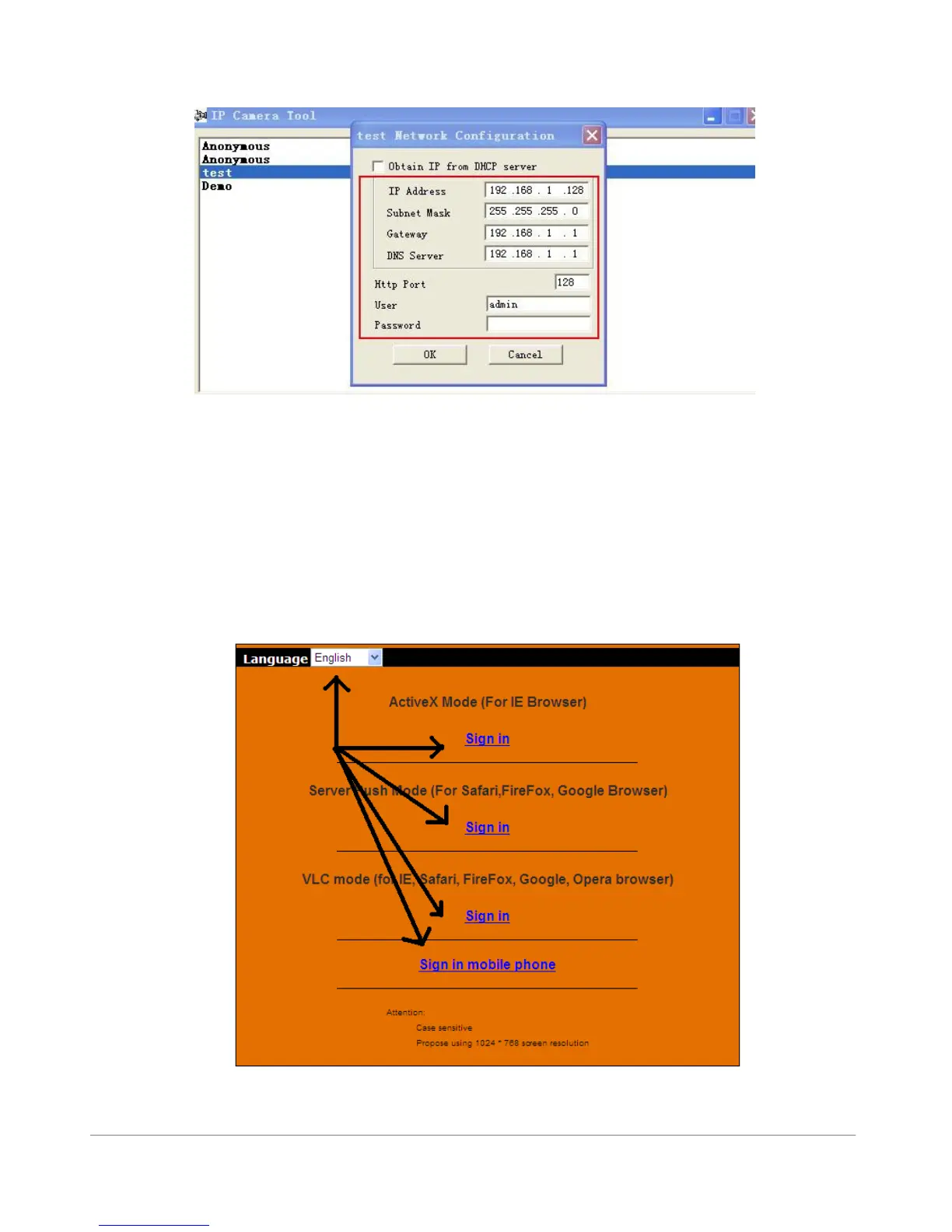
Right-Click your discovered camera to change the IP Settings of each camera.
Figure 2.6
Camera Login:
You can access the camera through IP Camera Tool or Internet Explorer (IE), Firefox, Safari,
Google Chrome or other standard browser directly.
1. Double click the IP address of the IP Camera listed (Figure 1.9). Select your language and the
web browser you use (IE = Internet Explorer).
Figure 2.7



 To Next Page